How to use the Transform Panel in Lightroom

How to use the Transform Panel in Lightroom by Meg Loeks
before

How to use the Transform Panel in Lightroom by Meg Loeks
after

Let’s face it, sometimes the lines in our photos aren’t perfectly straight.

Gasp!

It’s true but you’re in luck because there is an easy fix. Lightroom has a great feature for correcting lines, the Transform Panel.

The Transform Panel, located in Lightroom’s Develop Module after the Lens Correction Panel and before the Effects Panel, is a handy little tool that tends to get overlooked. It is great for fixing those distracting lens distortions that usually come when using a wide-angle lens.

With a few simple steps, your image can go from a little wonky to perfectly straight in just a few simple steps.

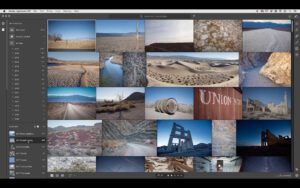
Below you’ll find a quick video showing you how I use the Transform Panel when straightening out lines and distortion. I’d also like to take a moment to clarify some options you’ll find in the  Transform Panel.

Within the Transform Panel, you will find five Upright options you can use. This is what the options do:

  • Auto: Fixes vertical and horizontal distortion.
  • Guided: Instead of just one guide, this allows you to create two or more.
  • Level: Fixes horizontal distortion.
  • Vertical: Fixes vertical distortion.
  • Full: Combines auto, level and vertical corrections.

Under the Upright options you’ll find seven sliders: Vertical, Horizontal, Rotate, Aspect, Scale, X Offset and Y Offset. Use the slider to manually adjust the perspective within your photo.

Sometimes correcting lines and distortion is a subtle fix like the example I’m using here and sometimes it’s a major fix. Whichever it is for you and your image, I guarantee it won’t be as difficult as you may originally think.

Read all previously published Lightroom tutorials.

This article was updated on October 23, 2017.

Join the Clickin Moms photography forum

SPONSOR GIVEAWAY UPDATE!

The generous giveaway from AlbumExposure is now closed.

Congratulations to Krisanne who said, “Great tutorial – this is something I haven’t played with much in LR, so I’m happy to learn!!” on winning!

The post How to use the Transform Panel in Lightroom appeared first on Clickin Moms.


Clickin Moms

Posted in Photograpy How To | Tagged , , | Leave a comment

Lightroom Classic vs Lightroom CC

Lightroom CC layout

Following Adobe’s announcement of two new versions of Lightroom, there has been some confusion about the exact purpose of each one. Many photographers on Adobe’s subscription plan are looking forward to using the new version of Lightroom and gaining the most recent feature set. But, which one is the new version? The two new options are called “Lightroom Classic” and “Lightroom CC,” and they’re quite different from one another. In fact, I suspect that many photographers won’t even use Lightroom CC at all, and they’ll stick entirely to Lightroom Classic. Below, I’ll outline the differences between the two.

[Read More…]

Photography Life

Posted in Photograpy How To | Tagged , | Leave a comment

Find beautiful light to create dramatic still life and macro images

It’s something we hear all the time but can’t be emphasized enough – light is everything.

Good lighting not only illuminates the subject in the image but also draws our eye to where we want the viewer to focus.

Learning how to use this light and controlling or manipulating it is crucial for an image to stand out as unique. Of course, composition and other technical details are important, too, but light is key.

Beautiful light is all around us. However, to see this and create dramatic images requires some learning.

Beautiful light is all around us. However, to see this and create dramatic images requires some learning.

Beautiful light is all around us. However, to see this and create dramatic images requires some patience and observation.

1. Be observant. Be patient.

Once we learn to slow down a little and start observing, we begin to appreciate the beauty surrounding us.

As a mother, I love photographing my children the most. However, I’ve learned that having a subject matter just for myself to feed my soul and inspire me is also important.

Taking a break from my usual subjects, I often wonder in my own backyard in the hope of finding things to photograph. When I’m out walking in my yard or out for a stroll, I’m always observing light and how it falls on the objects surrounding me – the ground and trees – as well as how it casts shadows and create light patterns.

Being an observant photographer is the first step in learning to manipulate and control light to create drama.

Beautiful light is all around us. However, to see this and create dramatic images requires some learning.

2. Have a vision in mind.

These images were created in my backyard. There’s nothing extraordinary in my backyard except that when I can, I like to sit outside and observe the morning and evening light.

Required fields are marked *

Once you begin studying and really observing light, you will begin to form a vision of how you want even a simple subject like a flower to appear in your final product.

  • Do you want the image to be bold and moody? Consider underexposing to allow the light to stand out in contrast.
  • Do you want the image to be backlit? Backlight adds a soft and gentle element to any image.
  • Or maybe you want to use side light and find a unique angle? This adds additional elements to create intrigue.

Having a vision in mind as to how you want your final image to look is important.

3. Add contrast and mood with light and shadows.

For most of my macro and still life images, I like to underexpose them a tad to bring out contrast. This adds depth and mood to the image.

Beautiful light is all around us. However, to see this and create dramatic images requires some learning.

Beautiful light is all around us. However, to see this and create dramatic images requires some learning.

Beautiful light is all around us. However, to see this and create dramatic images requires some learning.

I also experiment with creative lenses such as a Lensbaby. Creative lenses often add extra flare in a photo for uniqueness if needed.

Beautiful light is all around us. However, to see this and create dramatic images requires some learning.

4. Explore various lighting scenarios.

Outdoor backlight:

I use the Sigma 105 mm f/2.8 macro lens for most of my outdoor still life and macro images. With this lens, I can go to f/2.8 which is a good aperture to capture everyday life and macro if you want bokeh in the background.

While I don’t always shoot wide open with that lens, it is definitely helpful to have that capability. While a lower f-stop will bring in some haze in the image, you can also achieve this with a smaller f-stop depending on how you angle your camera towards the subject.

You can also deliberately increase the f-stop to capture some magical flares while still focusing on the subject with your macro lens. If needed, I’ll tilt my camera towards the light to let a slight amount of light in the frame.

By doing this while the sun rays are peeking through a tiny slim fence partition in your yard (this is just one example) creates that perfect flare while backlighting your image.

Related: The photographer’s ultimate guide to backlighting

Beautiful light is all around us. However, to see this and create dramatic images requires some learning.

Beautiful light is all around us. However, to see this and create dramatic images requires some learning.

Outdoor rim light:

For macro photography, I like to achieve a subtle rim lighting effect without losing the details in the image. Rim light is when your subject is beautifully highlighted by a strip of light. With this type of lighting, it’s important to retain the details of your subject.

Related: When and how to use these 8 types of photography lighting

Beautiful light is all around us. However, to see this and create dramatic images requires some learning.

Beautiful light is all around us. However, to see this and create dramatic images requires some learning.

Beautiful light is all around us. However, to see this and create dramatic images requires some learning.

Indoor side light:

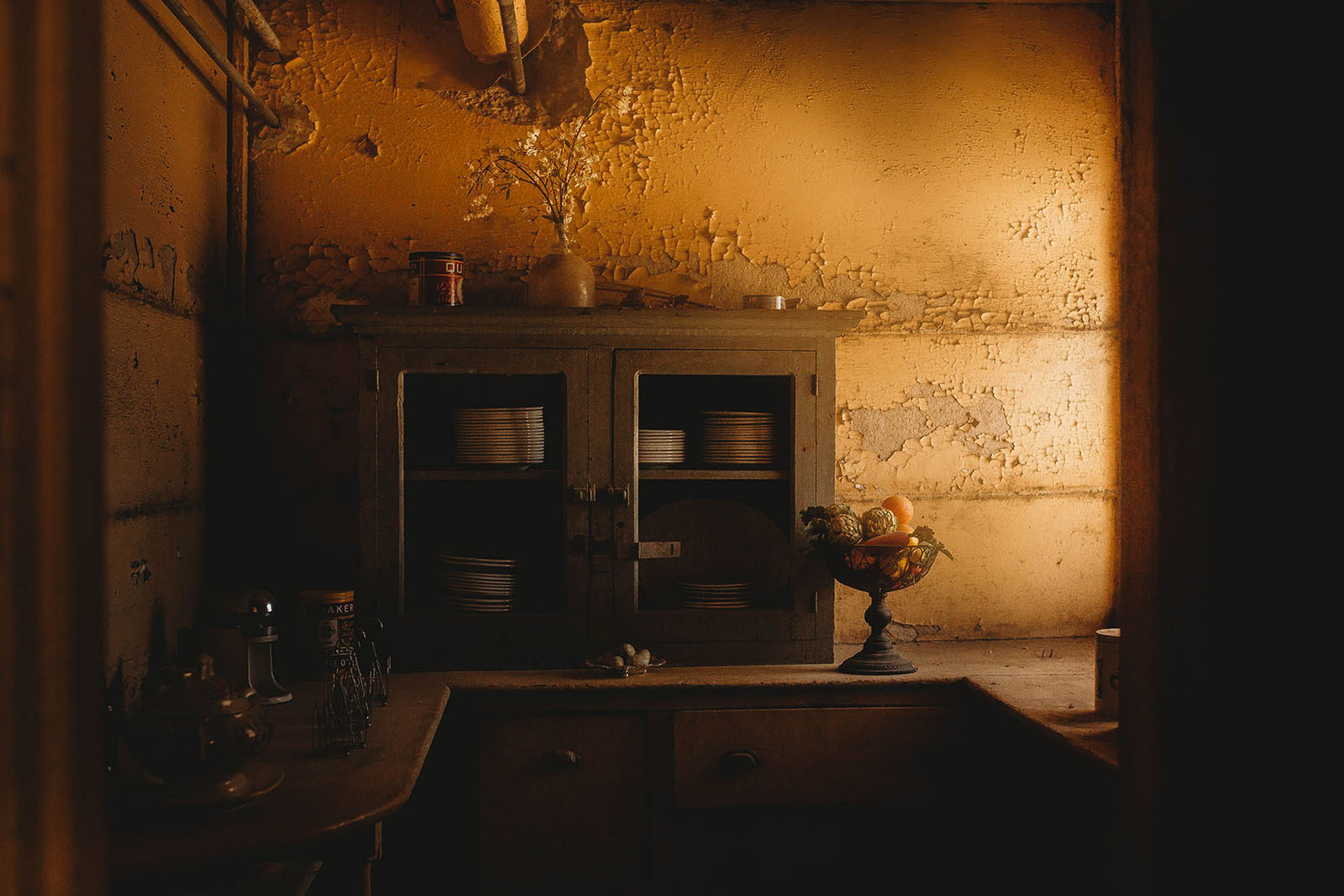
When indoors, use natural window light to illuminate the subject. Using side light from a window is my favorite type of lighting when indoors.

With light and shadows in the frame, it creates a perception of depth and adds to the mood. Keep in mind that the closer your subject is to the window, the more contrast there will be between the light and shadows.

Beautiful light is all around us. However, to see this and create dramatic images requires some learning.

Beautiful light is all around us. However, to see this and create dramatic images requires some learning.

Beautiful light is all around us. However, to see this and create dramatic images requires some learning.

Unlike photographing kids who are ever moving, the good thing about shooting still life images is that you have the time to observe, plan and execute the image utilizing morning/evening light!

Join the Clickin Moms photography forum

The post Find beautiful light to create dramatic still life and macro images appeared first on Clickin Moms.


Clickin Moms

Posted in Photograpy How To | Tagged , , , , , , , , | Leave a comment

Lightroom Classic and Lightroom CC Announced — Subscription Only

Lightroom CC release

Four years is a long time in the digital realm. In the past four years, new products, services, and software have uprooted many parts of the old world and put something new in its place. It also is enough time — as many people suspected, but wasn’t confirmed until today — for a company to break a promise. I’m talking about Adobe, with their new release of two separate versions of Lightroom: a split “Lightroom CC” and “Lightroom Classic CC.” Both of them are subscription only, which runs counter to Adobe’s own words during the release of Lightroom 5: “Future versions of Lightroom will be made available via traditional perpetual licenses indefinitely” (source). Although it helps to define indefinitely just to be sure — dictionary.com says “without fixed or specified limit; unlimited” — it should be clear that Adobe’s sentiment has shifted dramatically since then, as they’ve seen their profits soar with the Creative Cloud. Below, I’ll dive into some new features in these Lightroom releases. I’ll also provide some suggestions if, like me, you are against the idea of monthly payments in order to access a catalog-based editing software (which makes you keep paying if you want the ability to re-edit your old photos).

[Read More…]

Photography Life

Posted in Photograpy How To | Tagged , , , , | Leave a comment

Nikon 10-20mm f/4.5-5.6 DX VR AF-P Review

Nikon AF-P DX NIKKOR 10-20mm f/4.5-5.6G VR

In this in-depth field review, we are going to have a look at the new Nikon wide-angle DX lens Nikkor 10-20mm f/4.5 – f/5.6 AF-P ED VR, which was launched in June 2017. This lens was announced among two other professional wide-angle lenses (FX Nikkor Fisheye 8-15mm and FX Prime Nikkor 28mm f/1.4). While those bigger brothers raised a lot of expectation for full-frame shooters, the plastic entry level 10-20mm DX lens hardly caused any excitement. In this review I will show that this lens deserves the attention of both amateur and semi-professional photographers.

[Read More…]

Photography Life

Posted in Photograpy How To | Tagged , , , | Leave a comment