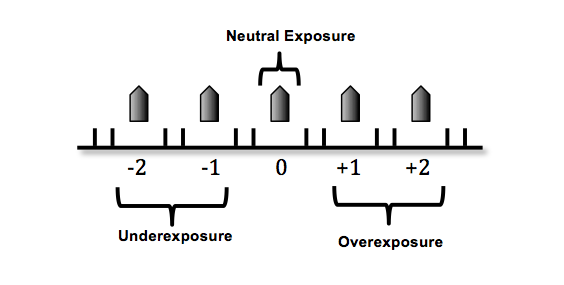
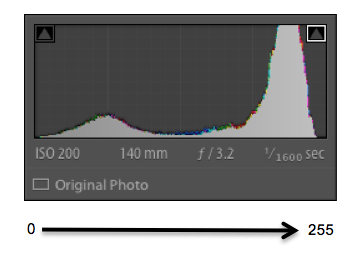
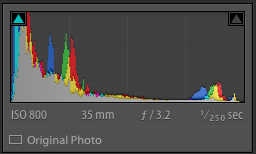
Once I review my histogram, I can go back and adjust my exposure settings accordingly if I need to pull back on my highlights because they are climbing the wall on the right side of the histogram and my image is overexposed and losing detail within important areas or my histogram is pulled back too far from the right side of the wall and not meeting ETTR exposure.
The purpose of ETTR is to use exposure settings that push the highlights as far to the right of a histogram as possible without blowing out important highlights which can be seen when there is climbing on the right side of the histogram wall.
Before we move on with the reasons I ETTR, let’s talk about the importance of the in camera highlight indicator or in camera preview blinkies and the exception to highlight wall climbing in the histogram.
Sometimes upon image review your histogram will climb the right side of the wall yet exposure will not be at its best ETTR. This happens in high dynamic range situations, like a strongly backlit subject or when a bright light source like a window is visible in a scene.
Turning on your in camera highlight indicator is useful in such situations. Upon image review, in preview mode, your image will blink in areas that are blown and represented by that climbing on the right side of the histogram. You can decide if the blinking areas, which indicate blowing and loss of detail, are important to retain or not within your image.
In such high dynamic situations I dial in exposure settings until an important area of my image, like skin, starts to blink. I then pull back on my settings a touch to ensure the highlight indicator is not illuminating important areas of my image.
I now confidently know that I have good ETTR exposure I the important areas of my image, even though some areas of my scene, such as the brightest areas, have lost detail.
Sounds like a lot of work? Right? I promise it’s not. After years of experience, it only takes me a matter of seconds to put all of this into practice.
Reasons to ETTR:
But why do I want to go through these steps and push my histogram as far to the right as possible?
Arguably there’s no such thing as correct exposure. Exposure has everything to do with the vision a photographer has for an image.
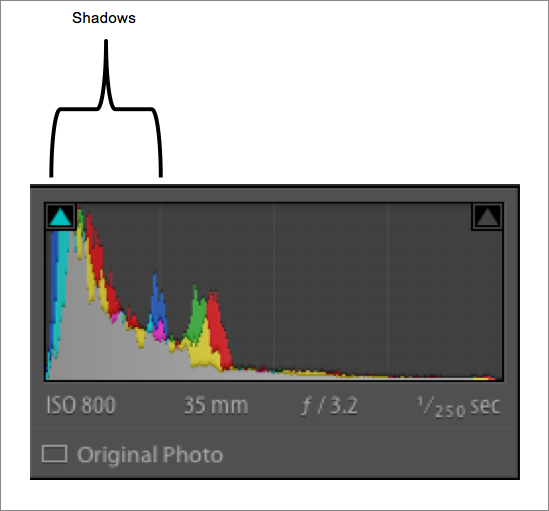
However, if I ETTR what I’ve done is not only preserved as much detail in the highlights as possible but I’ve also shifted the entire histogram to the right. This preserves more detail in my shadows. ETTR increases the likelihood that both highlights and shadows will retain information that I can work with in post processing.
I like detail and I want to be able to retain as much information within my images as I can. Maximizing the overall technical accuracy of my images is my goal and ETTR allows for me to do that.
I don’t want my blacks to become a muddle of darkness. I want detail there. If possible I don’t want my highlights to be blown out and appear white. I want information.
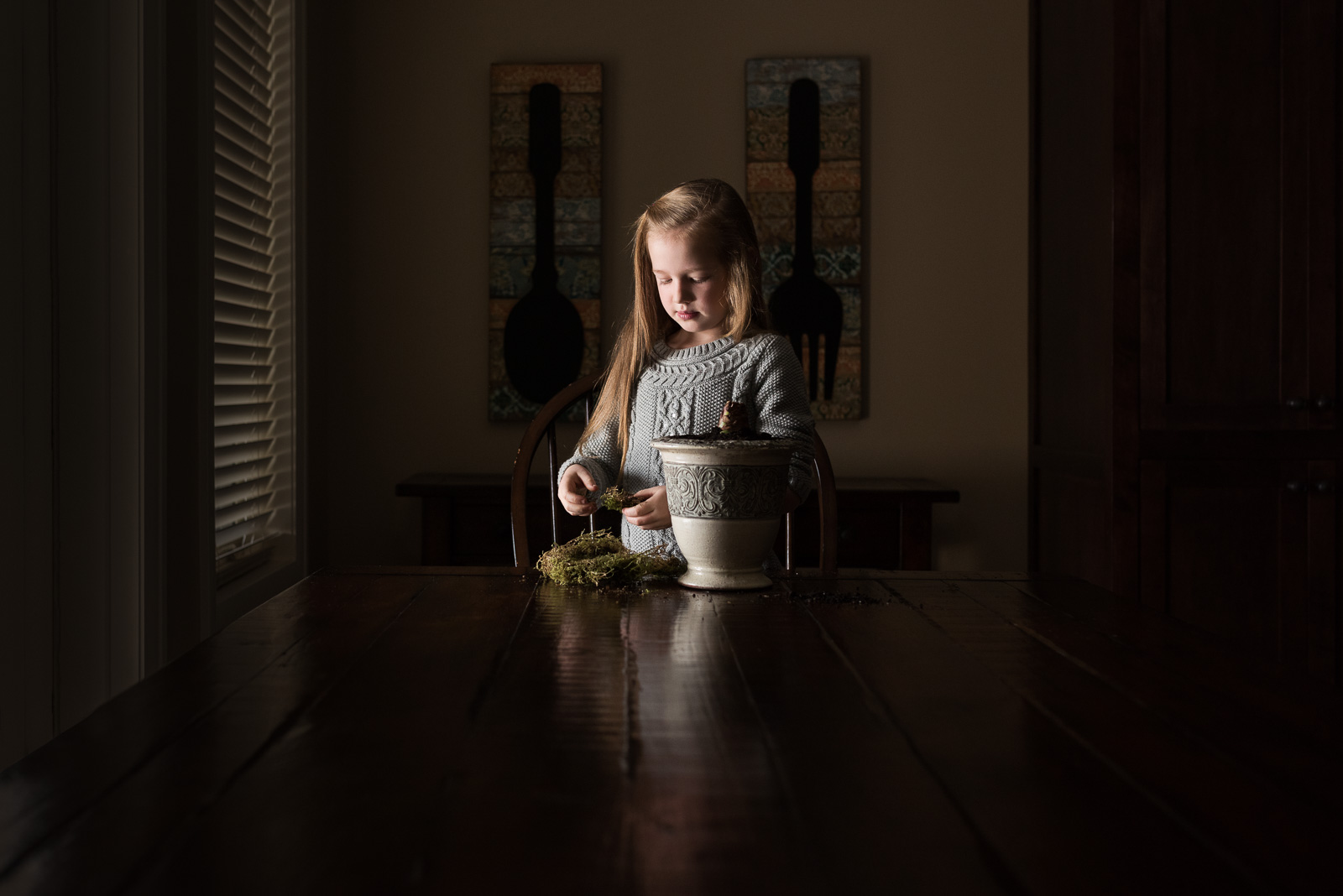
Take this image as an example.
SOOC (straight out of camera) I have dialed in exposure settings in order to push my histogram far to the right side of the graph without blowing out any highlights. Although the SOOC capture does not capture the vision I had in mind for my final edit, what it does do is preserve full dynamic range SOOC.
Had I shot for the mood I wanted I’d have clipped and lost detail in my shadows. The magic of ETTR is that in post processing I can adjust my exposure to meet my vision for the image knowing that I have preserved details in all areas of the image from shadows through highlights.