Focus Stacking Tutorial for Landscape Photography

A lot of landscape photographers are interested in focus stacking — combining multiple images of the same scene, each focused at different distances, into a single photo. This is a useful tool to have at your disposal, since it lets you take pictures in more situations than you otherwise could. For example, if elements of your photo are very close to your camera, focus stacking may be the only way to get a sharp shot. Although I don’t use this technique for every photo, it’s something that I keep in mind when I’m taking pictures in challenging conditions. This article gives an overview of focus stacking for landscape photography, including step-by-step instructions on how to focus stack photos in Photoshop. All of these tips are also relevant for other types of photography, not just landscapes.

1) What Is Focus Stacking?

Focus stacking is an interesting development of digital photography, and, more specifically, digital post-processing.

Focus stacking lets you take several photos of a landscape, focused at different points, and combine them together into the sharpest possible image. For example, you may take three photos at a particular scene: one focused on the foreground, another on the middle-ground, and a third on the background. Then, you can take the best parts of each photo and combine them into a fully-focused image.
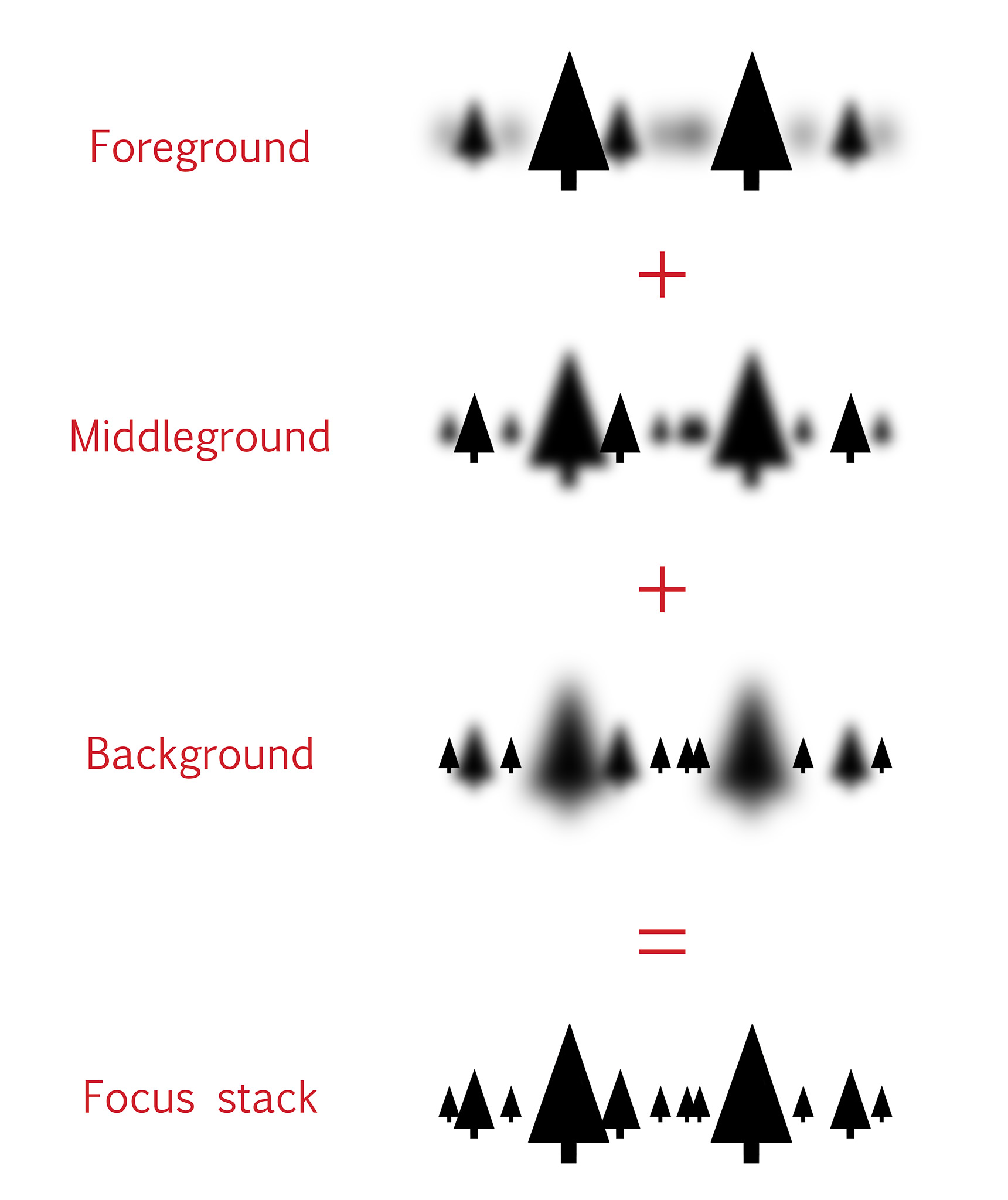
Focus Stacking Diagram

(The latest installment in “Spencer can’t draw, but a diagram here would be useful.”)

You can focus stack with any lens and camera, but you need to have the right post-processing software to combine the photos together. I use Photoshop, since that’s what I already own, but there are better programs out there if you do a lot of focus stacking — Helicon Focus and Zerene Stacker being the two main products. However, if you only do occasional focus stacking, Photoshop’s tools should be fine.

2) Why Focus Stack?

There are two main reasons why you might want to focus stack a landscape photo.

First, you could be photographing a landscape that has too much depth. In other words, some parts of the scene are too close to your camera, and they’re out-of-focus if you shoot just a single photo. This can happen if your foreground is very close to your camera — there’s just no way to capture a focused foreground and background in one shot (even at small apertures like f/16).

You’ll also run into sharpness problems when you use telephoto lenses for landscape photography. Because they have such a thin depth of field, telephoto lenses will cause some blurriness in all but the most distant landscapes. Again, even an aperture of f/16 may not give you enough depth of field.

For me, that’s the most common time that I use focus stacking — when there’s no other way to get enough depth of field. In fact, I shoot most of my focus stacks at f/16, since it means that I don’t have to take as many photos (more on that later).

However, there’s also a second reason why some photographers focus stack, and it’s equally valid.

Because all lenses have a sweet spot, there will be an aperture that gives you the sharpest possible photo. For a lot of lenses, this sweet spot will be somewhere from f/4 to f/8. Unfortunately, those apertures don’t always give you enough depth of field, so you have to compromise.

Or not — that’s the other reason to use focus stacking. If you want the absolute highest image quality of a given landscape, you can use your lens’s sharpest aperture and stack together as many shots as you need. The downside, of course, is that you need to take several photos per scene to capture all the depth of field.

In the end, you should only focus stack if you require more detail than the camera can capture in a single photo. You might create huge prints, do a lot of cropping, or work with landscapes that have an unusually large depth of field. Regardless, focus stacking helps you get the last little bit of image quality that you can.

3) When Can You Use Focus Stacking?

Of course, nothing is a free ride. On one hand, compared to a single photo, focus stacking takes up more time and memory card space. Plus, not all landscapes even work for focus stacking.

For example, think about a wave rolling into shore. It’s not a problem to take a single photo, but focus stacking is essentially impossible — the wave will move too much from frame to frame. This is true in many landscapes with fast-moving subjects. The more quickly a scene changes, the harder it is to focus stack.

If the landscape isn’t moving too much, though, you can focus stack most of the time. Of course, this is only true if you’re willing to go through the effort of capturing multiple photos at once. The more often that you focus stack, the longer you need to spend working on every shot you take — both in the field and in post-processing. If you use focus stacking 100% of the time, you’ll run out of space on your memory card much faster than usual.

That said, if you have to use focus stacking, it’s a great tool. Don’t avoid it just because it takes time; in the end, it’s worth the effort for certain scenes. So, how do you focus stack? That’s covered in the next section.

4) How to Focus Stack Landscape Photos

Focus stacking isn’t hard, but it definitely requires more effort than when you take single photos.

To start, you need to employ best practices in the field. What does this mean? Quite simply, you have to take photos in a way that your stacking software can recognize easily.

First, you should use a tripod. Although it’s possible to shoot handheld focus stacks, it will increase the likelihood of difficulties in post-processing.

Second, make sure that you don’t change the focus too much from shot to shot. For example, if you only take two photos — one focused on the foreground, and one on the background — the middle of your photo could be blurry! Even if your post-processing software still blends the shots together, the final image won’t look very good.

When you’re in the field, it’s best to focus on the exact spot in the prior image where sharpness first starts to decrease. You might need to zoom in on live-view in order to do this properly. By doing this, you avoid an unnatural-looking final result.

Now that you’ve taken your photos, it’s time to start blending them! Here, I’ll demonstrate how to focus stack in Photoshop, since that’s the software you’re most likely to have. (If you have Zerene Stacker or Helicon Focus, you’ll have a bit more control over the process.)

Before you open the photos in Photoshop, you need to make sure that they are ready to merge.

Specifically, ensure that the brightness of all your photos is the same — otherwise, they won’t merge properly. Normally, this won’t be a problem, but you might notice a brightness difference if the light was changing quickly from shot to shot.

The photo below(along with six other photos focused at different distances) is part of the focus stack that this article covers. I took these images at f/5.6, which makes it easier to see the thin depth of field:

Blurry Focus Stack

NIKON D800E + 70-200mm f/4 @ 92mm, ISO 100, 1/8, f/5.6

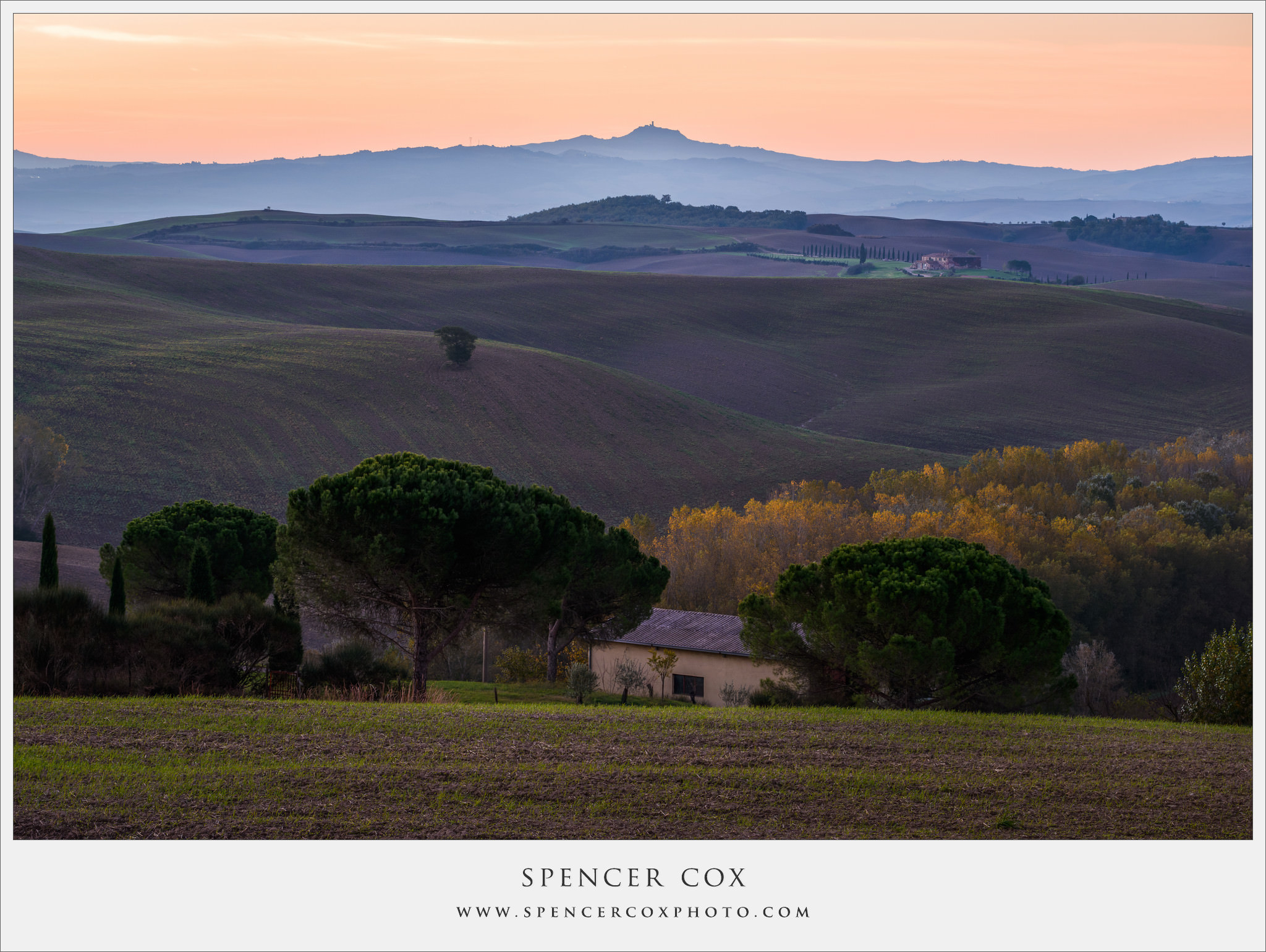
Here’s the focus stacked result (unedited — final version at the bottom of the article), where everything is incredibly sharp:
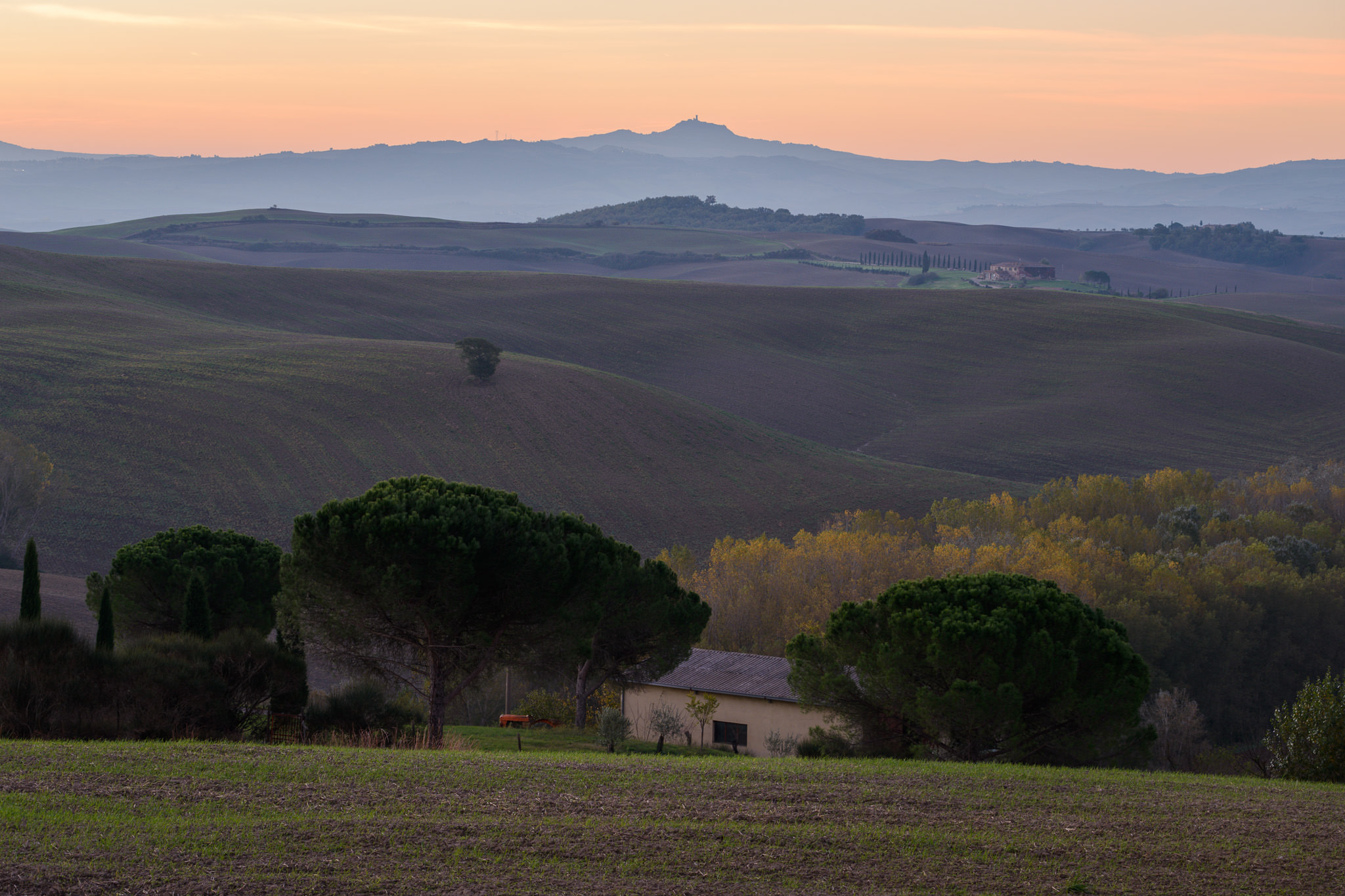
Focus Stack Unedited

This is the unedited version of the final focus stack. You can see how much sharper it is than the prior photo — click on the two images if you want to compare them larger.

5) Focus Stacking Checklist

Now that you’ve taken your photos, it’s time to bring them into your post-processing software. Here’s a quick checklist that can help if you use Lightroom and Photoshop:

  • First, open all of the images in Photoshop. You can do this by entering Lightroom, highlighting every shot, then clicking “Open as layers,” as shown below:
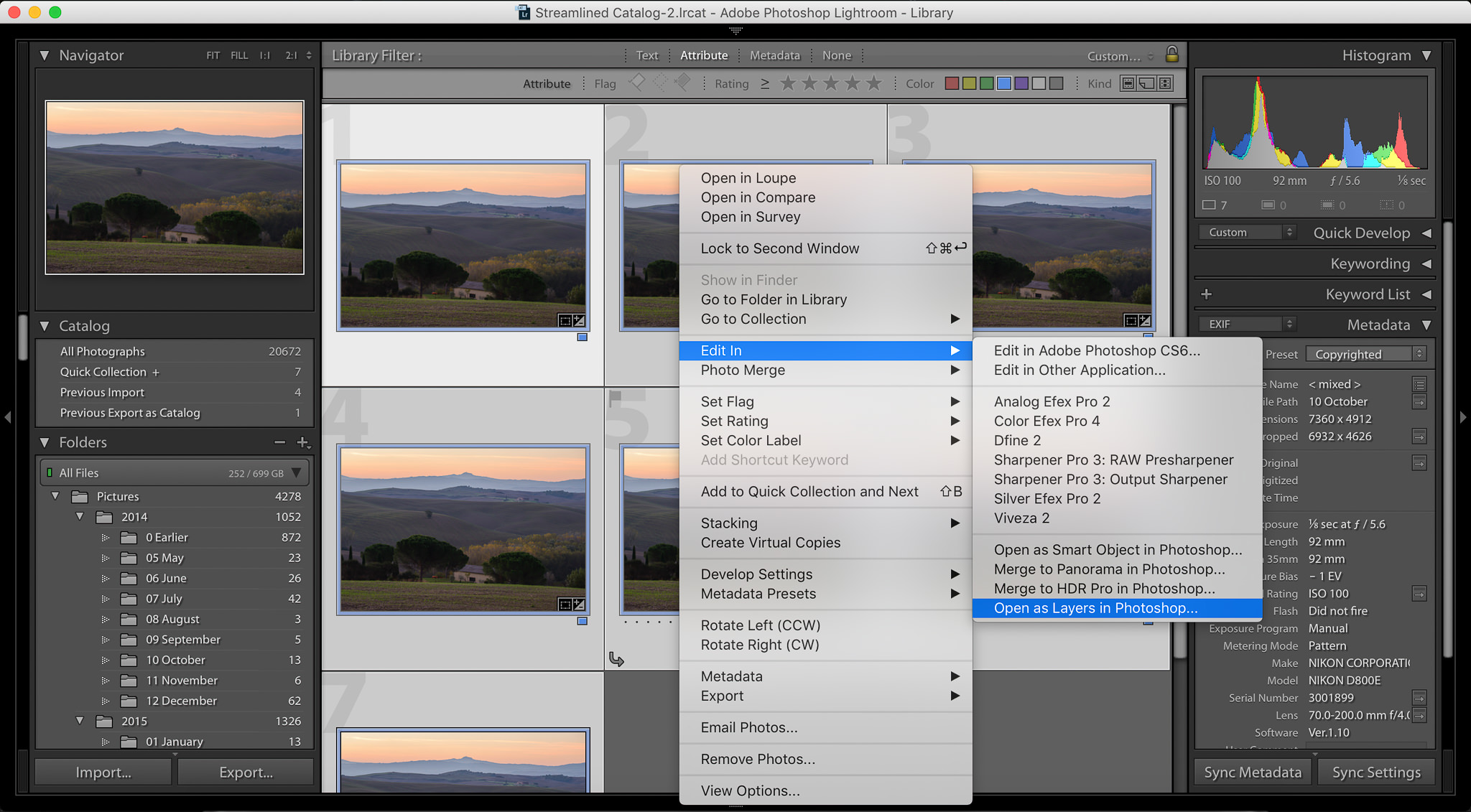
Focus-Stack-Screenshot-1

  • Once your photos are in Photoshop, select all the layers, and click Edit > Auto-Align Layers. In the next window, you can leave the blend mode to “Auto”:

Focus-Stack-Screenshot-2

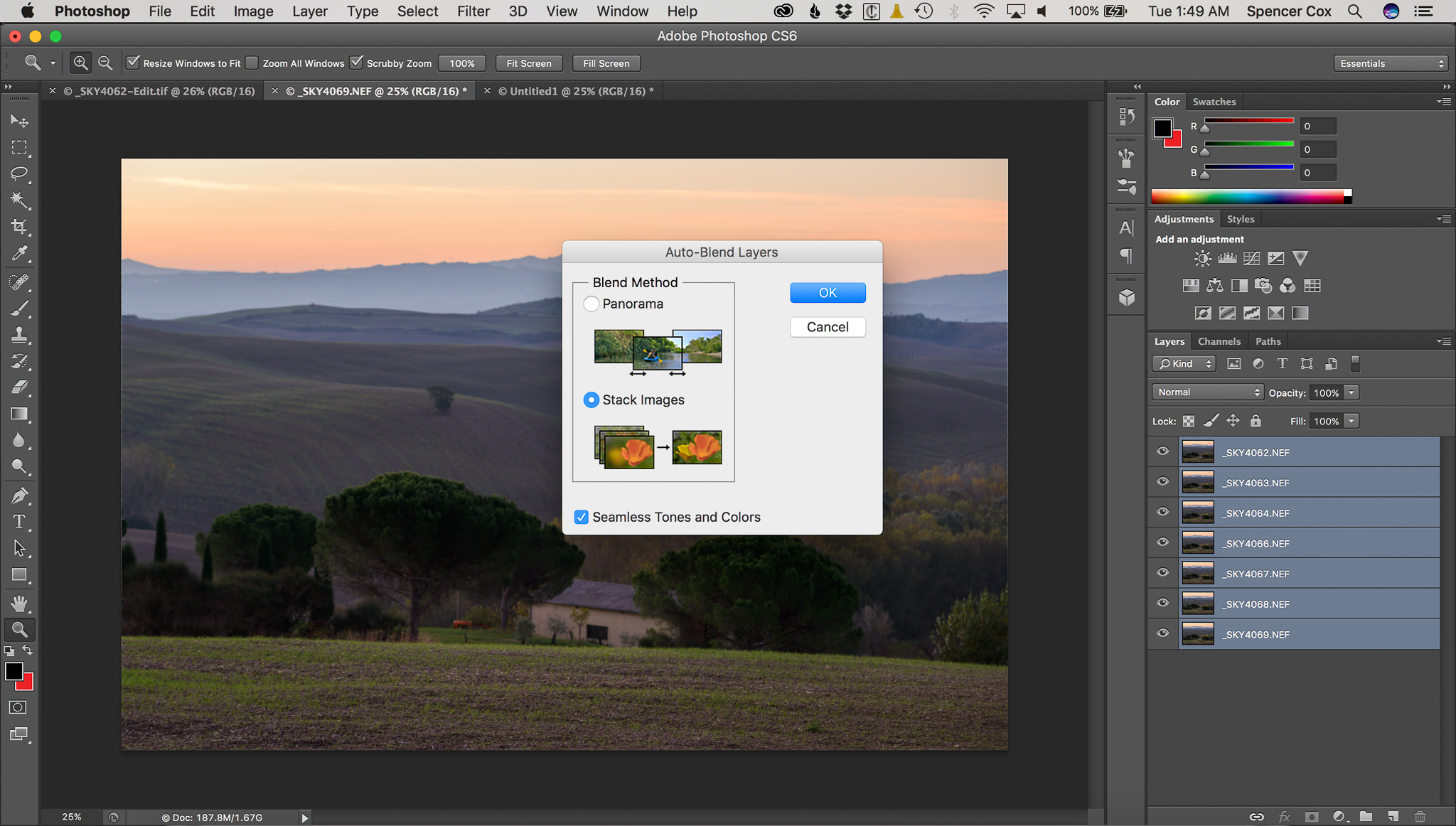
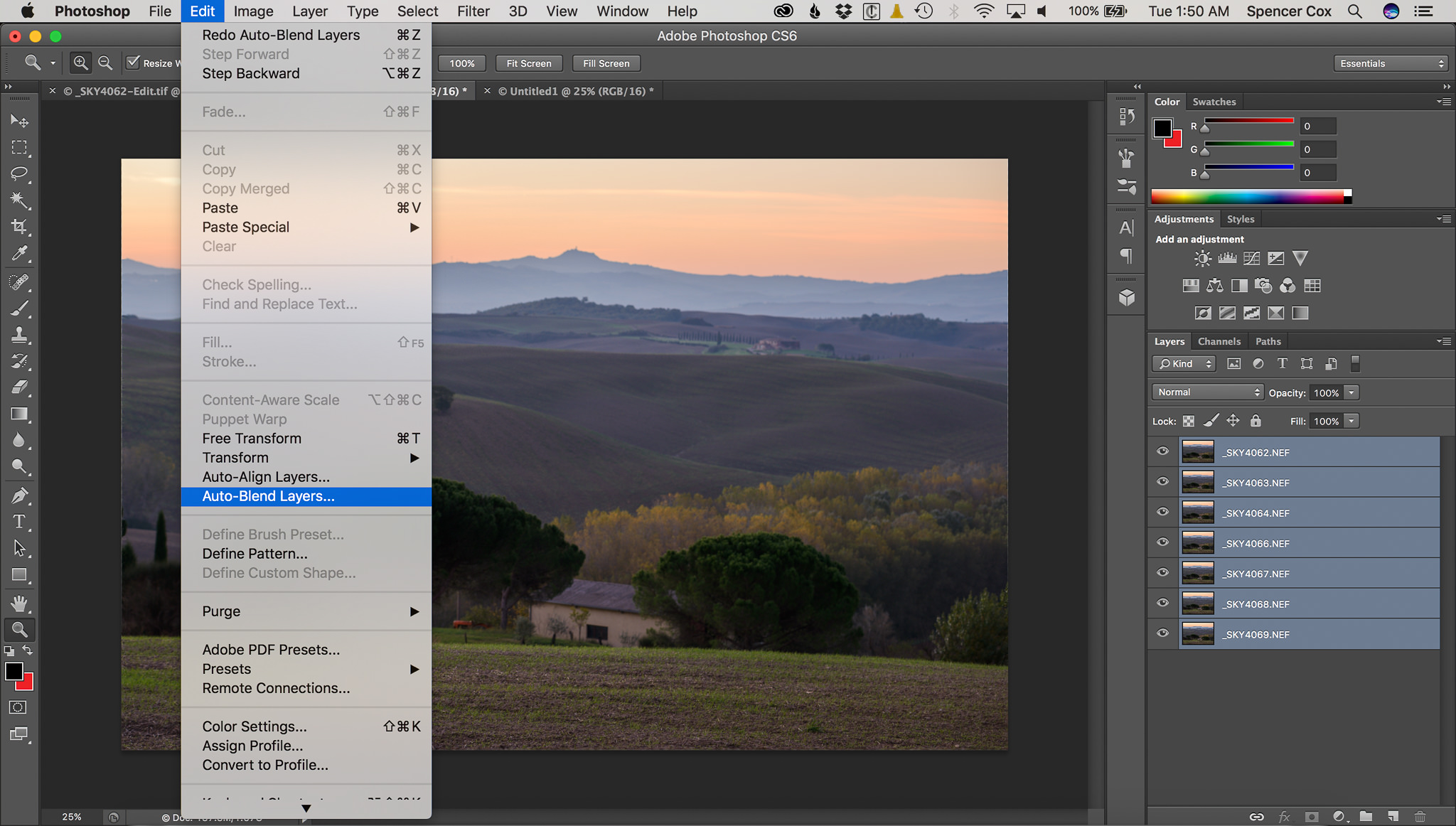
  • Now, click Edit > Auto-Blend Layers, and then “Stack Images,” as below:
Focus-Stack-Screenshot-4

Focus-Stack-Screenshot-3

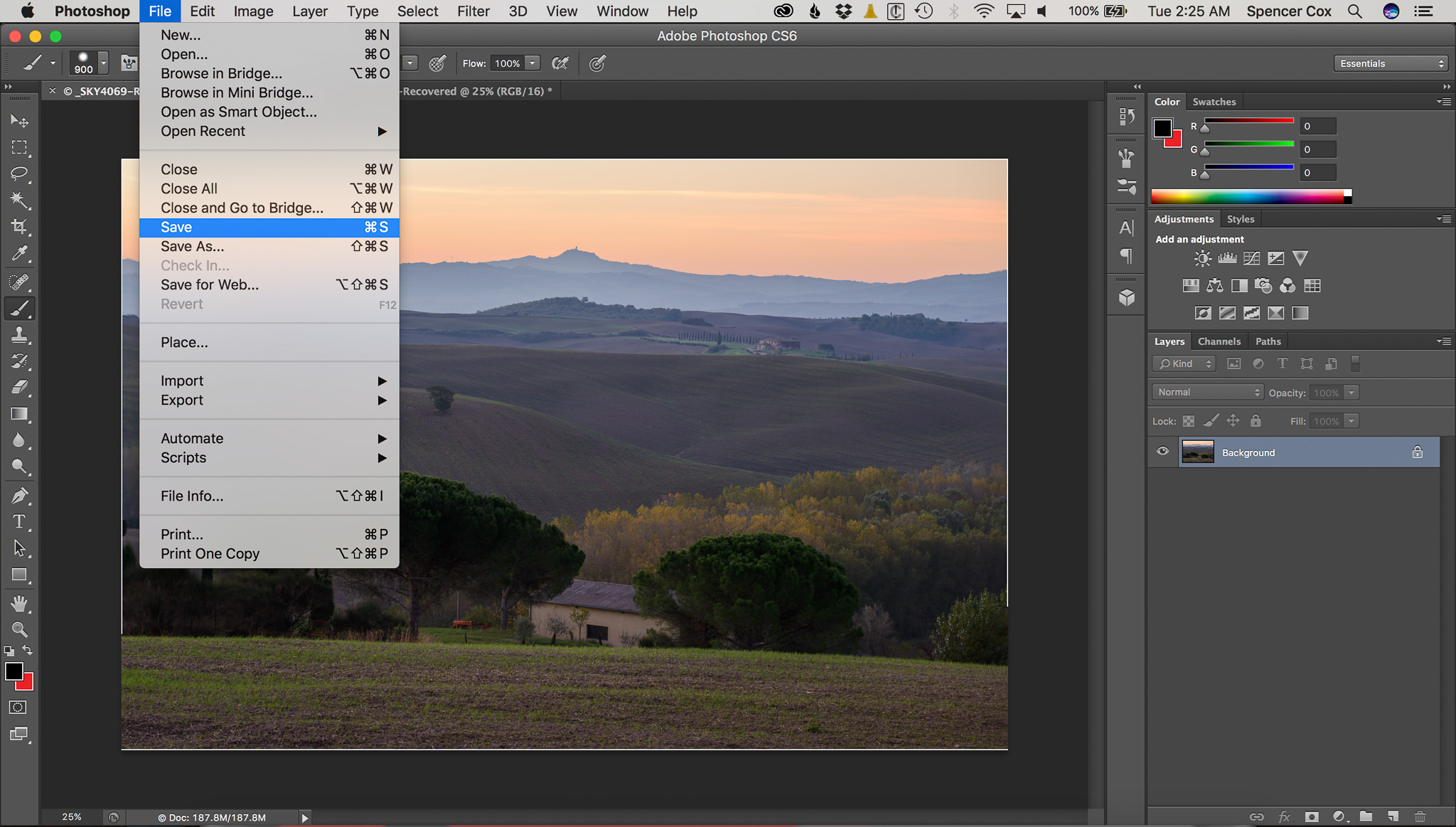
  • Click Layer > Flatten Image. Save the photo by clicking Control + S (Windows) or Command +S (Mac), or just File > Save. That sends the completed version back to Lightroom:
Focus-Stack-Screenshot-5

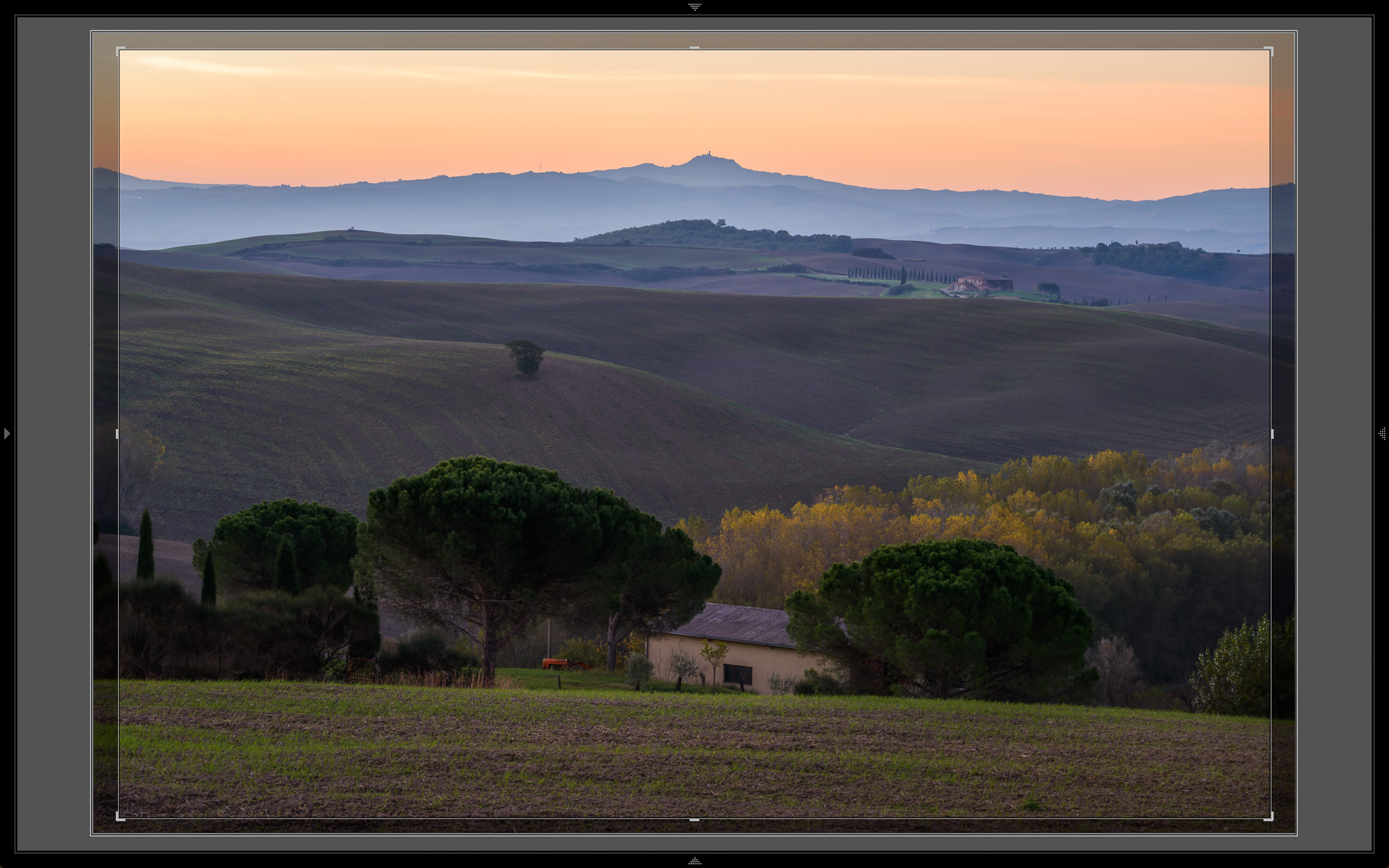
  • Open Lightroom again. Now, you need to crop the photo so it looks good. Often, the edges of your image will have large sections that are extremely blurry — you need to crop those out. Here’s how that looked for this particular focus stack:
Focus-Stack-Screenshot-6

  • Finally, once you’re done cropping, just clean up the image and edit it however you want! There’s no wrong way to proceed from here. You’ve already created a focus-stacked image.

6) Conclusion

Although focus stacking isn’t something you should do all the time, it’s an important tool to have at your disposal.

Sometimes, you may use a telephoto lens and have difficulties getting everything in-focus. Or, you could have a landscape that stretches so far that even f/16 doesn’t have enough depth of field. Finally, if you’re interested in nothing but the top sharpness, you might focus stack a landscape simply to use your lens’s sharpest aperture (like f/5.6 or f/8) rather than a smaller aperture which has diffraction.

There is no right or wrong reason to focus stack, but be aware that you can take this technique to levels that might not be worth the effort. When I first learned about this focus stacking, I tried to use it on every landscape that I shot, simply to get the sharpest photos. Unfortunately, this meant that each photo took five times longer to capture! I ended up with sharp photos, but I didn’t get as much variety in my shots, and my work suffered as a result. Now, I’m more likely to use f/16 than to focus stack at f/5.6. If focus stacking works well for your personal style, though, that’s great — don’t let me discourage you. It just isn’t the case for everyone.

Hopefully, this helped provide a good platform for you to start focus stacking your own shots! If you haven’t tried it before, give it a go. For certain difficult landscapes, focus stacking is an incredible tool.
Spencer-Cox-Focus-Stack

The post Focus Stacking Tutorial for Landscape Photography appeared first on Photography Life.

Photography Life

Posted in Photograpy How To | Tagged , , , , | Leave a comment

Musician/bandleader Benny Goodman Playing His Clar Canvas Floater Frame 3/4″ Matte Black 22×27 Photo On Canvas

Musician/bandleader Benny Goodman Playing His Clar Canvas Floater Frame 3/4″ Matte Black 22×27 Photo On Canvas


Musician/bandleader Benny Goodman playing his clar” is an art print by Gjon Mili from The Life Picture Collection. Get photo prints of “Musician/bandleader Benny Goodman playing his clar” in a variety of frames, styles, and materials. Photographer Bio Emigrating to the United States from Albania in 1923, Gjon Mili is regarded as the first photographer to use electronic flash and stroboscopic light to create photographs outside of a scientific context. A true pioneer of the artform, Mili’s photographs of dancers, athletes, and pictures or performances have shaped our understanding of how movement too rapid or too complex for the eye to discern is captured in the still image. Mili’s career as a photographer for Life Magazine spanned four decades and saw the publication of thousands of his photographs, taking him around the world; from collaborations with Pablo Picasso, to the incarceration of Adolph Eichmann, to original photos from Broadway plays. The Life Picture Collection From one of the most iconic magazines ever to hit the shelves comes The Life Collection – an archive of some of the most recognizable imagery of the 20th Century. Documenting events in politics, culture, celebrity, the arts and the American experience, these compelling and provocative photographs include the works of some of the greatest photographers capturing some of the greatest moments in history.

Price: $
Sold by Photos.com by Getty Images

Posted in How To Photograph | Tagged , , , , , , , , , , , | Leave a comment

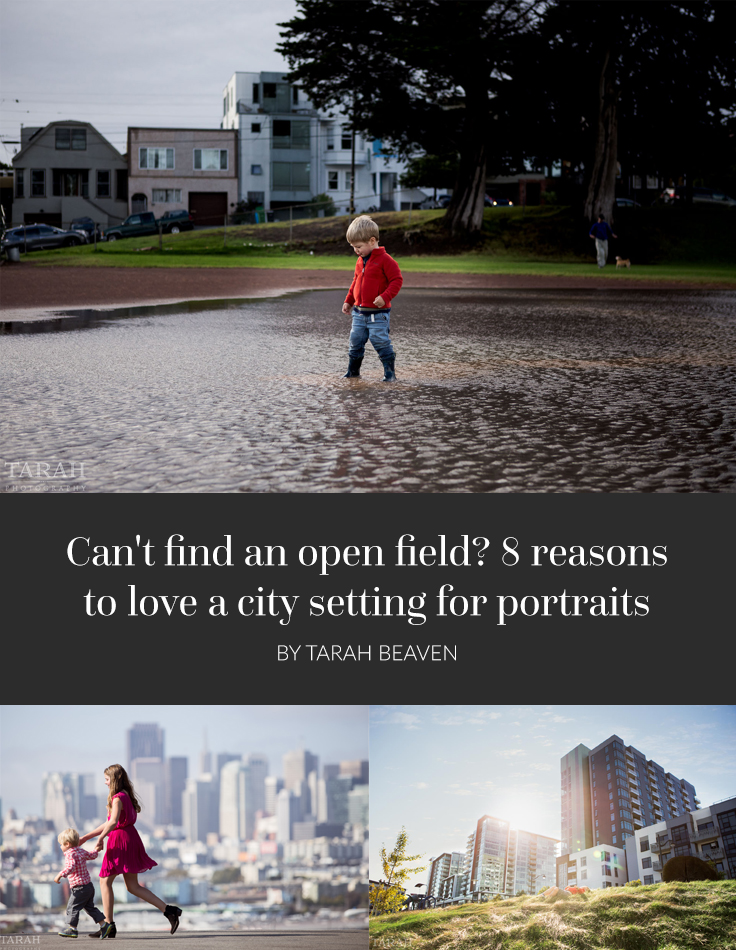
No open fields? 8 reasons to love a city setting for portraits

Nature, grass stains and muddy faces are synonymous with childhood.

But what if you don’t live in suburbia?

Maybe a concrete jungle surrounds you instead. Living in a metropolitan city has a unique set of obstacles when it comes to photographing children like not having a backyard – let lone a front-yard! Raising my family in San Francisco forced me to get over my ideals of photographing them in idyllic locations. Embracing where I live made me realize how special it is to raise my family here. Backyard or not, capturing your urban lifestyle will make for cherished photos.

Here are a few tips on how to photograph your children living in a big city:

1. Look beyond the frame

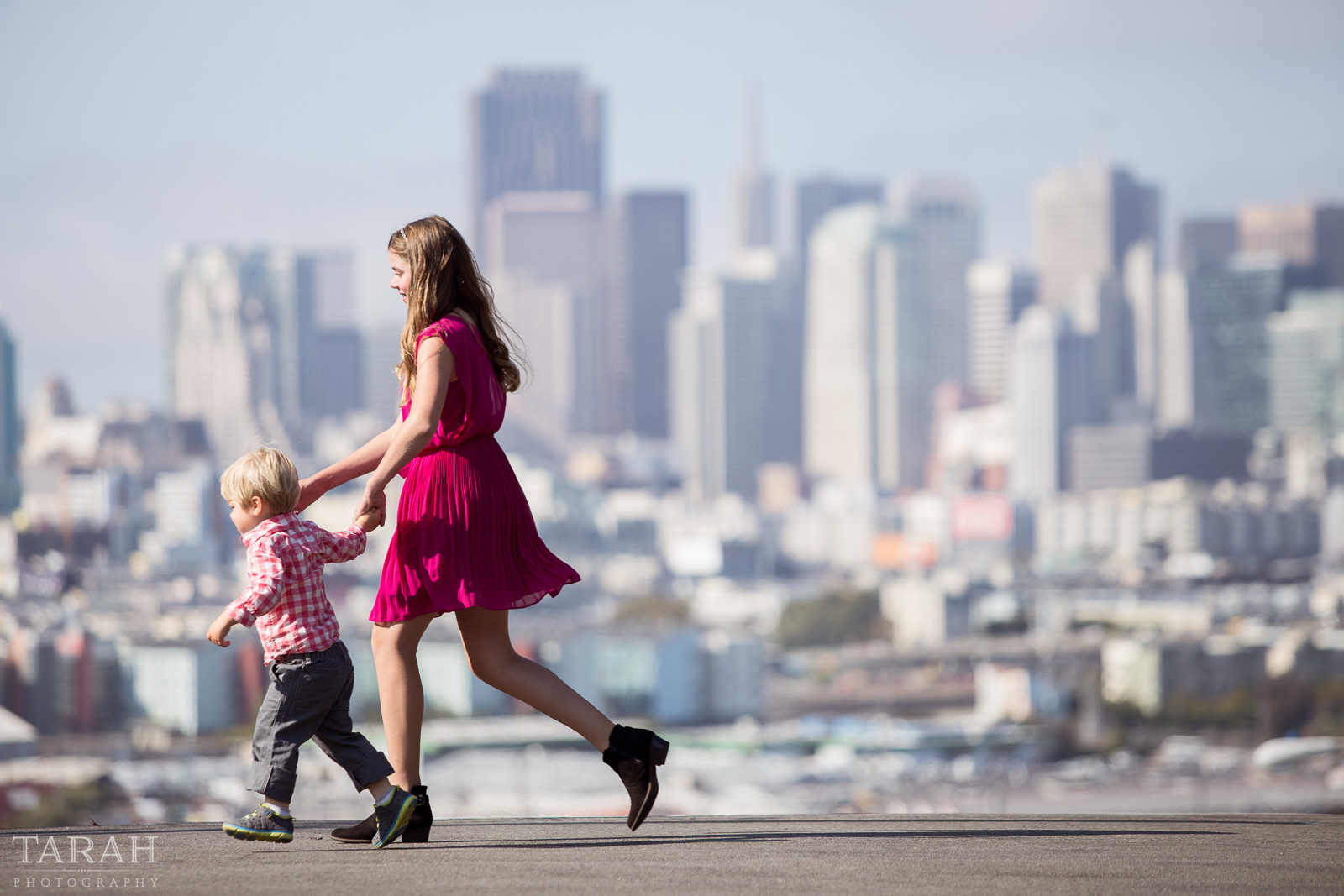
How does your family exist within your city? Look beyond your immediate focal point and incorporate more of your environment. What surrounds you will tell the story of your life, after all. It’s easy to want to crop out buildings and gritty sidewalks from your images because it’s not nature. But that’s city living’s version of mud, tumbleweeds and trees. Remind yourself that you’re a historian of your life. If you’re choosing to raise your family in a city – it’s for a reason.

picture of siblings in San Francisco by Tarah Beaven

2. How to find the light

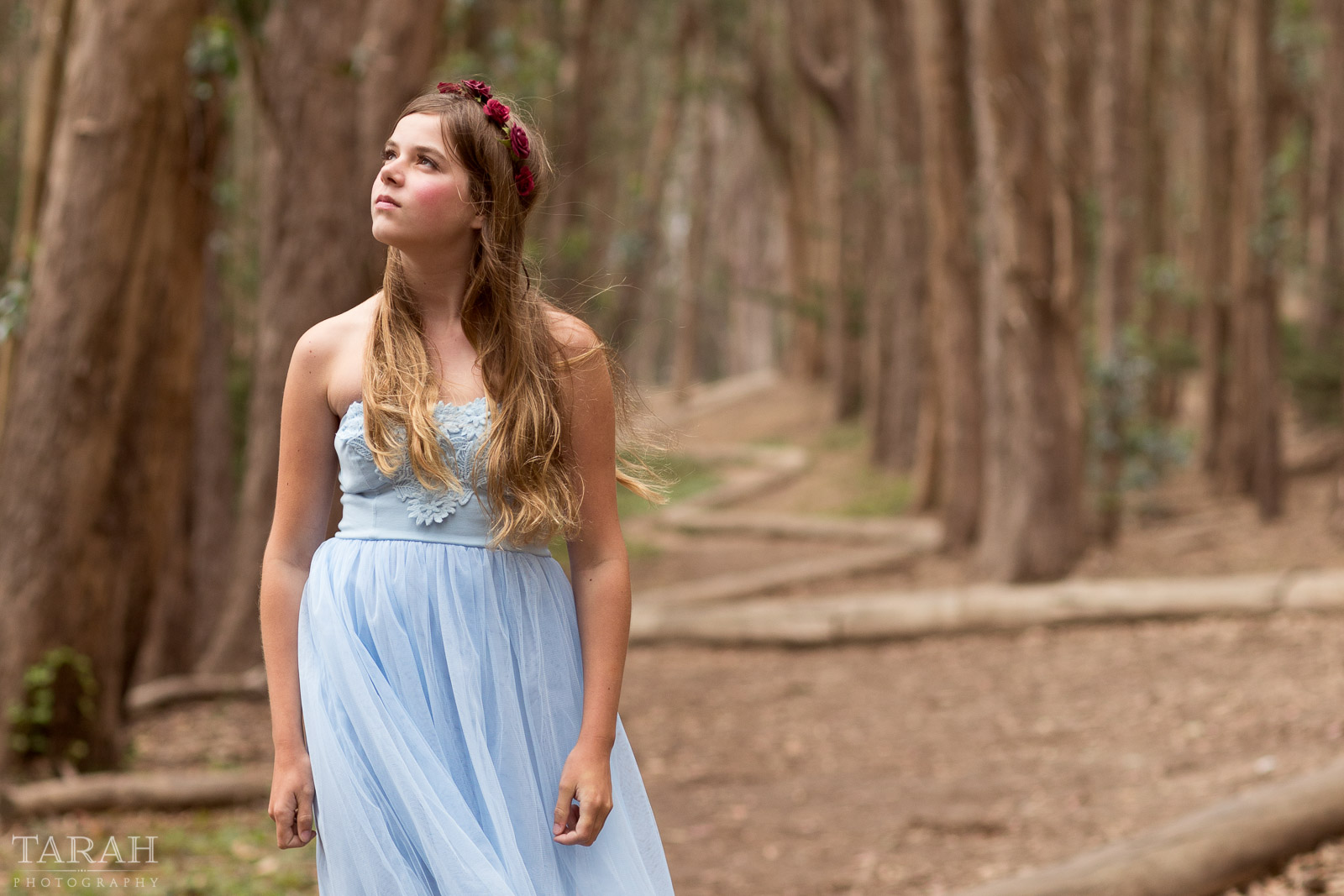
One of the trickiest parts of living in a big city is that golden hour really only happens at the city outskirts, such as the beach. By the time golden hour rolls around, the high-rises will have obstructed it and now your location is in full shade. Check out this nifty app, Sun Surveyor, and problem solved! It gives a live-view of where the sun will be at your exact location in a 24-hour period. You can also use it remotely by typing in an address for a map view.

tween photo around some trees by Tarah Beaven

3. Combat the full sun in the city

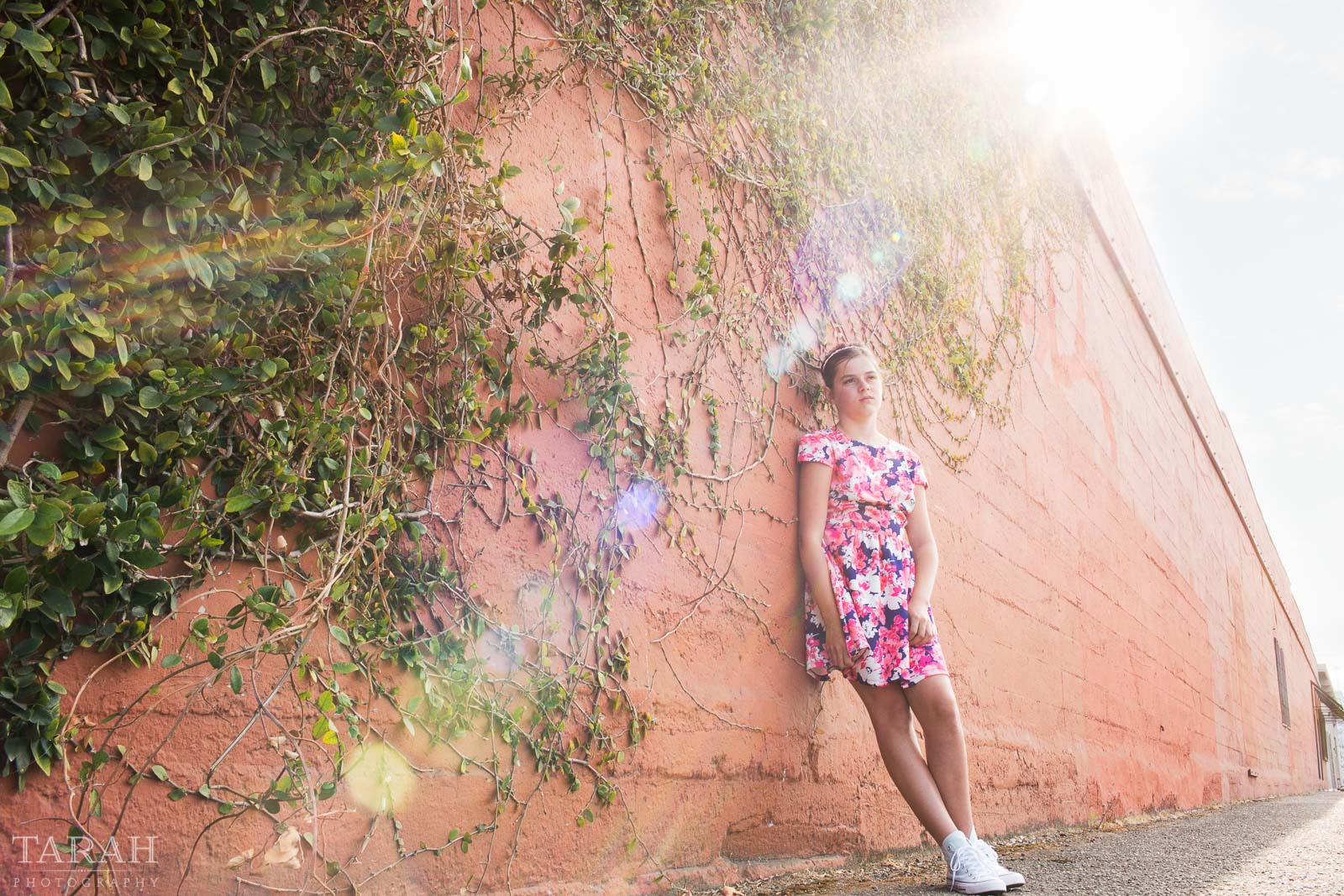
Speaking of buildings obstructing the sun. To get softer light and sunbursts in full sun, use a building to filter it. By shooting with the sun partially clipped by a building or wall, it will soften the highlights and shadows on your subject.

backlit picture by a red wall by Tarah Beaven

4. Incorporate the architecture

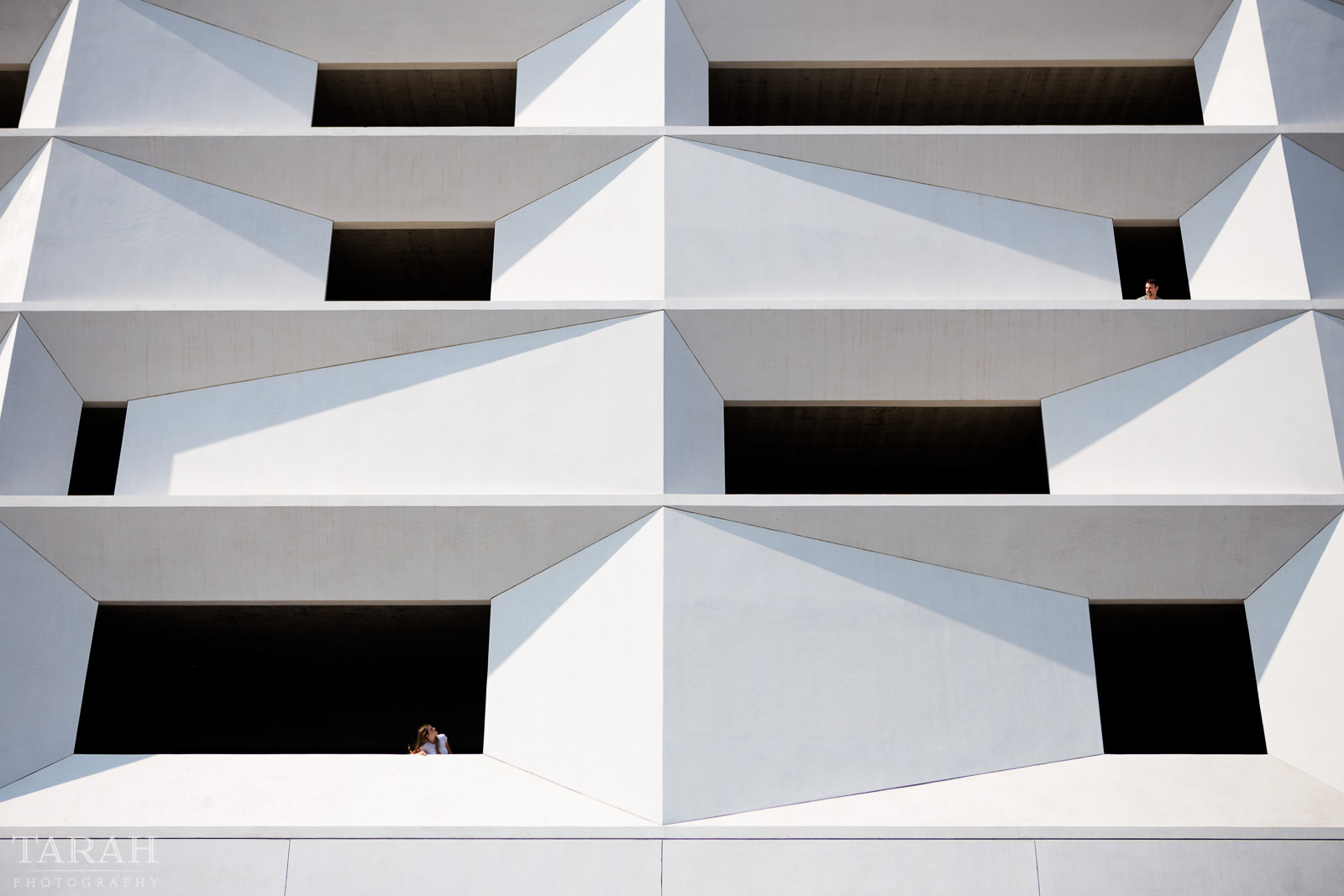
Big cities have some of the best architecture. Strategically intertwine your subject within the environment to bring it to life. Shoot with a wide lens, 24mm or wider, to show scale and to fit everything in the frame.

child portrait around city buildings by Tarah Beaven

5. Go on an adventure

It’s easy to forget what makes your city special and unique. Take advantage of what your city has to offer and plan adventures with the kids to see some of your favorite iconic and local places. It may seem like a hassle now, but having photos of your children in these iconic places will be a nostalgic reminder of growing up in the city.

picture of people looking out windows of a parking garage by Tarah Beaven

6. See the texture

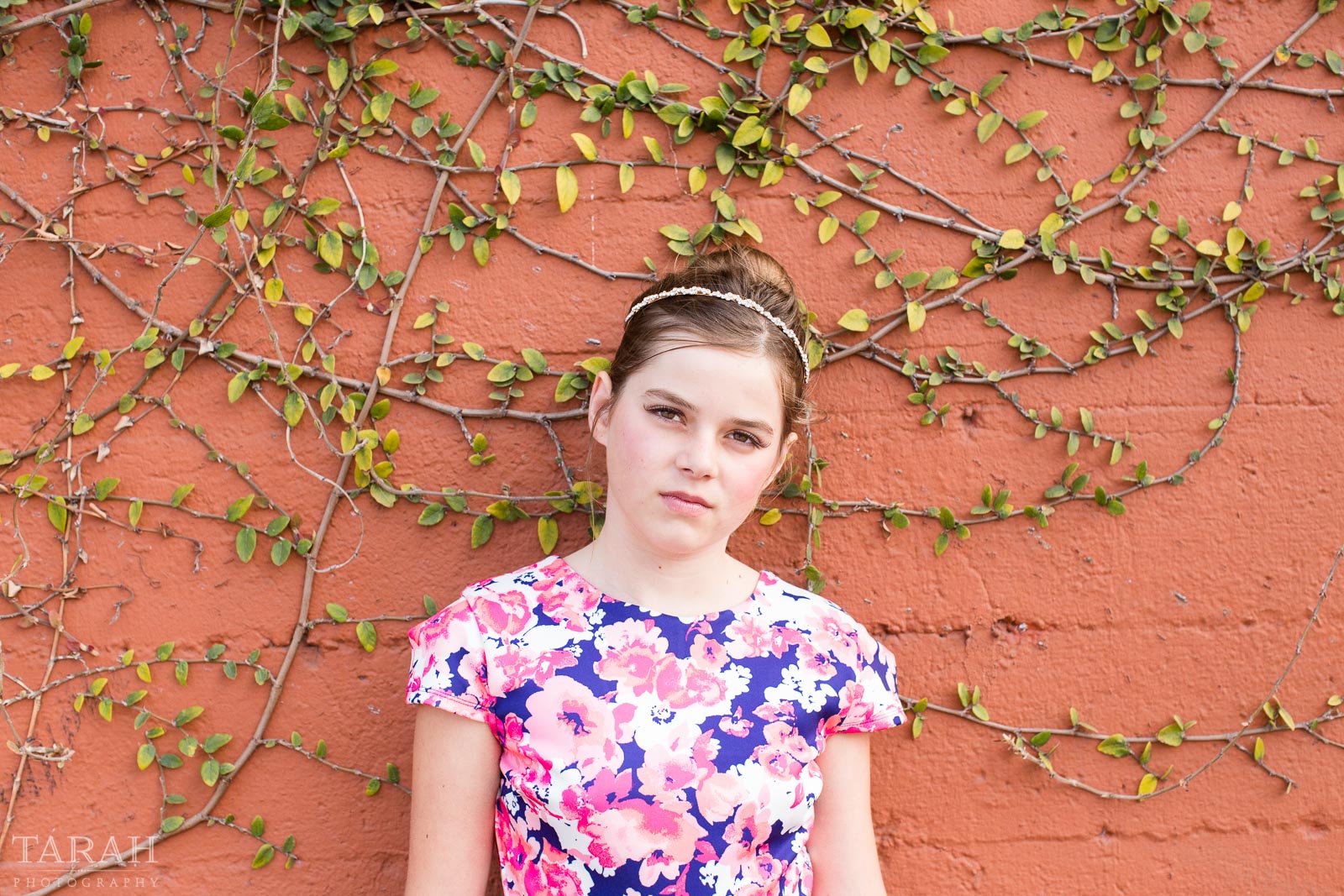
Metropolitan cities have interesting textures everywhere, be it an art installation or unique exterior/interior design elements. Contrasting textures, smooth verses ridged, make photos pop. For example, look for opposing elements like bricks and leaves. Remember to get in close for these portraits so you can see the texture. Wide shots are fun too, but the contrasting texture will soften the farther you move away.

tween portrait against a wall by Tarah Beaven

7. Embrace the grit

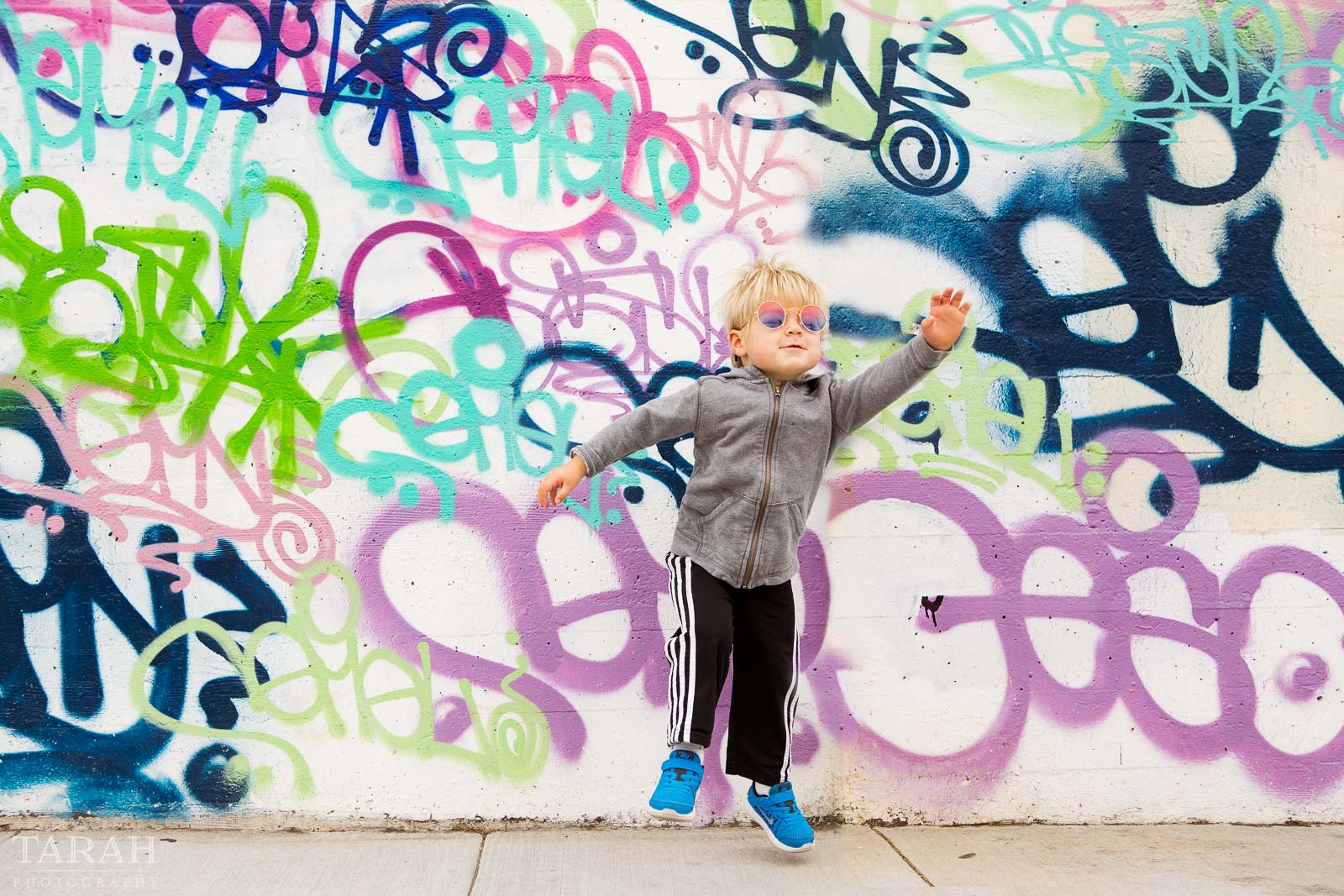
Ah, city grit. Love it some days, hate it most others. Broken glass on the sidewalks and streets – not fun. But funky wall murals or rundown buildings? LOVE IT. There’s something freeing and rebellious about city grit, like graffiti – maybe because kids know they’re not allowed to color on walls. Have fun and play-up the mood of the grit, be it silly, nefarious or serious. Remember, playing up the mood is key to a successful portrait.

pic of kid by a grafitti wall by Tarah Beaven

8. Find hidden treasures

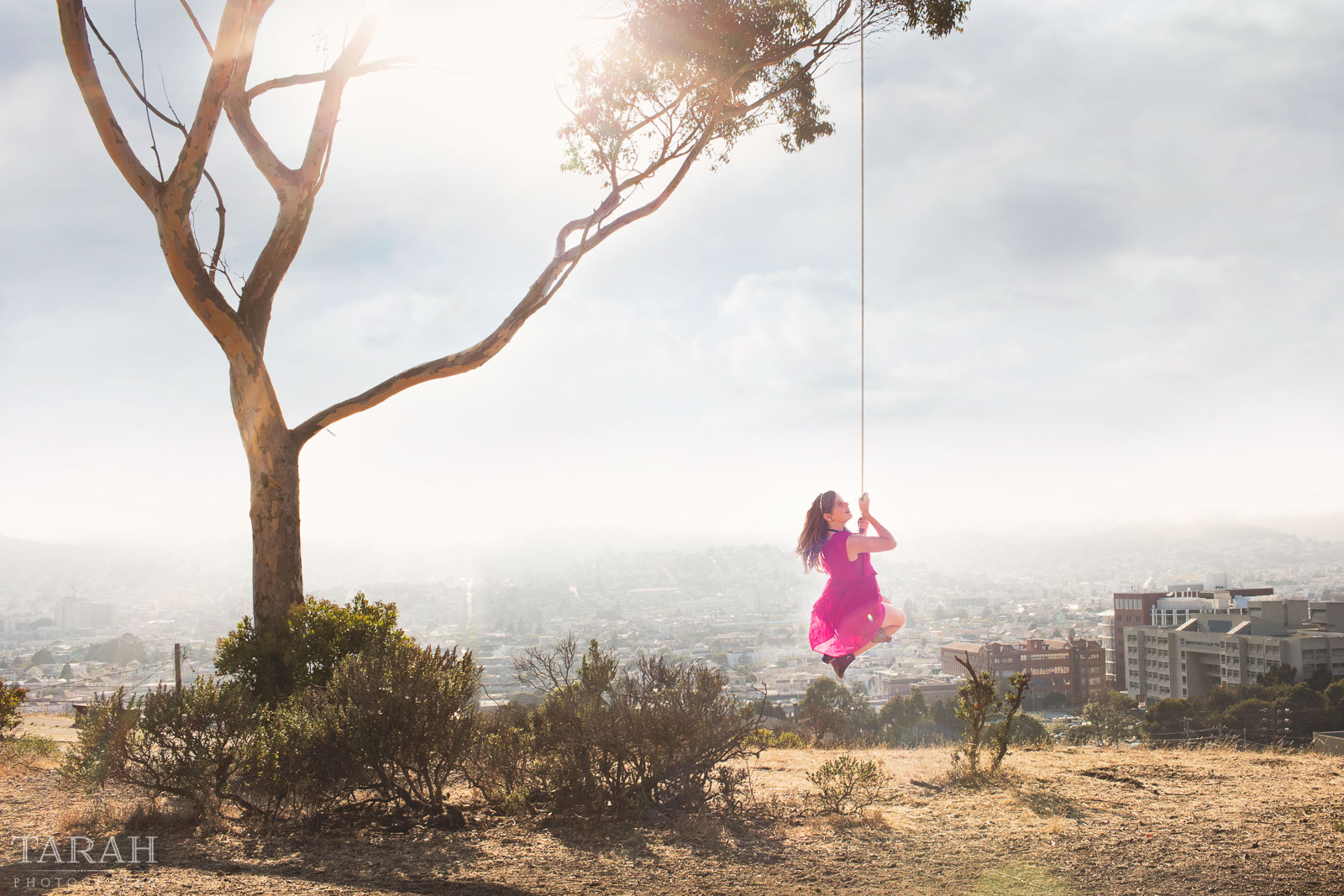
Finding you in a metropolitan city is so important. It’s easy to forget what your identity is amidst the hubbub of tourism, commerce and over population in a big city. What makes your heart sing? Find those small nooks within your city that you and your children love. Maybe it’s a community garden or at the beach. Go there and connect with each other.

photo of girl on a swing overlooking San Francisco by Tarah Beaven

Calling all urban dwellers, what do you love most about photographing your children living in a big city? I’d love to hear your city living experiences, comment below and let’s chat.

cant-find-an-open-field-8-reasons-to-love-a-city-setting-for-portraits

The post No open fields? 8 reasons to love a city setting for portraits appeared first on Clickin Moms.


Clickin Moms

Posted in Photograpy How To | Tagged , , , , , , | Leave a comment

How to use your emotions to take better pictures

Photographers are creatives. We see the world differently with our eyes and through our cameras. Through our photography, we express ourselves and want to convey to others how we see the world around us.

Being creative tends to mean we feel more. Our emotions run stronger. We, like everyone else, go through the full gamut of emotions, but our hills tend to be higher, and our valleys deeper.

As photographers, we pour our heart and soul into what we produce. We want our clients, our family, and ourselves to be happy and satisfied with our work.

However, we are still people. Life still happens. We still have to deal with love, happiness, loss, heartache, troubles, stress, depression, and happiness.

How can we use our creative outlet to work through our whole emotional range?

1. Use photography as a pick me up

If you are feeling down, stressed, or unhappy, go out and shoot something happy and upbeat. When I shoot happy, joyful photos, I’m around happy people. The happiness rubs off and lifts my spirits; therefore, photography makes me happier.

picture of kids happily swimming in a pool by Emily Ingalls

2. Shoot the emotion you feel

Every photographer gets in a funk. It’s inevitable. Life gets stressful and we aren’t happy with what we’re shooting. It happens. Go, seek out and shoot your emotions. Feeling dark and gritty? Grab some dramatic light and shoot in B&W. Feeling nostalgic? Shoot those small, fleeting moments that will only be around for a little while. Show the world what you’re feeling.

photo of boy watching fireworks by Emily Ingalls

Awe

photo of boy sitting by himself by Emily Ingalls

Isolation

photo of two kids fighting by Emily Ingalls

Frustration

3. Embrace the emotions in your editing

My edits reflect what I’m feeling at the moment. When I’m feeling happy and joyful, my editing tends to leans toward bright and vibrant with color. I find myself seeking out happier moments with my subjects. When feeling down, stressed, angry or overwhelmed, my editing changes to moody and high contrast B&W.

colorful picture of boy holding a leaf by Emily Ingalls

black and white portrait by Emily Ingalls

4. Challenge yourself to take Self Portraits

Let’s face it, photographers, in general, do not like being on the other side of the camera. When I am my own subject, I can find some kind of flaw in almost every single photo. That being said, self-portraiture is the single best way I have found to showcase my emotions. I was going through a lot of turmoil earlier this year, and I sat and cried one afternoon. I was a broken mess. When I was finished crying, I looked in the mirror and saw the horror that was my face. I knew then and there I had to capture it. It was the only way to convey my exact feelings at the moment. And I did. Afterward, I felt a weight lifted off my shoulders.

black and white self portrait of woman crying by Emily Ingalls

Not feeling confident in yourself? Pull out that favorite pair of jeans you always wear when you want to feel great (because we all have that one pair!), grab your sexy dress or a cool pair of shoes you love! Put them on and shoot! A simple change of wardrobe and self-portraiture will make you look at yourself differently.

black and white self portrait of woman by Emily Ingalls

Photography is a reflection of you. It’s how you see the world around you. Why not challenge yourself to use it to its fullest extent to help you in your photography journey and in your personal life?

Photographers see the world differently with our eyes and through our cameras. How can we use our creative outlet to work through our whole emotional range?

The post How to use your emotions to take better pictures appeared first on Clickin Moms.


Clickin Moms

Posted in Photograpy How To | Tagged , , , | Leave a comment

Legs And Swirling Skirts Of Chorus Girls Canvas Floater Frame 3/4″ Matte Black 22×27 Photo On Canvas

Legs And Swirling Skirts Of Chorus Girls Canvas Floater Frame 3/4″ Matte Black 22×27 Photo On Canvas


Legs and swirling skirts of chorus girls” is an art print by Gjon Mili from The Life Picture Collection. Get photo prints of “Legs and swirling skirts of chorus girls” in a variety of frames, styles, and materials. Photographer Bio Emigrating to the United States from Albania in 1923, Gjon Mili is regarded as the first photographer to use electronic flash and stroboscopic light to create photographs outside of a scientific context. A true pioneer of the artform, Mili’s photographs of dancers, athletes, and pictures or performances have shaped our understanding of how movement too rapid or too complex for the eye to discern is captured in the still image. Mili’s career as a photographer for Life Magazine spanned four decades and saw the publication of thousands of his photographs, taking him around the world; from collaborations with Pablo Picasso, to the incarceration of Adolph Eichmann, to original photos from Broadway plays. The Life Picture Collection From one of the most iconic magazines ever to hit the shelves comes The Life Collection – an archive of some of the most recognizable imagery of the 20th Century. Documenting events in politics, culture, celebrity, the arts and the American experience, these compelling and provocative photographs include the works of some of the greatest photographers capturing some of the greatest moments in history.

Price: $
Sold by Photos.com by Getty Images

Posted in How To Photograph | Tagged , , , , , , , , , , , | Leave a comment