Understanding ISO for Beginners – Photography Basics

ISO Sensitivity Settings

ISO is one of the three pillars of photography, along with shutter speed and aperture. Like those two settings, camera ISO controls the brightness of your photos, and it is a crucial setting to use properly if you want to take the best possible images. In this chapter of Photography Basics article, we will explain ISO using simple language and examples so that you can make the most of it for your own photography.

[Read More…]

Photography Life

Posted in Photograpy How To | Tagged , , , | Leave a comment

How to Use Exposure Delay Mode on Nikon DSLRs

Nikon Exposure Delay Mode

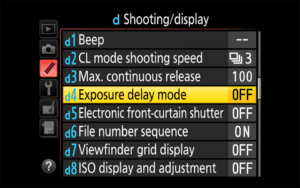
If you are a Nikon DSLR shooter, you most likely came across a camera setting called “Exposure Delay Mode”, which can be very useful in eliminating camera shake from the camera’s mirror mechanism. While Exposure Delay Mode is a wonderful feature, many photographers often misunderstand it and end up either misusing it in the field, or not using it at all. In this article, we will look into Exposure Delay Mode in detail and go through different case scenarios where it can be very helpful in reducing camera shake and yielding sharp images.

[Read More…]

Photography Life

Posted in Photograpy How To | Tagged , , , , | Leave a comment

Easy skin clean up and retouching in Photoshop with the Patch Tool

How to clean up skin in Photoshop using the Patch Tool by Courtney Bowles
before

How to clean up skin in Photoshop using the Patch Tool by Courtney Bowles
after

When taking photos of children, nothing is perfect.

While editing, I always notice a scratch, blemish, some drool, or even stray crumbs on their faces.

There are many methods of removing imperfections but my favorite is Photoshop’s Patch Tool. I use this tool on both children and adults. I love that it retains the texture in the skin, looks clean and natural rather than plastic-y and blurred.

The Patch Tool (keyboard shortcut is J) works in a way similar to the healing brush but rather than a brush, it works with a selection that you define.

You can use the patch tool itself to make the selection of the area that needs to be patched or removed. Then you drag the inside of the selection to an area of the image – such as clean skin – that can be used to patch over the original selection.

The tool allows you to preview what pixels will be cloned into your selection. Once you release the mouse, Photoshop analyzes both selections and merges them to heal the area.

To completely remove a blemish or scratch, stop here or sometimes an additional patch may be needed to completely remove the scratch.

The patch tool can also be used to soften the skin, lines, and wrinkles. After you make the patch, you’ll fade the selection (using keyboard shortcut command + shift + F). This will open up a fade dialog for you to change the opacity of the patch.

For laugh lines on children’s faces, I normally keep the opacity pretty low, around 30% or so. For adults, depending on the severity or deepness of the wrinkles, I’ll increase the opacity to around 60%.

You do not want to completely eliminate the lines and shadows of the face because that would change the contour of the person’s face.

The patch tool helps eliminate distracting elements in the skin while naturally smoothing and retaining texture quickly and easily. It is my most used tool in Photoshop; I use it on every face I edit.

The post Easy skin clean up and retouching in Photoshop with the Patch Tool appeared first on Clickin Moms.


Clickin Moms

Posted in Photograpy How To | Tagged , , , , , , | Leave a comment

Electronic Front-Curtain Shutter Explained

Nikon Electronic Front Curtain Shutter

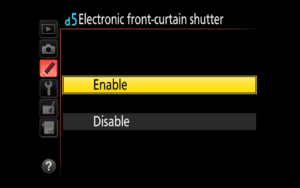
A number of DSLRs and mirrorless cameras today come with an important feature called “Electronic Front-Curtain Shutter” (EFCS) or “Electronic First Shutter Curtain” (EFSC), both of which are designed to eliminate camera shake originating from the shutter mechanism of the camera (commonly known as “shutter shock”). Shutter shock is an issue on all modern cameras, both DSLR and mirrorless, particularly when using longer focal length lenses and specific shutter speeds. In this article, we will explore the effects of shutter shock on your images and how you can totally eliminate it with the Electronic Front-Curtain Shutter mode.

[Read More…]

Photography Life

Posted in Photograpy How To | Tagged , , , | Leave a comment

How to Photograph Wildlife in Yellowstone National Park

Grizzly Bear in Snow

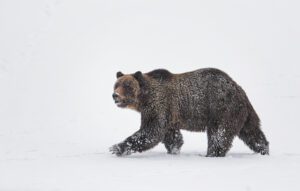
Of all the tall tales passed on by the early 19th-century fur trappers who ventured into the unknown reaches of Wyoming, the story of the mythical land of “Fire and Brimstone” must have seemed the most outlandish. Their tales told of a place where fire spews out of the ground and water violently boils, a place more at home in a passage from Dante’s Inferno than any earthly environment. The region’s inaccessibility meant that it was only in the late 1860’s when the first organized expeditions set out to shed light on the area and separate facts from fiction. What they found was nothing short of astounding, a land of glass mountains, boiling rivers, and geysers that spew water into the sky. These lands were so wild, so unspoiled, that many felt it was necessary to protect them from human exploitation. Sure enough, in 1871 the land that got the name “Yellowstone” became the world’s first National Park.

[Read More…]

Photography Life

Posted in Photograpy How To | Tagged , , , , | Leave a comment