The 3 types of portraits you need to take and how to take them

I love a simple beautiful portrait.

An uncomplicated frame where the subject’s gaze draws you in.

Most likely one of the first images you may have ever taken was a portrait. The dictionary states, “portraiture is photography of a person or group of people that captures the personality of a subject.”

There are many types of portraits to explore. The more time you spend with your subject you are able to draw out different emotions. What I have found to be helpful when photographing my own boys or clients is to try and approach three different portraits within the time we spend together.

1. A standard posed portrait

In a standard portrait, my subject is completely aware of the camera. I am intentionally including pretty light, environment and eye contact.

We have nice eye contact, sweet smiles and a comfortably composed frame in the images below. These are the images that we want to document how our children grow and change.

I do get a sense of their personalities from the images, but all three of the images above were taken within the first 20 minutes of our time spent together. I always start out with portraits of the kids first, asking them a few questions about school and their likes and dislikes – gaining their trust in me and assuring them that this is going to be fun. I promise! Portraits like these are taken with my Canon 70-200L at f/3.5.

I love a simple beautiful portrait. An uncomplicated frame where the subject's gaze draws you in. There are many types of portraits to explore.

I love a simple beautiful portrait. An uncomplicated frame where the subject's gaze draws you in. There are many types of portraits to explore.

I love a simple beautiful portrait. An uncomplicated frame where the subject's gaze draws you in. There are many types of portraits to explore.

Elements you may want to capture in a portrait:

  • pretty light
  • environment
  • framing
  • eye contact
  • emotion
  • who they are

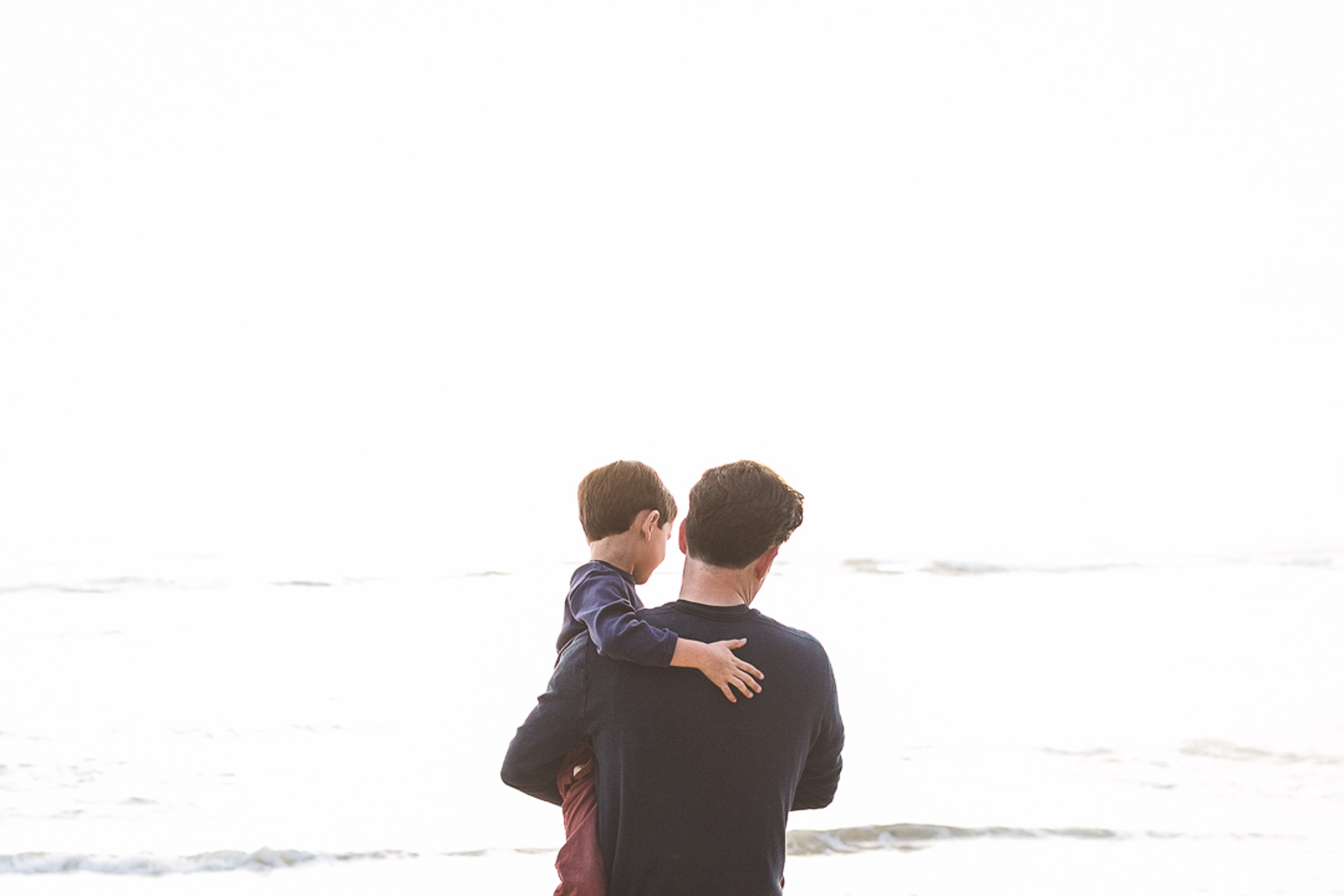
2. An anonymous / environmental portrait

In this scenario, my subject may not be aware of the camera. I am not asking for eye contact, and intentionally looking for details and the relationship between the environment and the subject.

With portraits like these, I am taking a step back and really observing my subjects and the environment. Sometimes I am struck by the light first – but always looking for a connection within the frame.

I love a simple beautiful portrait. An uncomplicated frame where the subject's gaze draws you in. There are many types of portraits to explore.

What I love about these types of portraits is the storytelling between the subjects and the elements around them. As the viewer you are exploring the light, colors, shapes – and then there just happens to be the subject in the frame too. The primary focus is the subject, but you also want to take in everything else in the frame.

I love a simple beautiful portrait. An uncomplicated frame where the subject's gaze draws you in. There are many types of portraits to explore.

Win a photography Dream Giveaway

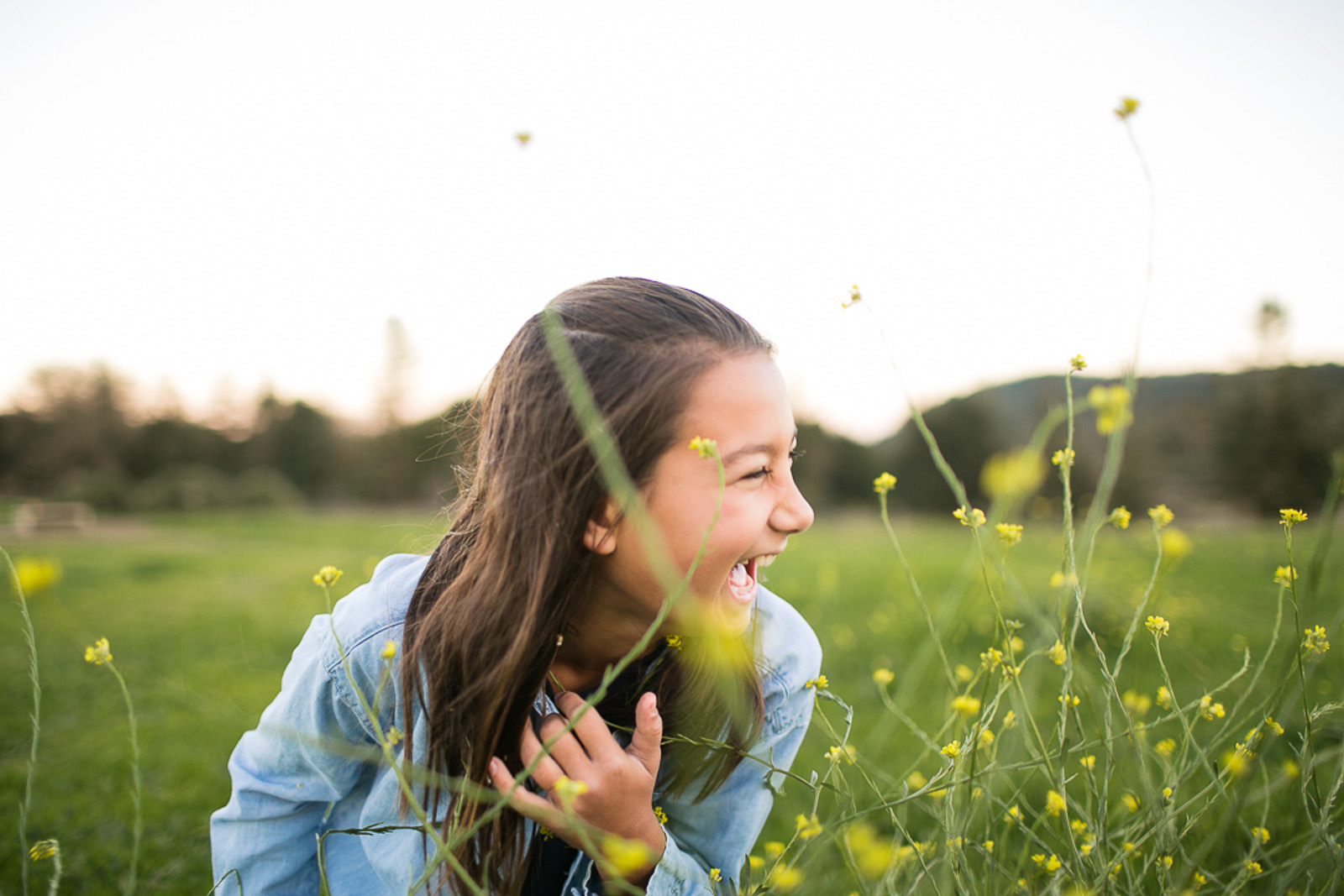
3. A creative portrait

With a strong direct gaze to the viewer, my creative portraits are usually shot at a wide aperture, drawing all attention to the subject only.

The creative portrait, usually taken towards the end of our time together, has produced the purest in the subject opening up to me and showing who they are. They have strong eye contact with me, but I feel differently with these images than I do compared to the posed portraits that are taken at the beginning of our time. This is most likely due to the fact they are now comfortable with me, the camera and are just more relaxed with the situation.

I love a simple beautiful portrait. An uncomplicated frame where the subject's gaze draws you in. There are many types of portraits to explore.

I love a simple beautiful portrait. An uncomplicated frame where the subject's gaze draws you in. There are many types of portraits to explore.

My goal is to always have the subject feel comfortable and relaxed but I can see a significant difference in not only the expressions, but the softness in their eyes. This is how I see my own children. Not always big smiles on their faces – most of the time an impish grin, or looking up to me with questions or for guidance.

The more I explored taking these types of portraits the more I found myself drawn to them. The kids in these images have something to tell you, and I want to hear what they have to say! I always use my Canon 35L for shots like this and shoot at f/1.8.

Creative elements and details you may want to include in a portrait may be:

  • foreground
  • background
  • texture
  • movement
  • light

If it’s windy out, let the hair blow around and in front of their faces. Find something to shoot through for depth. Ask your kids to get involved in the process.

This is a time where you can explain what you are trying to create. Believe it or not, kids think this is pretty cool and will want to help. Even if the shot doesn’t turn out, you may capture something even better as you both laugh about it.

I love a simple beautiful portrait. An uncomplicated frame where the subject's gaze draws you in. There are many types of portraits to explore.

I love a simple beautiful portrait. An uncomplicated frame where the subject's gaze draws you in. There are many types of portraits to explore.

Tips to engage, have fun and capture their true self.

  • Ask lots of questions, let them know it’s okay to answer and talk back to you.
  • Practice breathing in through the nose and out through the mouth.
  • Shake it off! Get the sillies out, wiggle your hips and roll back your shoulders.

These are all little tricks that I ask my subjects to do. They not only help get them to relax, but I also get a sense of their personality or what kind of day they are having. Sometimes just asking them to be silly and wiggle their bodies gives me that genuine smile I’m looking for.

Asking questions, and telling them to answer back will instantly get them to relax. They feel like a camera is pointed at them, so they better look and smile. But I’m looking for more than that!

If you find it difficult to get a toddler to look directly into the camera, ask them if they can see you through the lens. Ask them to watch when you wink at them, or maybe the color of your eyes might change.

I also like to tell them that if they stay still and look right at me, that I will show them the back of the camera and they will see me in their eyes. Focusing on the eyes, you should be able to capture a mirror image of you behind the camera in their eyes. They think this is a super cool trick!

I love a simple beautiful portrait. An uncomplicated frame where the subject's gaze draws you in. There are many types of portraits to explore.

Including or excluding elements within the frame can change the way you feel when looking at a portrait. Aperture choice, lens choice and subject placement are also factors to consider. It’s fun to explore and try new things.

Push beyond what you already know, you may discover your new favorite!

The post The 3 types of portraits you need to take and how to take them appeared first on Clickin Moms.


Clickin Moms

Posted in Photograpy How To | Tagged , , , , | Leave a comment

You Will Soon Be Able to Experience The First Summit of Mount Everest in VR

CGO Studios has re-affirmed its commitment to educating the world by recreating historical moments in virtual reality, after CEO and cofounder Jonah Hirsch just announced the production of its third VR film, Everest ’53.

This news comes after Hirsch’s joint efforts with AMD and the Smithsonian earned them a spot in the Top 5 VR Experiences at Comic-Con in 2015 for their retelling of the Wright Brothers’ famous flight in Kitty Hawk using the cutting edge technology. Soon after, the studio announced that they were in production of Anne, a VR film that will depict Anne Frank and the Secret Annex.

CGO’s first production took viewers along for the Wright Brother’s achievement of the first powered, manned flight.

Now following those two innovative films, will be a historically accurate recollection of Sir Edmund Hillary and Tenzing Norgay’s extraordinary journey of being the first climbers make it to the summit of Mount Everest on May 29th, 1953. Many before them died attempting what they did, and now CGO Studios is reimagining the ground breaking moments with VR technology of what is quite possibly one of the last major feats of physical human achievements. The VR film will feature the climbers’ sons, Peter Hillary, Jamling Tenzing, and Norbu Tenzing who have also risked their lives to reach the world’s highest peak at 29,029 feet (8,848 meters).

Photo of Sir Edmund Hillary and Tenzing Norgay via Wikipedia

Though the sons didn’t have to use an old wooden ice ax to aid them in their modern day trek up to the summit, the intimate knowledge of their father’s experience of climbing the mountain will help them in creating the utmost accurate portrayal.

“We are honored that the families and caretakers of these historical figures and historic events entrust us with their legacies, and allow us to tell their important story using the new technologies at our disposal,” explained Hirsch. “We strive to engage, educate, and entertain people and to use our virtual “time-machine” to transport them to some of history’s milestone moments in a profound and meaningful way.”

One of the ways in which Hirsch and his team will transport people into the past will be with Oculus’ Rift and Touch controllers. The Oculus Rift’s advanced display technology combined with its precise, low-latency constellation tracking system and adjustable design will allow viewers to feel as if they are actually on Mount Everest. You can even interact with the dangerous landscape by using the Touch controller to virtually climb the same route that Sir Edmund Hillary and Tenzing Norgay did back in 1953.

While no release date has been set for the film, you can check out more information about Everest ’53 and other historical VR films on CGO Studio’s website.

Resource

Posted in Photograpy How To | Tagged , , , , , , | Leave a comment

Cell Phone Photography – Part 2: Editing Images

In my last post I covered the basics of cell phone photography. In this post I want to go over how you can edit photos with different apps on your phone. Of course, you can always import photos from your phone onto your computer and edit them with your software of choice, but if you plan to share images on social media and want to upload them directly from your phone, you can save a few steps by doing everything on your phone.

For the purposes of this article, I’m going to assume that you have experience editing photos on a computer. I’m not going to cover the basics of photo editing and what all of the different controls do (if you need more information on editing basics, this is a great place to start). You also might consider our Level 1: Workflow and Post-Processing Basics video.

1) Why Edit Images?

If you’re used to using your DSLR or mirrorless camera for photography and typically shoot JPEG, the images probably come out of the camera looking pretty good. Of course, almost any image can benefit from a few adjustments in post processing, but this is especially true with phone photos. The lenses on cell phones don’t have the same quality glass and special coatings as the lenses for your camera, so you’ll often find the images you capture with your phone need edited before you’re happy with them.

If you followed my advice in the last article, your images should be properly exposed, but there’s more to a good image than proper exposure. At the very least, almost every phone image can benefit from a boost in contrast and saturation. You might also need to adjust the tint and white balance a bit. Finally, editing images is an opportunity to put your personal touch on an image and make it your own.

Throughout this post, I’m going to use the same image and edit it in different apps. Hopefully this will show that they’re all pretty similar in the results they can produce. Of course, the more editing options an app has, the more complicated your edit can be.

2) App Overload

Once you start looking for an app that you can use to edit photos, the first thing you’ll notice is that there are a lot of them out there. How do you decide which to use? I’m going to go over a few of the most popular options out there, as well as offer up my personal opinions about each one. Most are free, so there’s really no reason not to try out a few different ones and see which you like best.

One thing to keep in mind is that you are editing JPEG images. Images that you’ve captured with your cell phone camera are always going to be JPEGs (unless you specifically used a phone and app that can shoot in DNG), so expect some limitations on how far you can push things.

There are going to be some differences in which apps are available for iOS and which are available for Android. All of the apps that I discuss in this post are available for both (with the exception of Camera+). Almost every default camera app will have some basic editing capabilities built in. Since all different builds and brands of Android phones will have a different default camera app, I can’t promise that the one that you’re using will be able to edit photos. Also, they’re all going to have different options, so I suggest exploring the options within your phone’s camera app and deciding if it will work for you or if you need to download something that gives you more control over the final look of your image.

2.1) Default Camera App

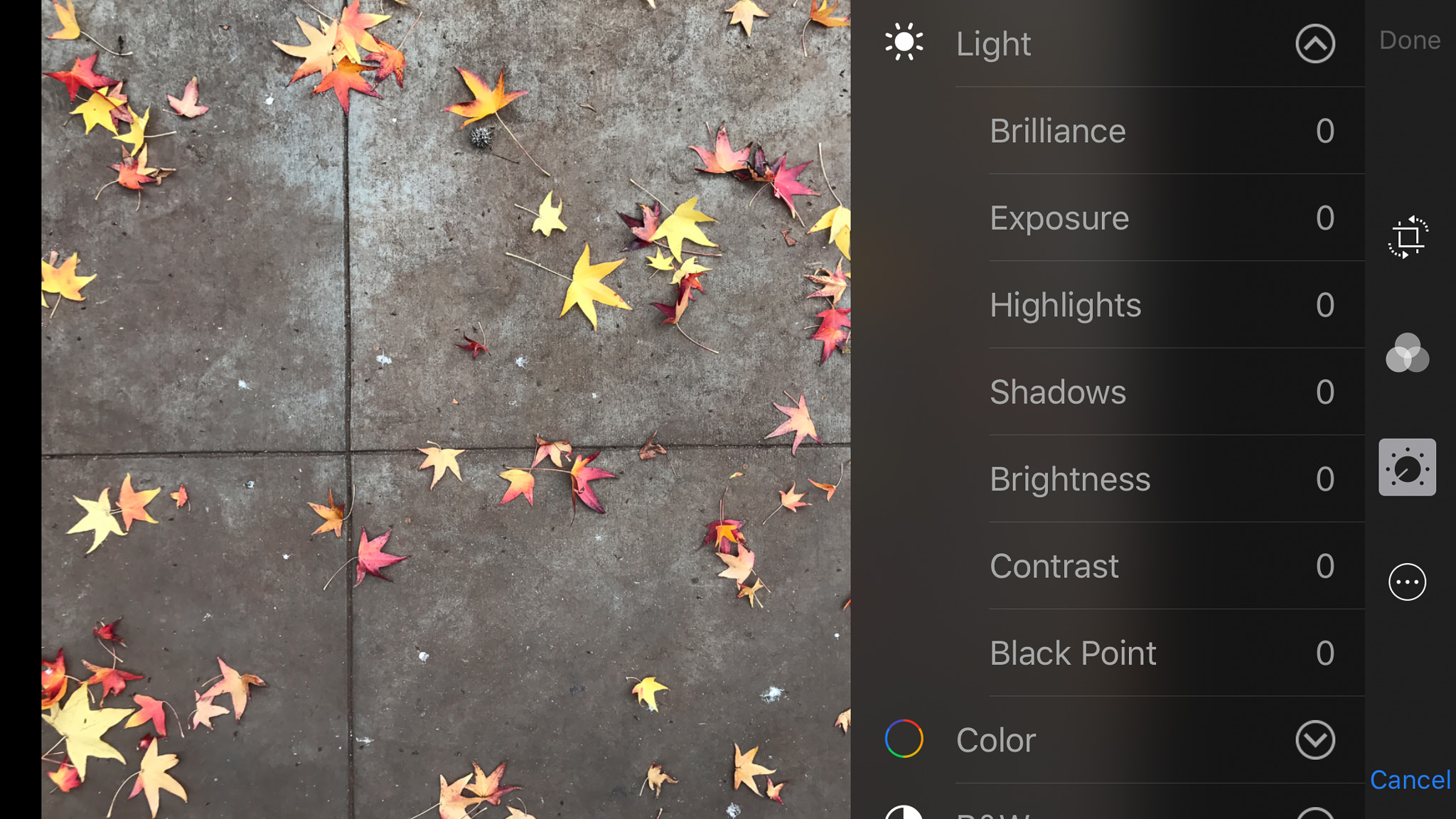
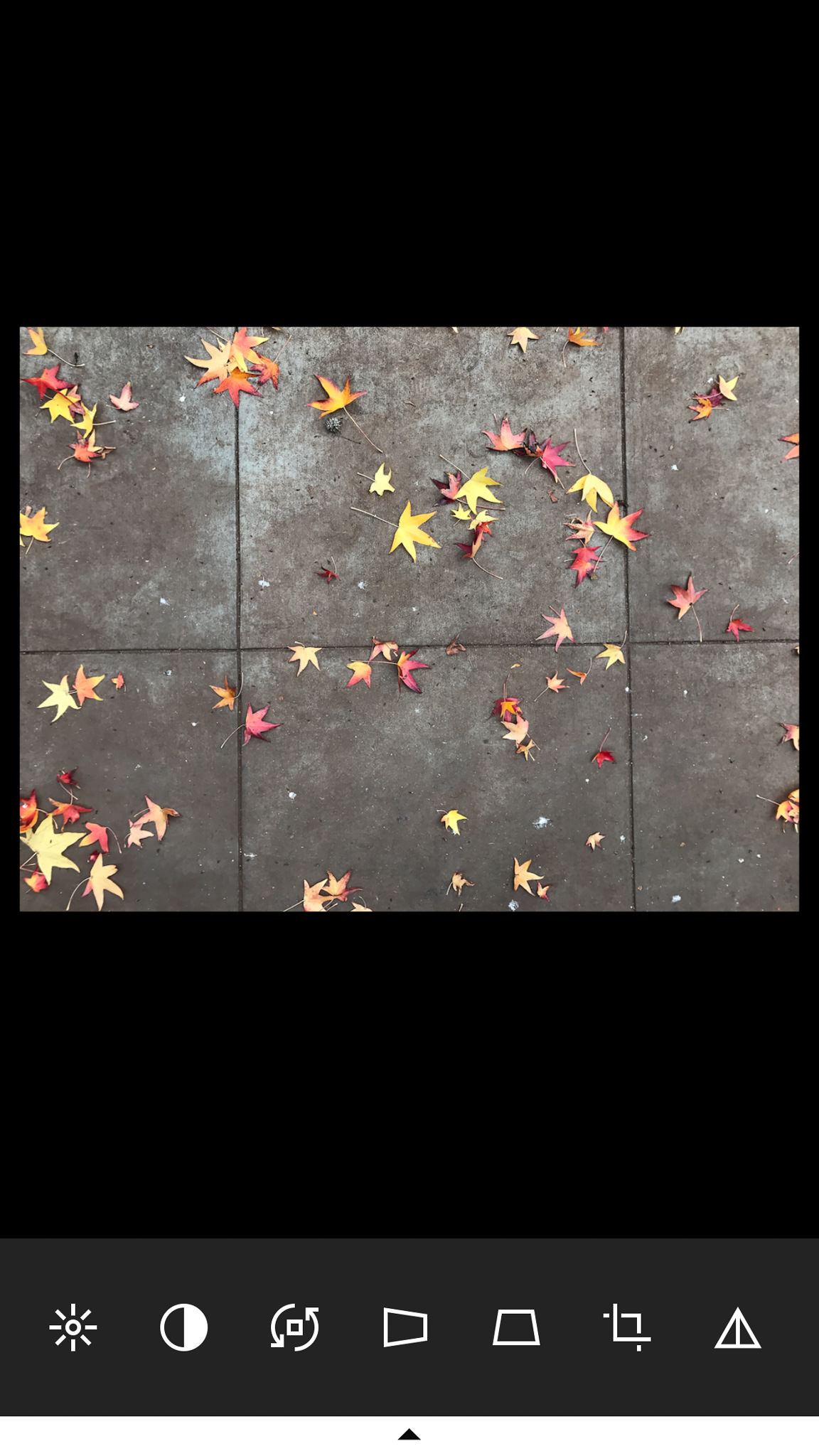
Let’s start out by covering the default editing capabilities that come with your phone. I shoot with an iPhone 7+ (running iOS 10.2), so that’s what I’m going to cover first. The editing options aren’t actually found inside the camera app, but can be found when you’re reviewing images. View an image that you took (either in the camera app or inside Photos) and at the bottom you’ll see three lines that look like sliders. This gives you access to the editing options.

iPhone Editing Screen

iPhone Editing Screen

If you just want a quick fix, you can press the magic wand in the upper-right corner and some quick adjustments are made to the image. If you want more control, you’ll need to go through the icons on the edge of the screen. From here you can crop and straighten, add filters, adjust image properties like exposure, contrast, highlights/shadows, color and even have control over properties of B&W conversions like intensity and grain.

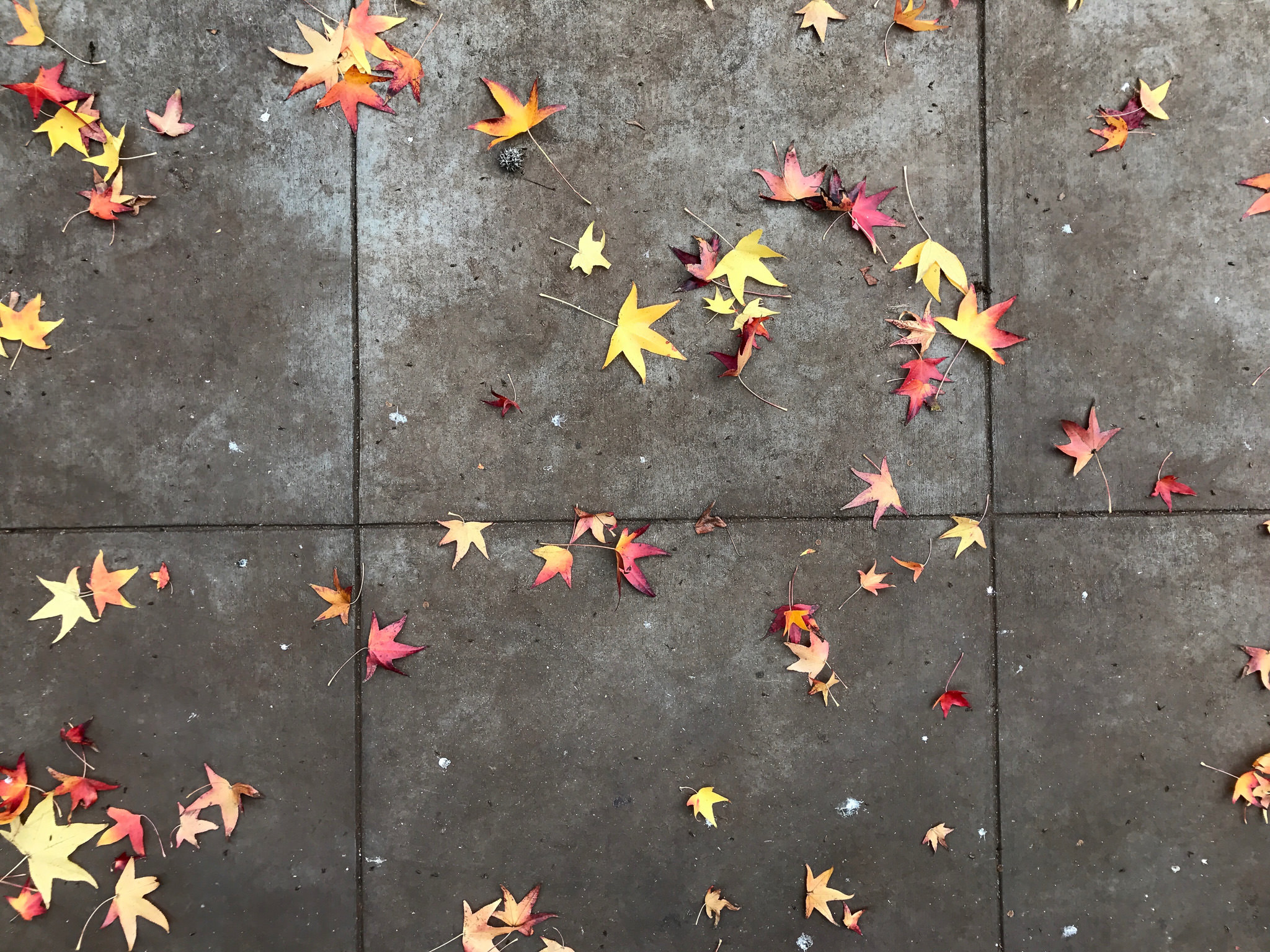
JPEG image edited with iPhone default app

iPhone 7 Plus @ 3.99mm, ISO 20, 1/180, f/1.8 – JPEG image edited with iPhone default app

As for Android, the only example I have is my wife’s Samsung Galaxy Note5. I was not at all impressed with the editing options on her phone. They were very basic and had strange names that don’t really relate to most editing software. If you have a different phone or even a different version of the operating system, you might have different options, but I personally would not use the default editing app on her phone.

Regardless of what phone you’re using, the editing options that are part of the default camera app are basic and capable of some quick image corrections. If you have a little image editing experience, you should be able to take a photo from boring to polished without much trouble.

2.2) VSCO

One of the most popular photo editing apps around is VSCO (pronounced “vis-co”, stands for Visual Supply Company). One of the reasons for it’s popularity is that it has presets that can quickly and dramatically change the look of your images. If you apply a preset but want to personalize it, you can tweak it until you’re happy with the look of your image. Unfortunately, when you apply a preset you can’t see what changes were actually made to the image, so it’s tough to adjust one specific aspect of a preset. Sometimes you’re stuck with the changes that were made. For example, if the preset you like adds too much fade, you can’t reduce the amount of fade, you can only increase it. On the other hand, if it cools off the image too much, you can always warm it up by adjusting the white balance.

VSCO Editing Screen

VSCO Editing Screen

If you’re not a fan of presets, you can also edit your images with manual controls. You’ll notice the tools aren’t named, which means there is a bit of a learning curve as to what each one does. You’ll have to take my word for it that a lot of the adjustments in VSCO are the same ones that can be found in the default editing app. In addition to those, you also have options like perspective control, skin tone, vignetting, and even split toning. VSCO is my go-to app for photo editing. I’ve used it to create both clean, simply edited images and complex, moody images.

JPEG image edited with VSCO

iPhone 7 Plus @ 3.99mm, ISO 20, 1/180, f/1.8 – JPEG image edited with VSCO

VSCO is free to download and comes with some basic presets. Additional presets are available, both for free and for purchase.

2.3) Instagram

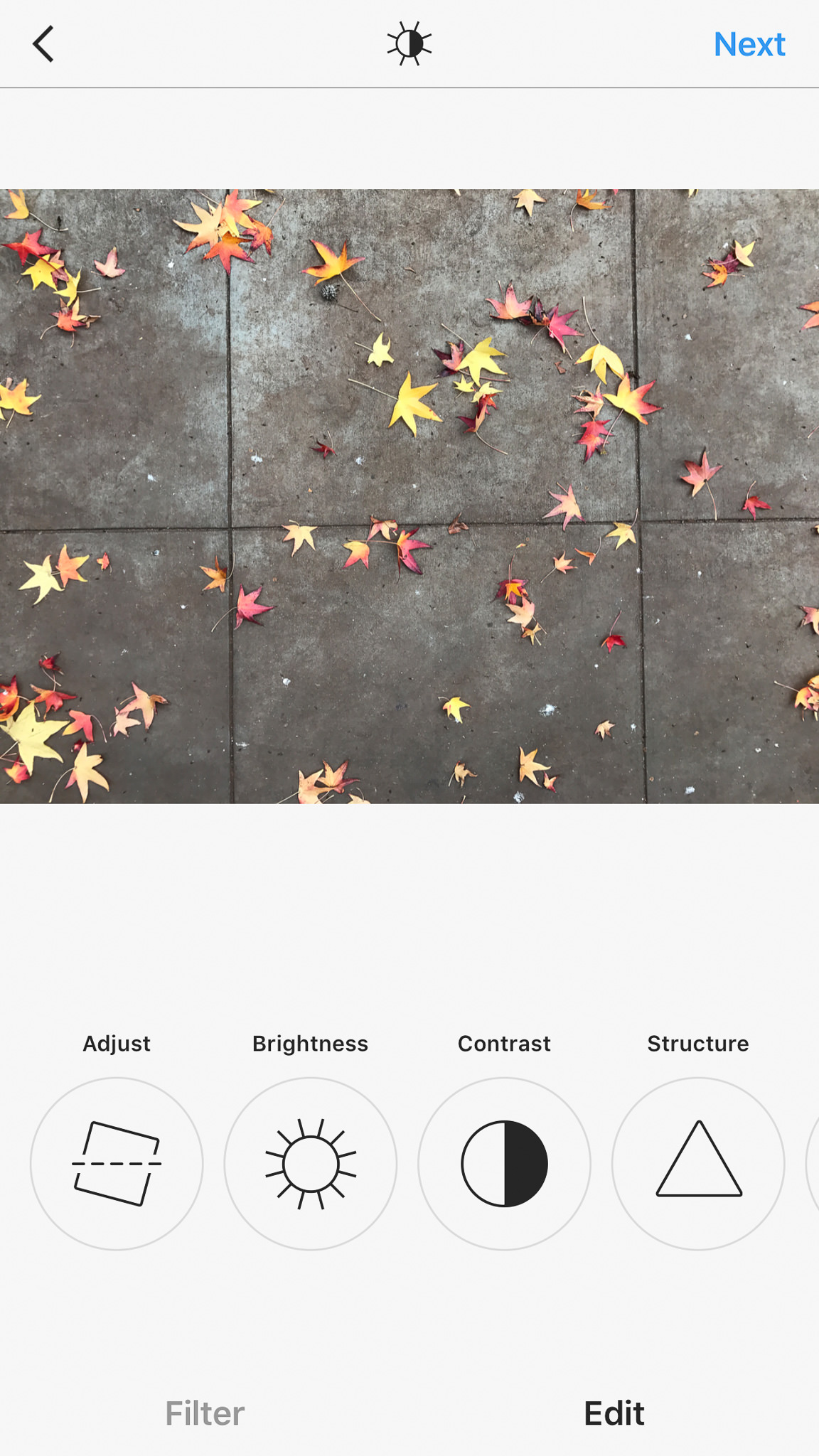
Many people who use their cell phones for photography also choose to share their images on Instagram. By default, Instagram comes with capable photo editing tools. If you want to share images on Instagram and don’t want the extra step of editing your photos in a different app, here’s what you can expect to find when you open it up.

Instagram Editing Screen

Instagram Editing Screen

Instagram’s first claim to photo-editing fame was the ability to add filters to images. When it was first released, it didn’t even have the option to edit images. The only way you could change the way a photo looked was to add a filter. Over time, Instagram became more sophisticated and eventually offered basic editing capabilities. All of the usual suspects are here (brightness, contrast, color, etc…), including one of the original tools that made Instagram unique: a simulated tilt-shift effect.

JPEG image edited with Instagram

iPhone 7 Plus @ 3.99mm, ISO 20, 1/180, f/1.8 – JPEG image edited with Instagram

One word of warning about using Instagram to edit your photos. Once you edit an image using the Instagram app, you have to somehow share it within the app to get the edited image to appear with the rest of the images on your phone. You can not directly export it for personal use. For this reason, I would suggest only using Instagram for photos you plan to share with the app.

You can download Instagram here. You can also take a look at my Instagram page, which is strictly cell phone photography (although I mainly use VSCO for editing my images).

2.4) Lightroom Mobile

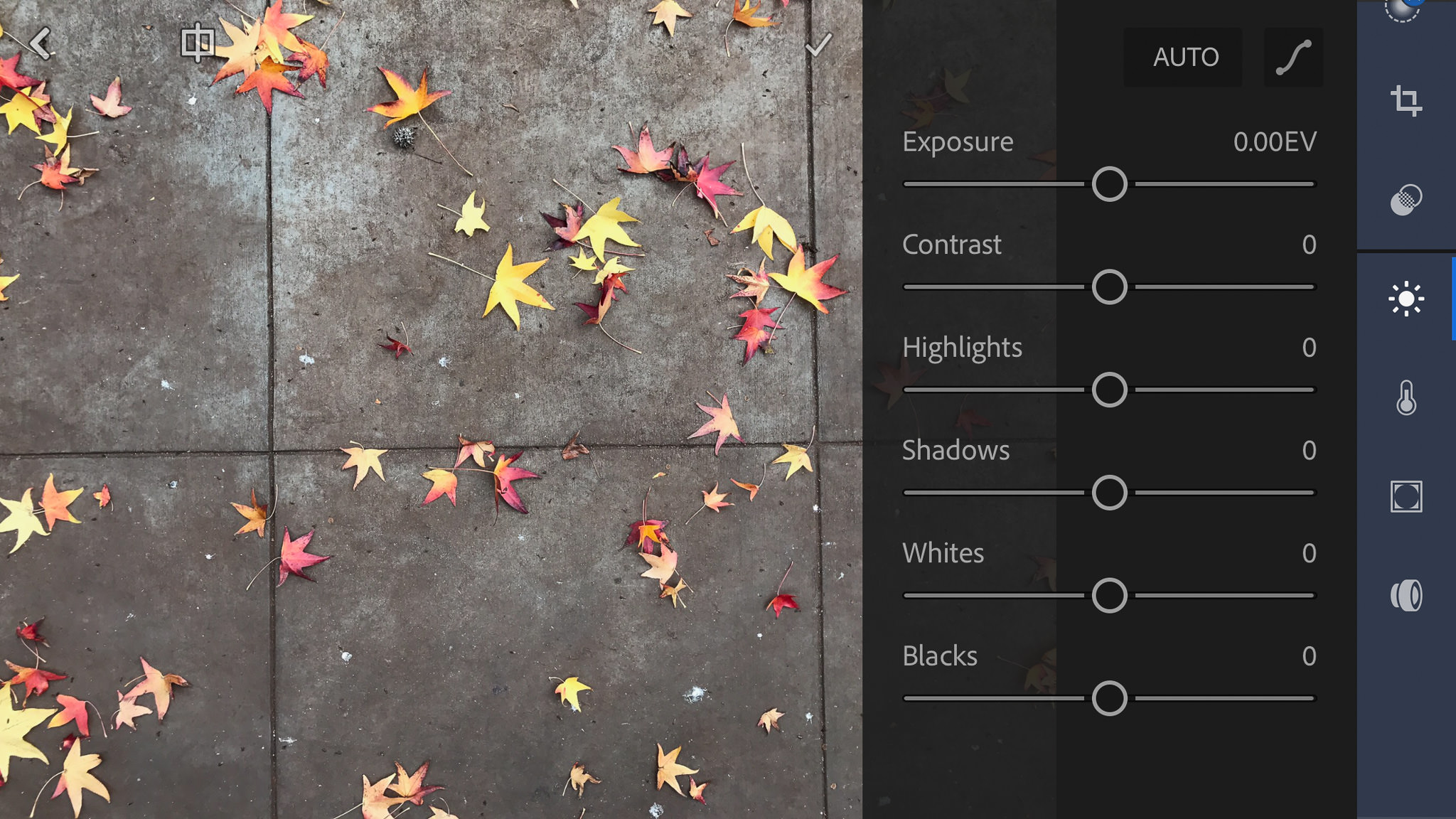
If you’re used to using Lightroom on your computer, Lightroom Mobile will be very familiar. Of all the different apps I’ve tried, this one is definitely the most professional and photographer-friendly. In addition to the expected filters and basic adjustments, there are lens correction and even curves adjustments available! Of course, the more advanced controls that are available to you in the computer version of Lightroom aren’t available on the mobile version, but it’s still one of the most feature-rich apps around.

Lightroom Mobile Editing Screen

Lightroom Mobile Editing Screen

If you have a phone that can shoot in DNG, this is a great app to use both for capturing and editing images. Keeping everything within one app definitely helps with photo organization. If you decide not to use the camera function of Lightroom Mobile, you can still use it to edit JPEGs you take in other apps (although you can’t use it to edit DNGs taken in other apps unless you’re an Adobe CC subscriber).

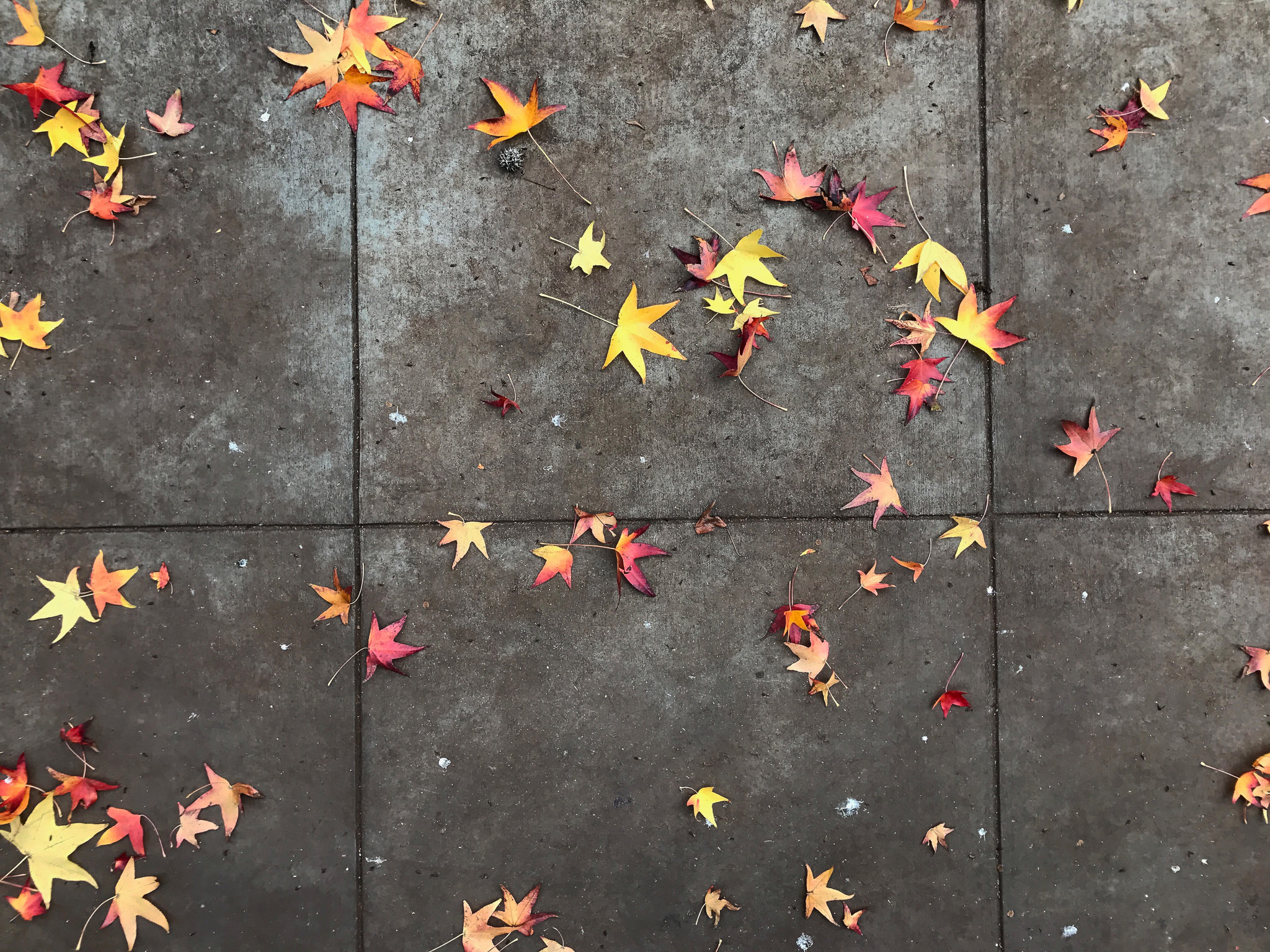
JPEG image edited with Lightroom Mobile

iPhone 7 Plus @ 3.99mm, ISO 20, 1/180, f/1.8 – JPEG image edited with Lightroom Mobile

You can download Lightroom Mobile here.

3) Editing DNG Cell Phone Images

Is it worth it to use an app that can shoot DNG images on your cell phone? How much more dynamic range is available to you? Do all of the traditional reasons for shooting DNG apply? Do the images look better without the default camera’s JPEG compression? Let’s take a look.

Here are two images that I took at roughly the same time. The first is a JPEG that was taken and edited with the default camera app on my iPhone 7+, while the second is a DNG that was taken and edited with the Lightroom Mobile app. Please ignore the differences in color temperature, as I edited them separately and didn’t match them perfectly.

JPEG image shot and edited with default camera app

iPhone 7 Plus @ 3.99mm, ISO 20, 1/1500, f/1.8 – JPEG image shot and edited with default camera app

DNG image shot and edited with Lightroom Mobile

iPhone + iPhone 7 @ 3.99mm, ISO 20, 1/1250, f/1.8 – DNG image shot and edited with Lightroom Mobile

Is there a difference between the two images? Let’s zoom in to 100% in the same area and see how things look.

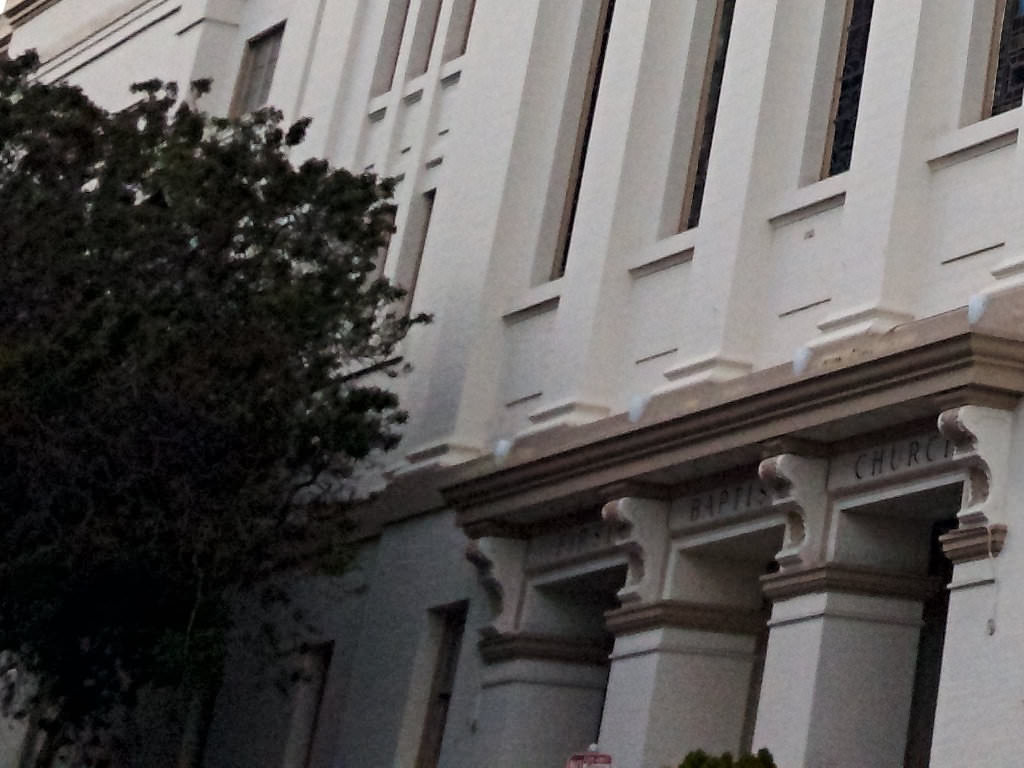
100-percent crop of iPhone JPEG

100-percent crop of iPhone JPEG

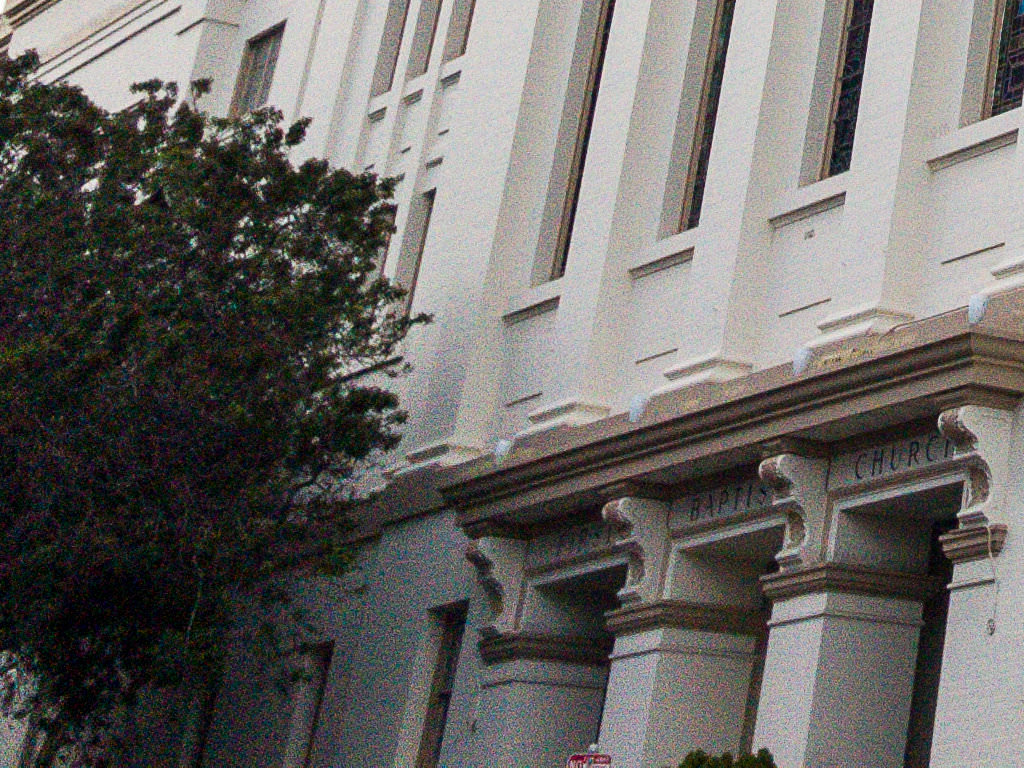
100-percent crop of iPhone DNG

100-percent crop of iPhone DNG

As you can see, there really isn’t much of a difference. You can’t see more detail in the DNG compared to the JPEG and it looks like there’s the same amount of shadow information.

I wanted to see if editing the DNG on a computer version of Lightroom made any difference. I figured the compression on export might be less noticeable and show a bit more detail. Unfortunately, before I ever got started I ran into a snag. Apparently, if you use Lightroom Mobile to shoot images in DNG, they are stuck within the Adobe ecosystem. It prevents you from exporting or downloading the DNG images from your phone (unless you sync Lightroom Mobile to Lightroom CC). Fortunately, you don’t have to use Lightroom Mobile to shoot in DNG.

To work around this restriction (since I’m not a Lightroom CC user), I had to go out and shoot some new images. This time I used Camera+, an app that’s only available for iPhone. With Camera+, I was able to shoot in DNG and then download the images to my computer to edit in Lightroom.

DNG Image Edited In VSCO App

iPhone 7 Plus @ 3.99mm, ISO 20, 1/1500, f/1.8 – DNG Image Edited In VSCO App

DNG Image Edited In Lightroom On A Computer

iPhone 7 Plus @ 3.99mm, ISO 20, 1/1500, f/1.8 – DNG Image Edited In Lightroom On A Computer

Here are the 100% crop side-by-side results of an edited DNG. One edit was done on my computer in Lightroom, the other on my phone using VSCO.

100-percent crop of DNG edited in Lightroom in VSCO

100-percent crop of DNG edited in VSCO app

100-percent crop of DNG edited in Lightroom on a computer

100-percent crop of DNG edited in Lightroom on a computer

You can see that I was able to recover more of the highlight and shadow detail when I edited the same DNG file in Lightroom instead of VSCO. What really surprised me was how much noise is present in the image that was processed in Lightroom. Even though it says it was taken at ISO 20, there is a lot of noise in the shadow areas and even some in the sky. I guess this is why images processed in apps look so soft… it’s not the JPEG compression, but the noise reduction that gets applied.

4) Other Considerations

Non-Destructive Editing: One very important thing to note is that many apps like VSCO and Lightroom Mobile are non-destructive editing tools. The edits you make in them do not actually alter your original image. On the other hand, if you edit your image with the default editing app, chances are your original image will actually be altered. On my phone, the edits made with the default app are saved and can be reverted, but this might not be the case on all phone models. As a rule of thumb, if you have to import your image into the app, it should be non-destructive.

Spot/Blemish Removal: If you usually edit images on a computer, you’re probably used to having access to spot removal tools. Unfortunately, very few image editing apps have such tools. The only app I’ve found that includes full editing capabilities as well as a spot healing tool is Photoshop Express. They are very limited capabilities, but in a pinch can be useful.

Other Apps: The apps I’ve mentioned are by no means the only ones out there, they are just the ones that I find myself using the most. Here are a few others I’ve used in the past that you might try out: Afterlight, Snapseed and Priime.

5) Conclusions

There are a lot of different apps available for you to use to edit images on a cell phone. Your phone should include basic editing capabilities within the default camera app itself. If you want something a little more advanced, Lightroom Mobile is a great choice if you’re used to using Lightroom on your computer, or VSCO is a great choice if you like creating images with a bit more mood and toning to them.

If you plan to shoot in DNG, unless you’re a Lightroom CC subscriber, I’d highly suggest that you use an app besides Lightroom Mobile. To be honest, I don’t know if there’s even a need to shoot in DNG. I’m using the latest phone out there and there is so much noise in the images, even at ISO 20, you’ll need to add so much noise reduction your images will look about the same as if you’d just shot and edited a JPEG. While you might get better highlight and shadow recovery, I personally don’t think it’s worth it.

Regardless of whether you choose to shoot in JPEG or DNG, if you decide to edit images on your phone you’ll have a lot of different editing apps to choose from. Be sure to download a few different ones and try them out, as they all have something different to offer.

The post Cell Phone Photography – Part 2: Editing Images appeared first on Photography Life.

Photography Life

Posted in Photograpy How To | Tagged , , , , , | Leave a comment

Bird Photography Tips and Tricks

In the past, bird photography was reserved for those with very deep pockets. With long prime lenses costing more than $ 8000, their high prices excluded those of us with more modest budgets from the party. However, with the advent of relatively inexpensive super-zoom lenses from Sigma and Tamron, and even some from the mirrorless camera makers, it is much easier to get into bird photography these days. In this article, I want to give you some tips for creating compelling bird photographs. I will talk briefly about gear but will focus more on the techniques for capturing great images of birds.

1) Gear

1.1) Buy, Rent or Borrow a Long Lens

Let’s start by discussing equipment. Bird photography is a rather specialized type of photography. And as such, some pieces of equipment will make capturing images much easier. A long lens is one of those pieces of kit.

A long lens will give you a better chance at filling the frame with the bird. It will also allow you to remain at a safe distance from it. Maintaining some distance will allow the bird to continue its behavior without feeling threatened, resulting in much more natural shots. But a long focal length lens is not needed all the time. For large birds such as pelicans and egrets, and for birds used to having people around, you can get away with shorter focal lengths. You don’t only want head shots of birds. For environmental shots, a shorter lens will do the job.

Here are two images I caught on Espanola Island in the Galapagos. In the first shot of the waved albatross in flight, I used a 400mm focal length lens. The long lens allowed me to fill the frame with the bird. In the second image, I wanted to put the bird in context with his surroundings. So for this environmental shot, I used a much shorter focal length of 80mm. The shorter lens allowed me to frame not only the albatross but also his habitat.
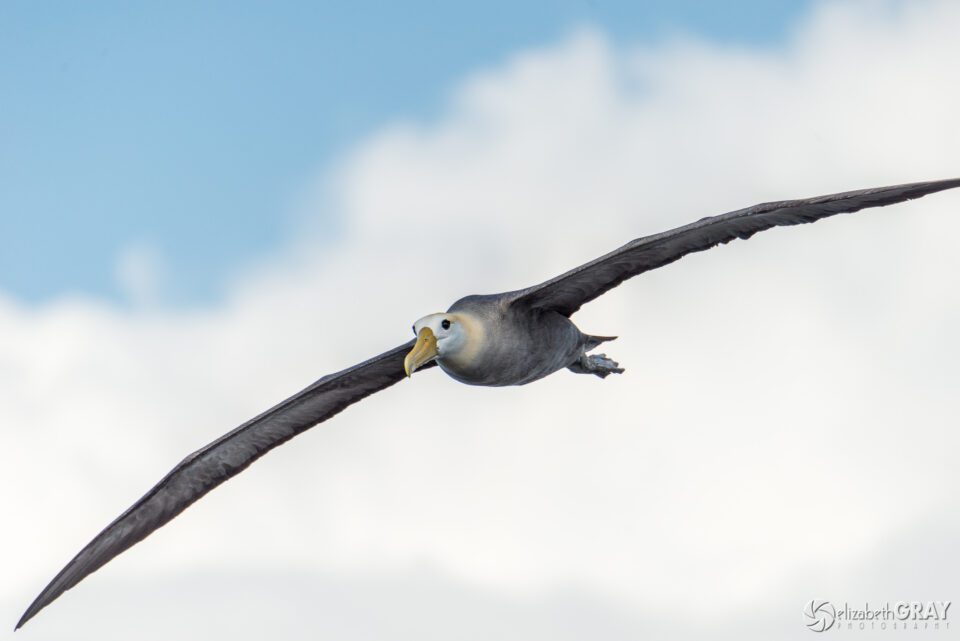
Waved Albatros in Flight

Waved Albatross
NIKON D800 + 80-400mm f/4.5-5.6 @ 400mm, ISO 200, 1/3200, f/5.6
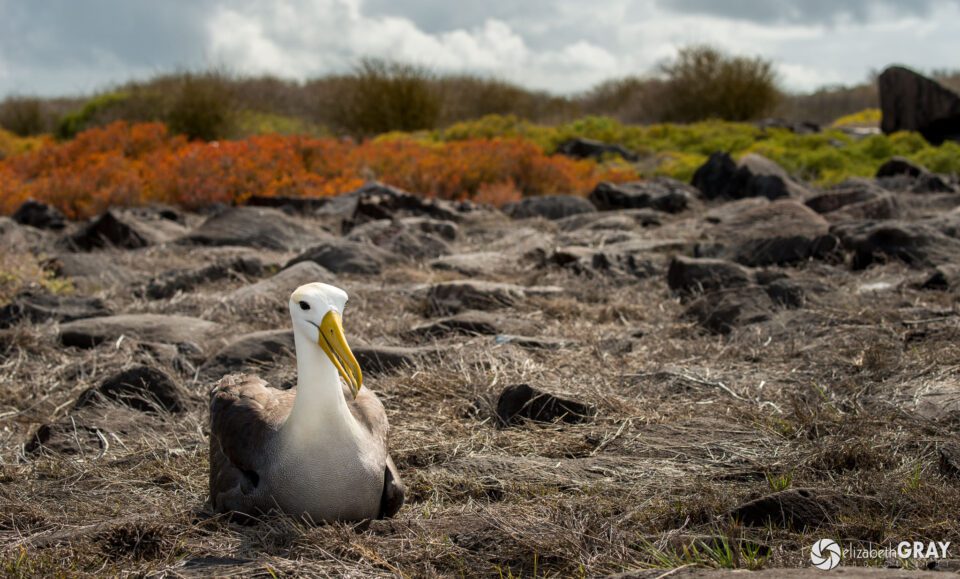
Waved Albatros Habitat

Waved Albatross
NIKON D800 + 80-400mm f/4.5-5.6 @ 80mm, ISO 100, 1/640, f/7.1

If you are considering purchasing a new lens for your bird photography, a lens with a focal length of at least 400mm will allow you to get some great shots. Most professional bird photographers like to use lenses with focal lengths of 400mm, 500mm, 600mm or even 800mm (you may have to remortgage your house for this one). Remember that crop factor will work in your favor if you are not using a full frame camera. If you are shooting with a Canon APS-C sized sensor camera, you can take advantage of a 1.6 crop factor. That means a 400mm lens becomes equivalent to 640mm on a full frame camera. Likewise, Nikon DX shooters realize a crop factor of 1.5. If you are shooting with a mirrorless micro four thirds format camera, the crop factor is 2, and that 400mm lens is now equivalent to 800mm!

If you are just starting out in bird photography, I would recommend one of the super-zoom lenses from Sigma or Tamron. The Sigma 150-600mm f/5-6.3 DG OS HSM Contemporary Lens and the Tamron SP 150-600mm f/5-6.3 Di VC USD G2 are reliable, affordable choices for beginners. For a comparison of these lenses, take a look at John Sherman’s article “Nikon 200-500mm vs. Tamron 150-600mm vs. Sigma 150-600mm C

Nasim’s article “How to Photograph Birds” goes into quite a bit of detail on lens choice. Check it out for more information too.

1.2) Invest in a Good Tripod and Head

Long lenses can get heavy pretty fast. For example, Sigma’s 150-600mm lens weighs 4.3 pounds. Although it is not as heavy as Canon’s 500mm f/4, which weighs just over seven pounds, it is a handful to manage for extended periods of time. A tripod will make capturing sharp images much easier, especially in low light situations requiring longer shutter speeds. You will also find that it is simpler to track birds in flight from a tripod, as your panning motion will be smoother.

When you choose a tripod, make sure you select one that is strong enough to carry the camera and lens combination you will be using. It is not necessary to invest over $ 1000 in a Gitzo or Really Right Stuff tripod. But, a tripod is not a piece of gear that you want to skimp on either. Buy the best quality tripod you can afford. I don’t know how many photographers I have met (myself included) that have spent money on a cheap tripod, only to find that it didn’t fulfill their needs in the long run. They then have to invest again, in the system that they should have purchased in the first place!

Affordable alternatives include brands such as Induro, MeFoto, Sirui and Manfrotto. With a bit of research, you should be able to find a tripod that meets both your needs and your budget.

If you are using a heavy, prime, professional, fixed aperture lens, I would recommend that you use a gimbal head to support your camera. However, if you are using one of the lighter, variable aperture lenses, a regular ball head will work fine. Again, check out Nasim’s article for more details on tripod heads.

1.3) Know Your Camera

While we are discussing gear, I can’t stress enough how important it is to know your camera intimately. You need to master things like how to adjust your aperture, exposure compensation, and ISO while looking through the viewfinder. Knowing how to change your metering modes and focus modes are musts as well. Bird photography happens quickly. It is very easy to miss a shot if you are busy fumbling with the settings on your camera. Practice changing your settings until they are committed to muscle memory. This practice will not only make bird photography easier, but it will improve your keeper rate for the rest of your photography too.

Exposure compensation is probably the most important thing to know how to change on the fly. While I was taking photos of these American wigeons swimming, something scared them, and they suddenly took off. Realizing that they were now against a bright sky, and not the dark water anymore, I quickly added 2/3 of a stop of light using my exposure compensation dial. I did this while tracking their movement and maintaining focus.
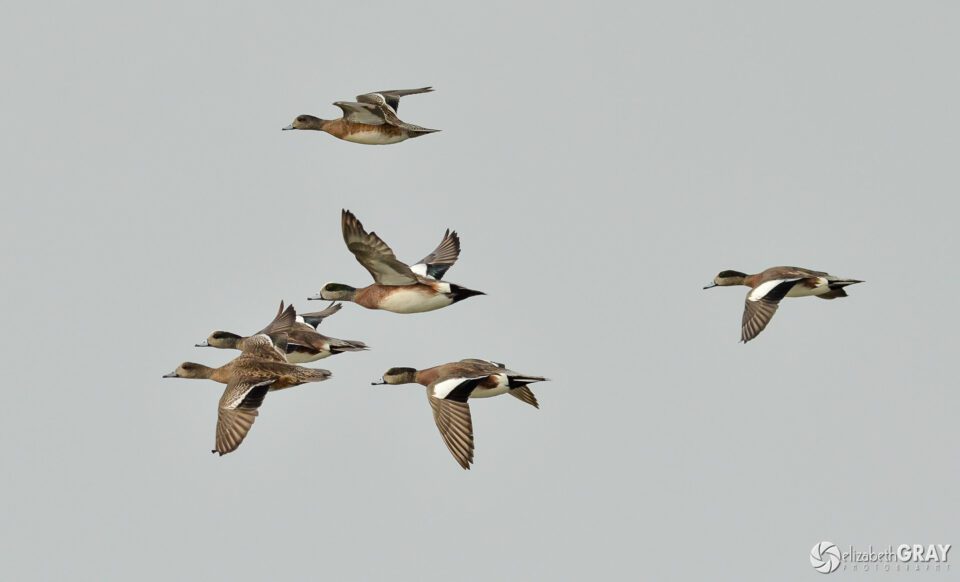
Wigeons in Flight

American Wigeons
NIKON D7000 + 300mm f/2.8 @ 300mm, ISO 500, 1/2500, f/7.1

Bird photography is not just about the gear. Having a long lens, and a fast-focusing camera will make capturing pictures of birds easier. However, exposure settings, composition, lighting, and storytelling play an even more important role. An expensive camera and 600mm prime lens will not guarantee great shots!

2) Camera Settings

2.1) Use a Fast Shutter Speed

Birds move very quickly! Make sure that you are using a fast enough shutter speed to freeze the action. Appropriate shutter speeds vary depending on the type of bird you are photographing and what they are doing. For small birds that flit quickly from branch to branch, keep your shutter speed above 1/2000s. For larger birds that glide and have slower wing beats, you can get away with 1/1000s to 1/1500s. When I’m trying to capture a raptor in flight, I try and stay above 1/2000s. Of course, you can get away with slower shutter speeds if your subject is perching.

Using the auto ISO setting on your camera helps assure you do not dip below a set shutter speed. If the light fades, the camera will automatically bump up the ISO to maintain your minimum shutter speed. If it brightens up again, the camera will lower the ISO back down.

If you are using an older camera that does not have auto ISO, keep your eye on your shutter speeds. If they become too slow, boost your ISO until you are satisfied that the resulting shutter speed will be fast enough to freeze the action.
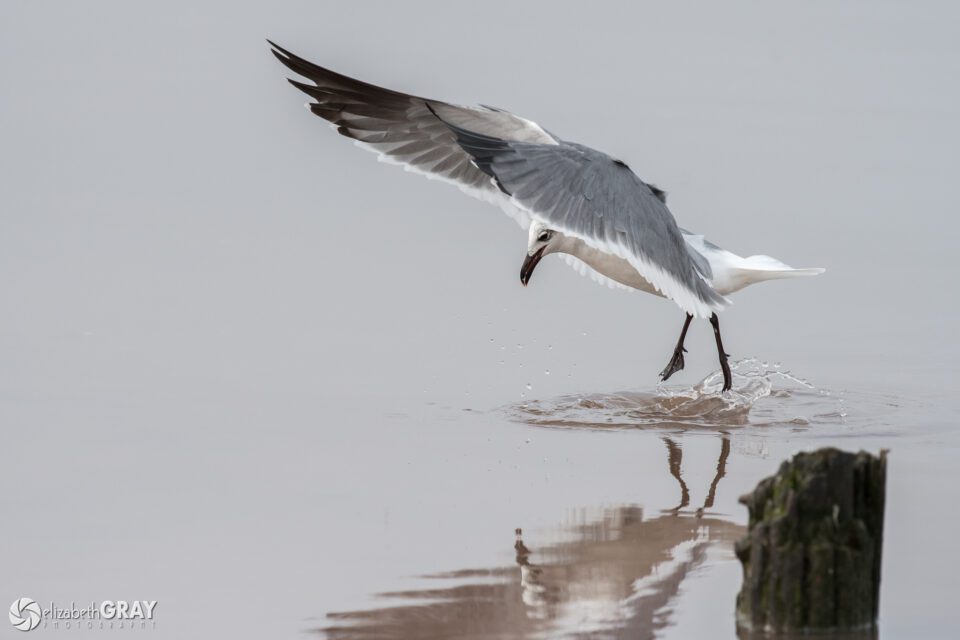
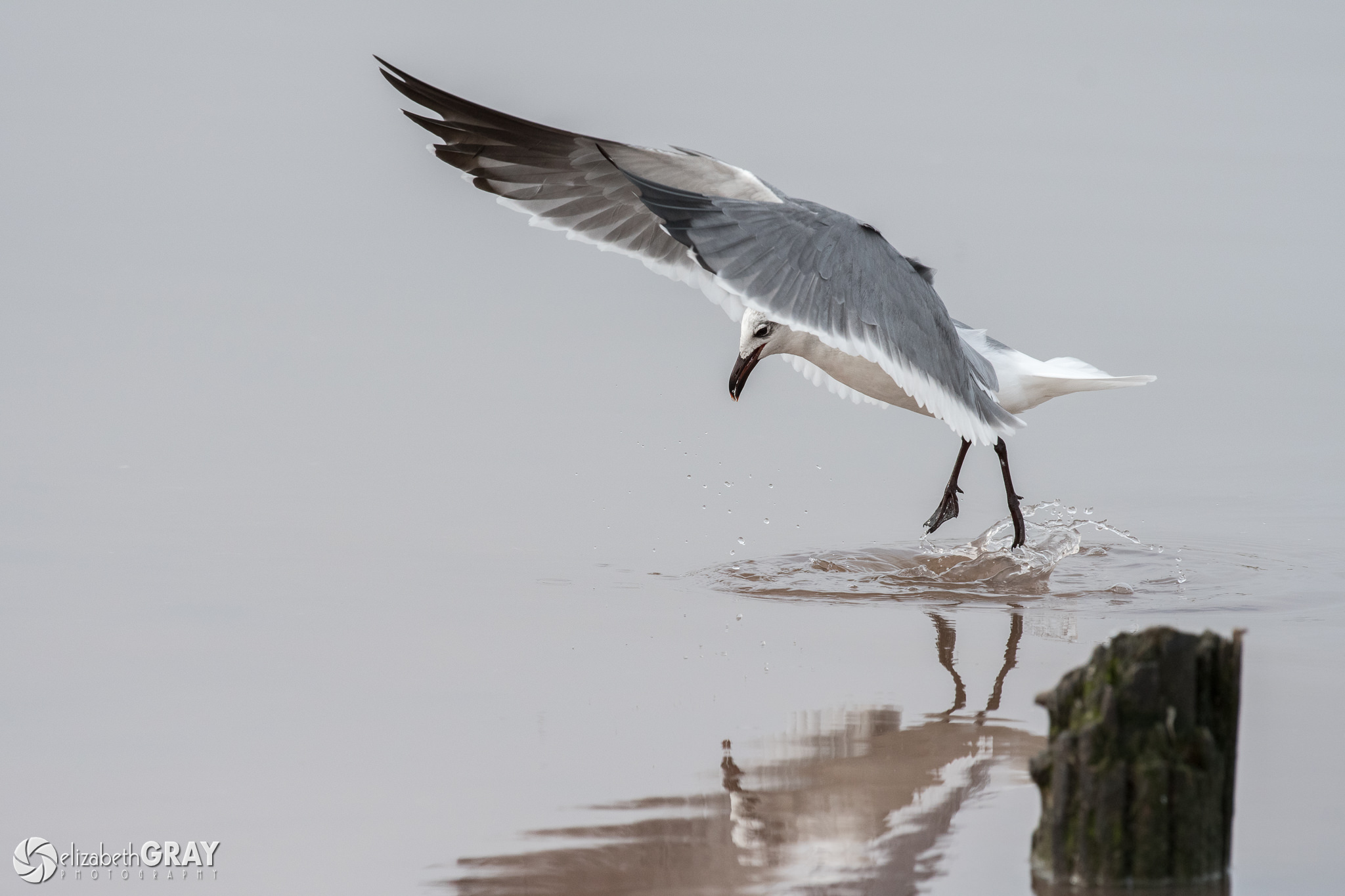
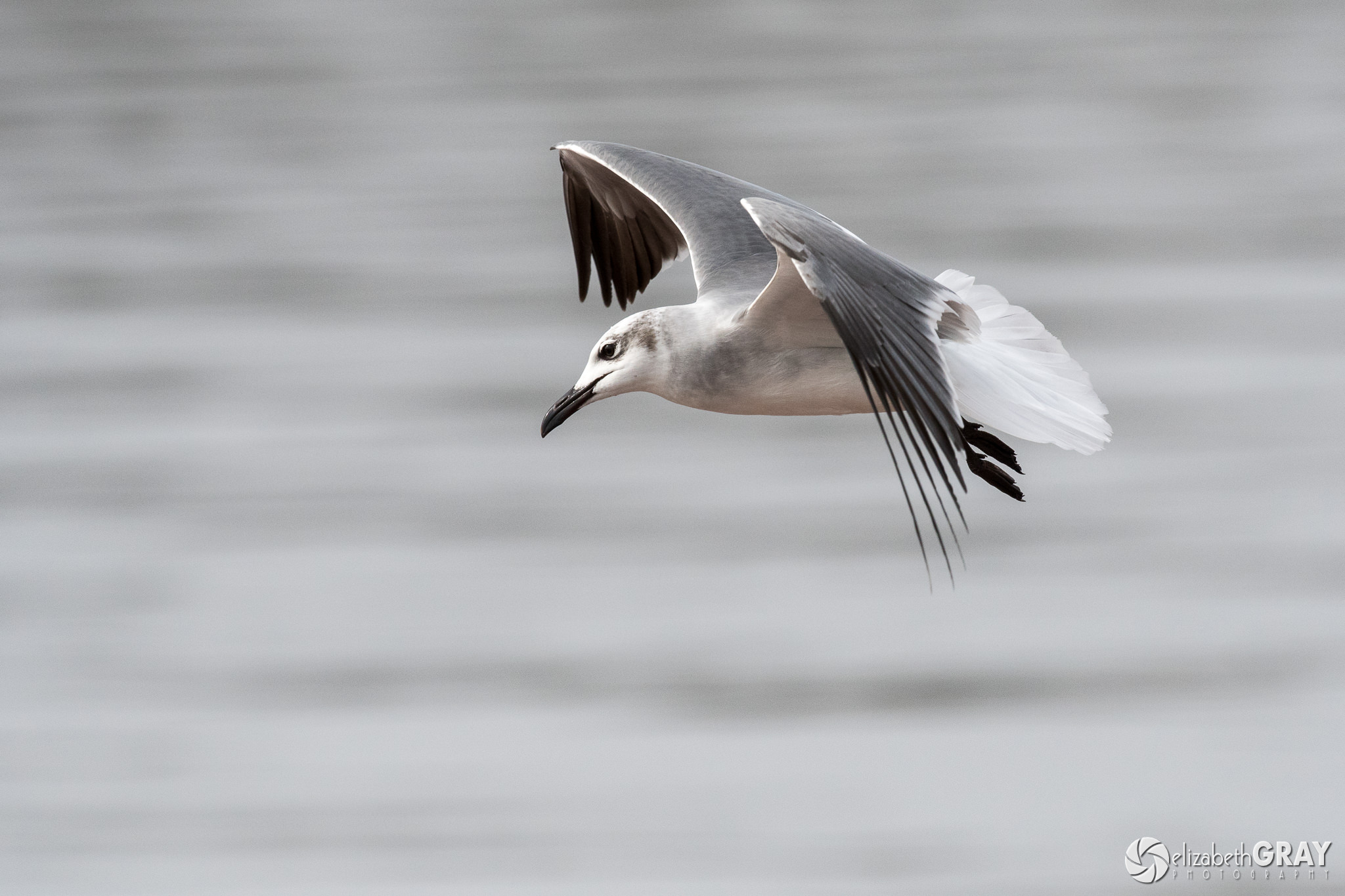
Laughing Gull Ballet

Juvenile Laughing Gull
NIKON D500 + 200-500mm f/5.6 @ 380mm, ISO 1000, 1/3200, f/6.3

2.2) Use a Fast Frame Release Rate

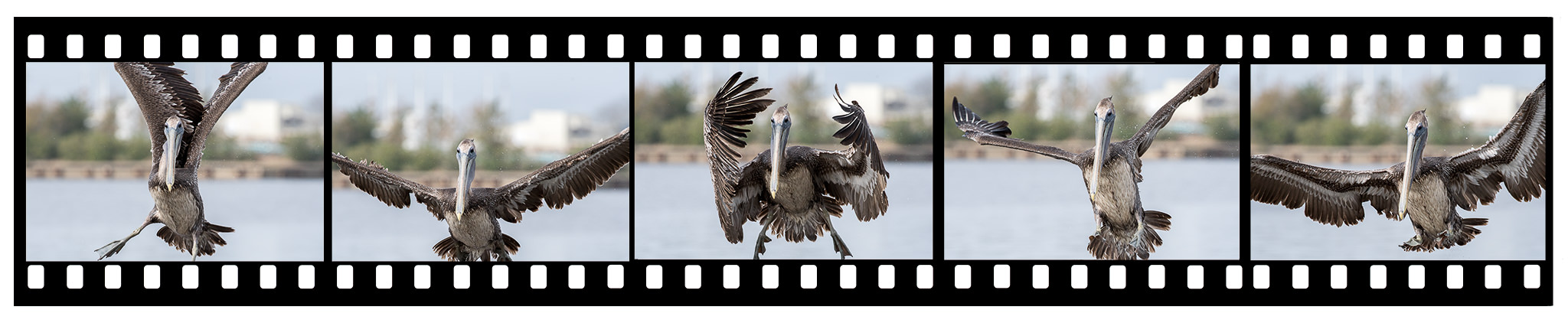
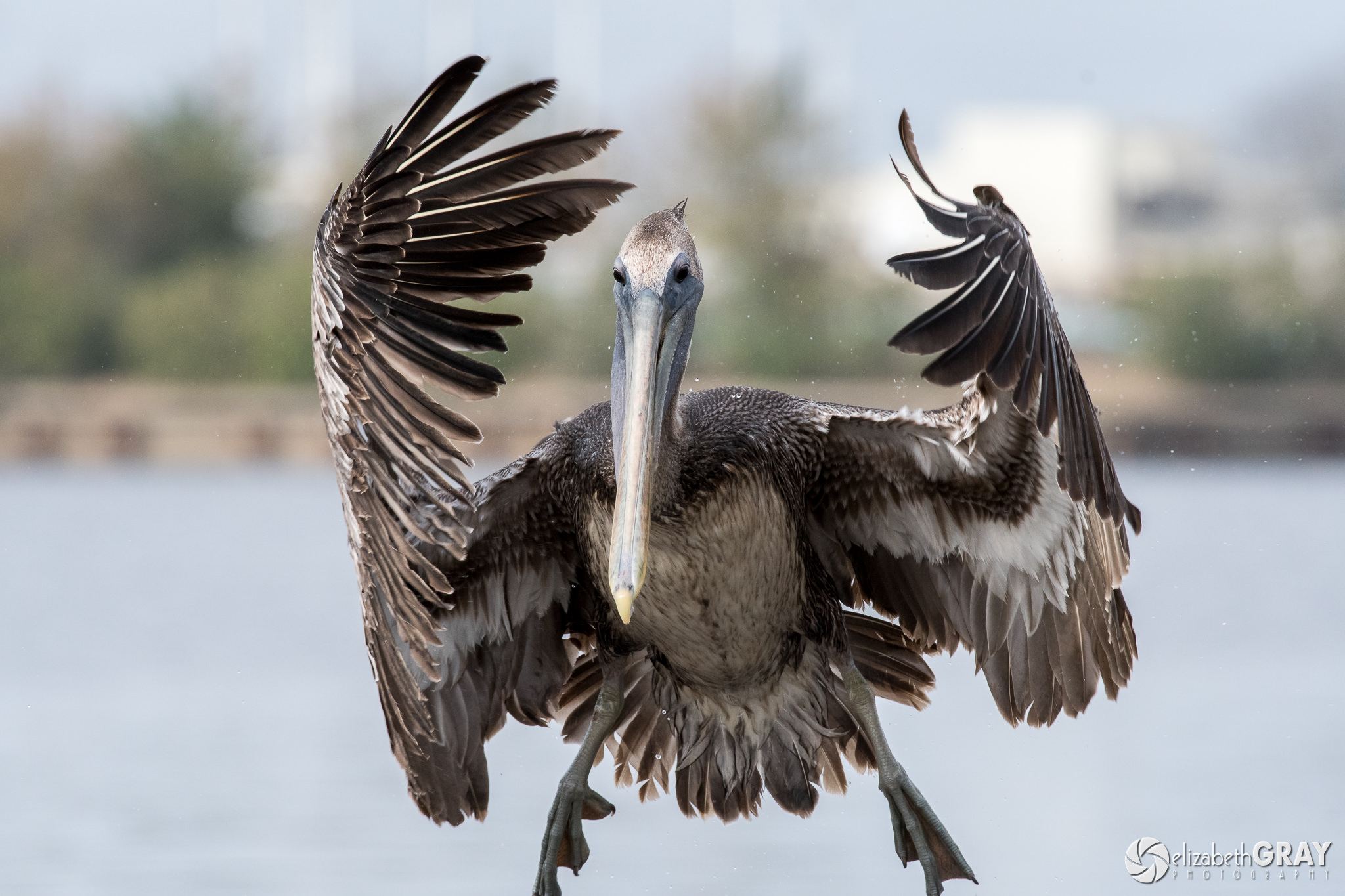
You will also want to make sure that your frame release rate is set as high as possible. When the action is happening quickly, shooting a short burst of images improves your chances of getting a great shot. When I saw this brown pelican coming in for a landing, I shot a burst of five images. The middle frame was the one I liked the most.
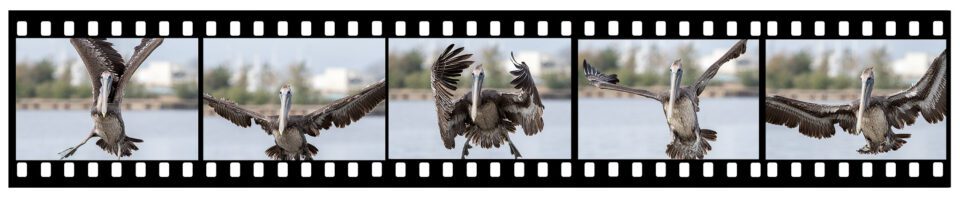
Pelican Sequence

All images shot with NIKON D500 + 200-500mm f/5.6 @ 390mm, ISO 1000, 1/1600, f/9.0
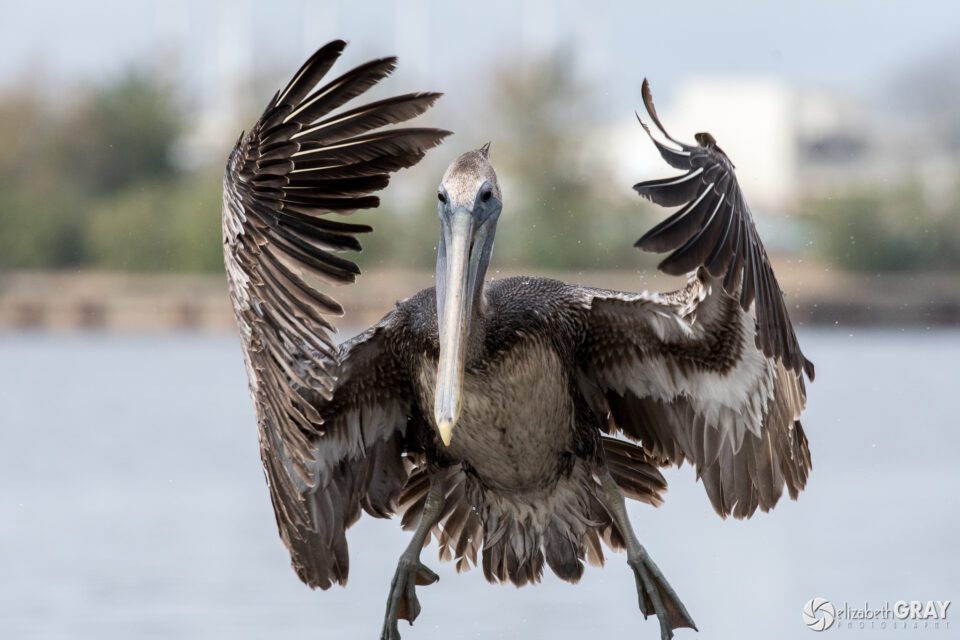
Brown Pelican Landing

Juvenile Brown Pelican
NIKON D500 + 200-500mm f/5.6 @ 390mm, ISO 1000, 1/1600, f/9.0

2.3) Get Out of Program Mode!

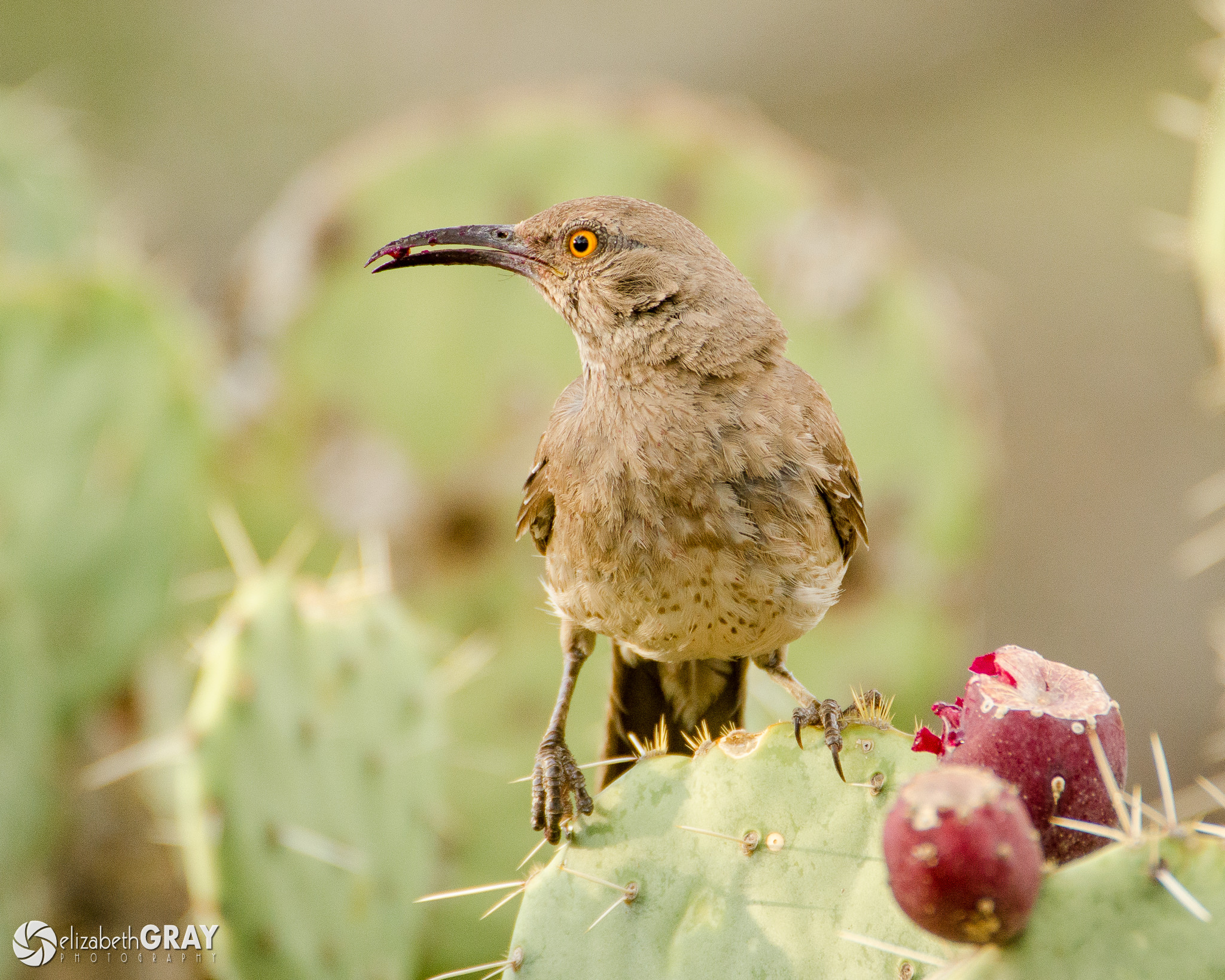
Most of the time, aperture priority works best for photographing birds, especially in concert with auto ISO. I often get asked, “What is the best aperture setting for bird photography?” The answer is, “It depends!”

To help isolate the bird from its background, use a wide aperture to create a shallow depth of field. Many lenses are not as sharp shot wide open as they are at narrower apertures. For this reason, if the light allows, I set my aperture a third or two-thirds of a stop above the lens’s widest aperture. For example, if I’m using a lens with a maximum aperture of f/4, I will set my aperture to f/4.5 or f/5. This setting results in a sharp image with a shallow depth of field and a fast shutter speed.
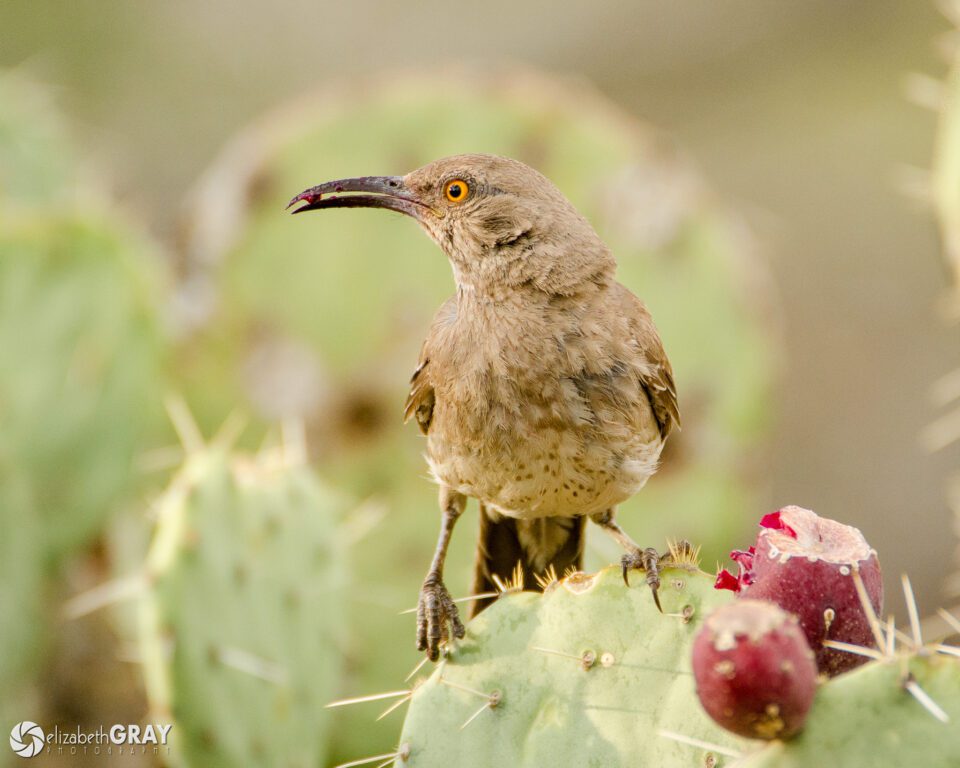
Curved-Billed Thrasher

Curve-billed Thrasher
NIKON D7000 + 200-400mm f/4 @ 550mm, ISO 800, 1/320, f/5.6

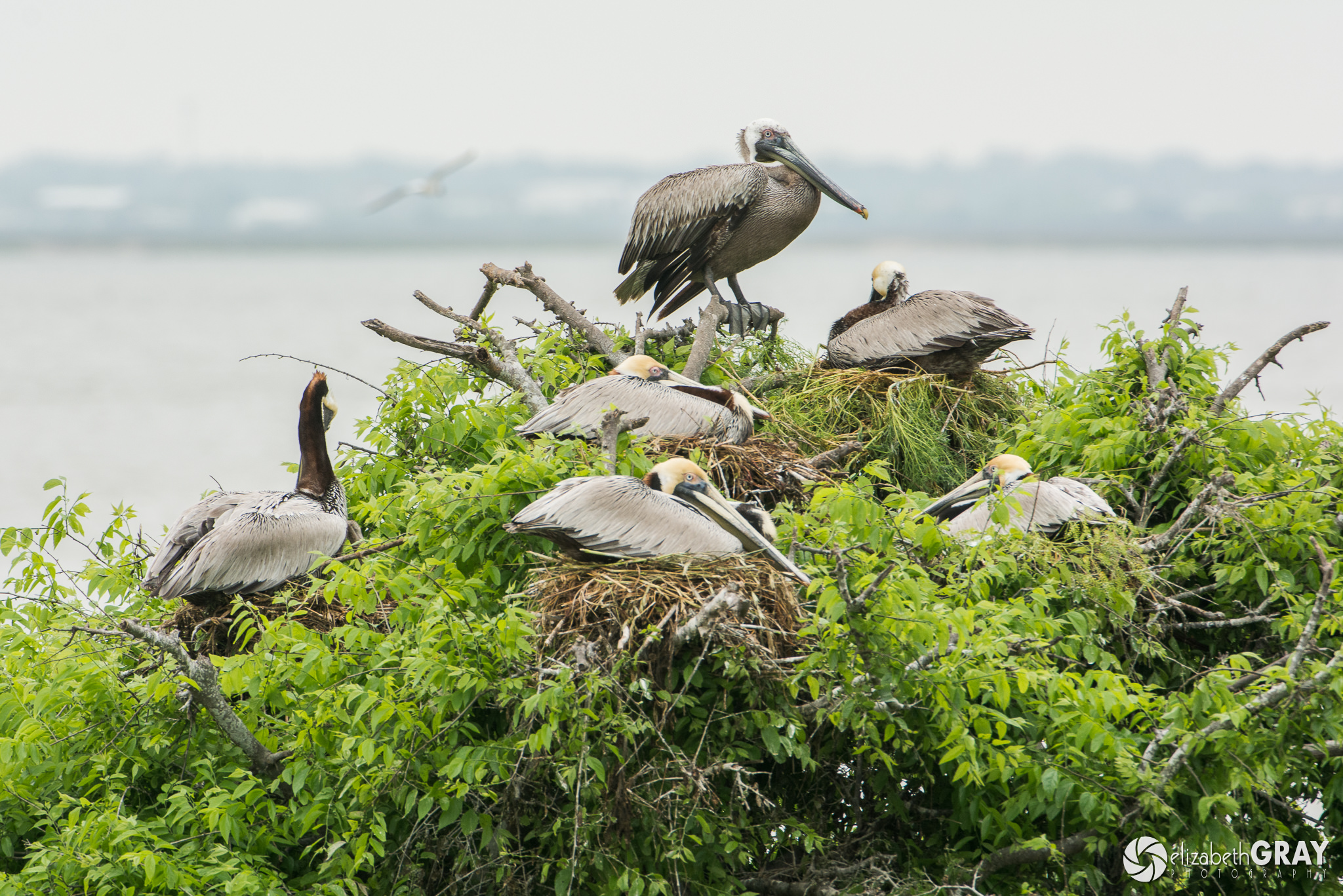
On the other hand, a long lens has a narrow depth of field. This can be problematic when you are photographing several birds or larger birds, especially when the wind is blowing feathers around. A shallow DOF can result in important areas of your image being out of focus. If the light is bright, stopping down your aperture a few stops will help ensure all the feathers are sharp. I will often shoot at f/8 or f/11 when I want to make sure that I get everything in focus. Shooting like this allows you a bit of a buffer if you don’t quite nail the focus too. Of course, there is always a trade-off, a narrower aperture results in slower shutter speeds.
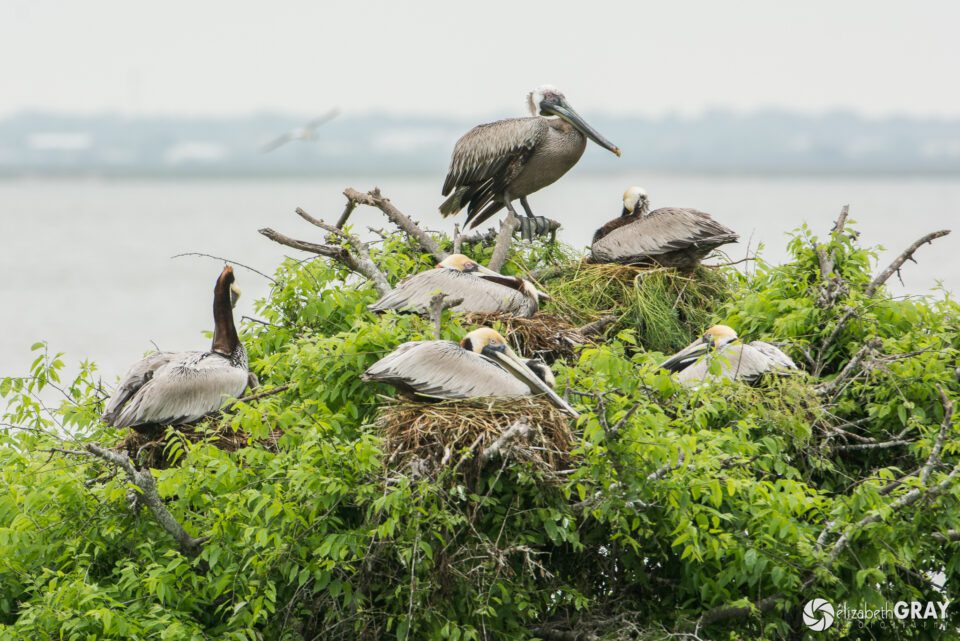
Brown Pelican Nesting

Brown Pelicans
NIKON D7100 + 200-400mm f/4 @ 450mm, ISO 400, 1/200, f/8.0
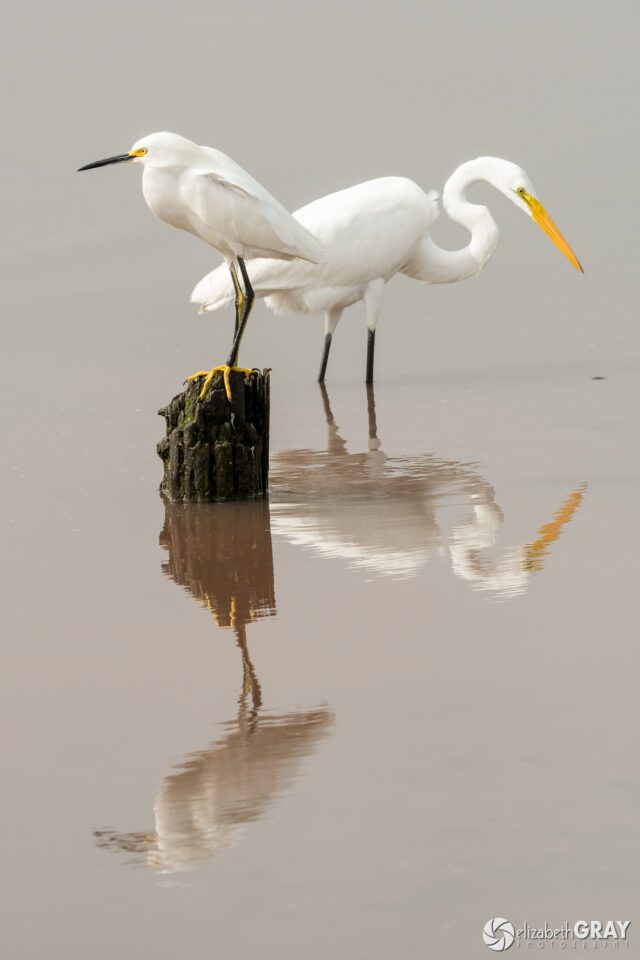
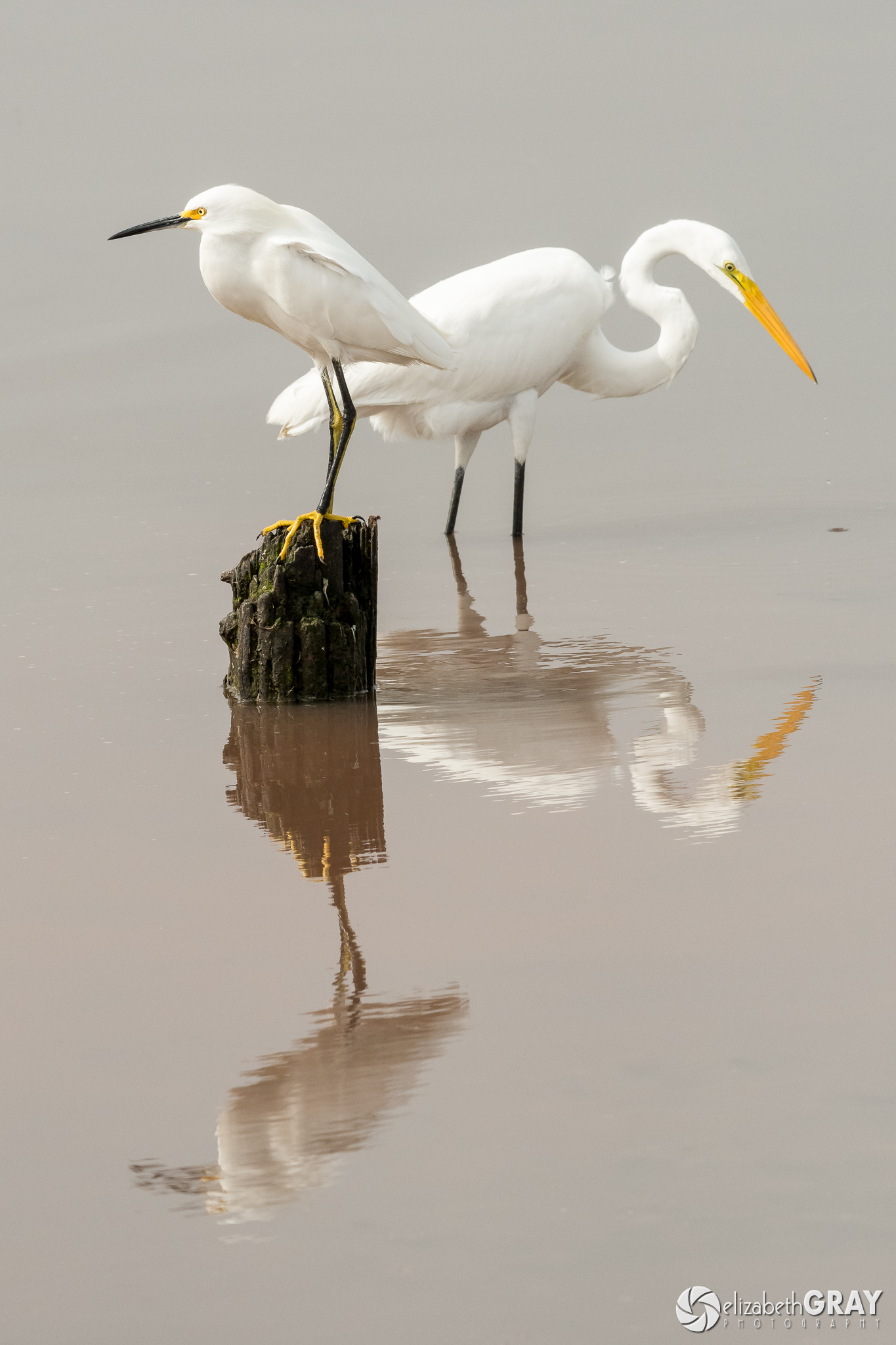
Snowy and Great Egret

Snowy Egret (on stump) and Great Egret
NIKON D500 + 200-500mm f/5.6 @ 240mm, ISO 1000, 1/2000, f/9.0

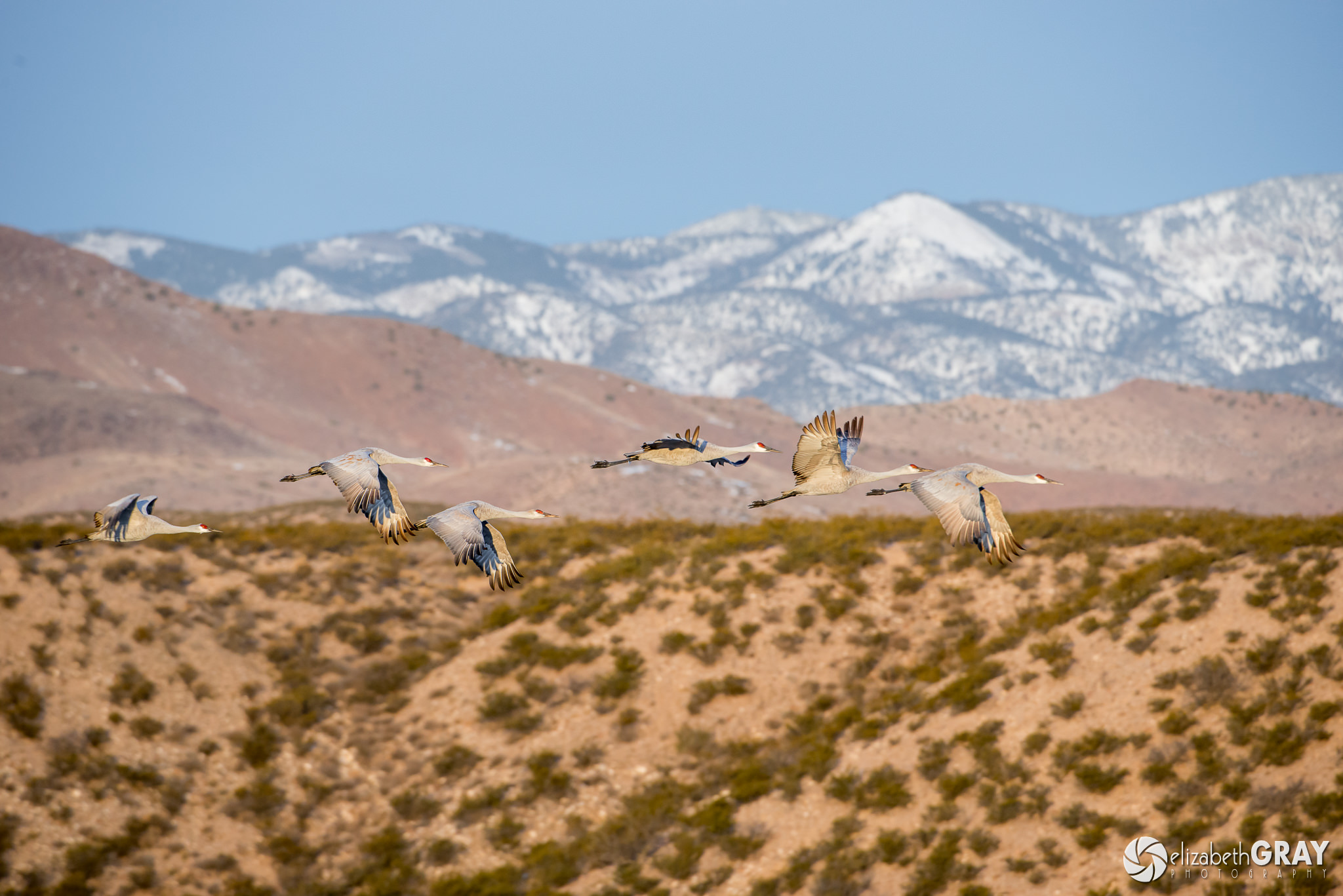
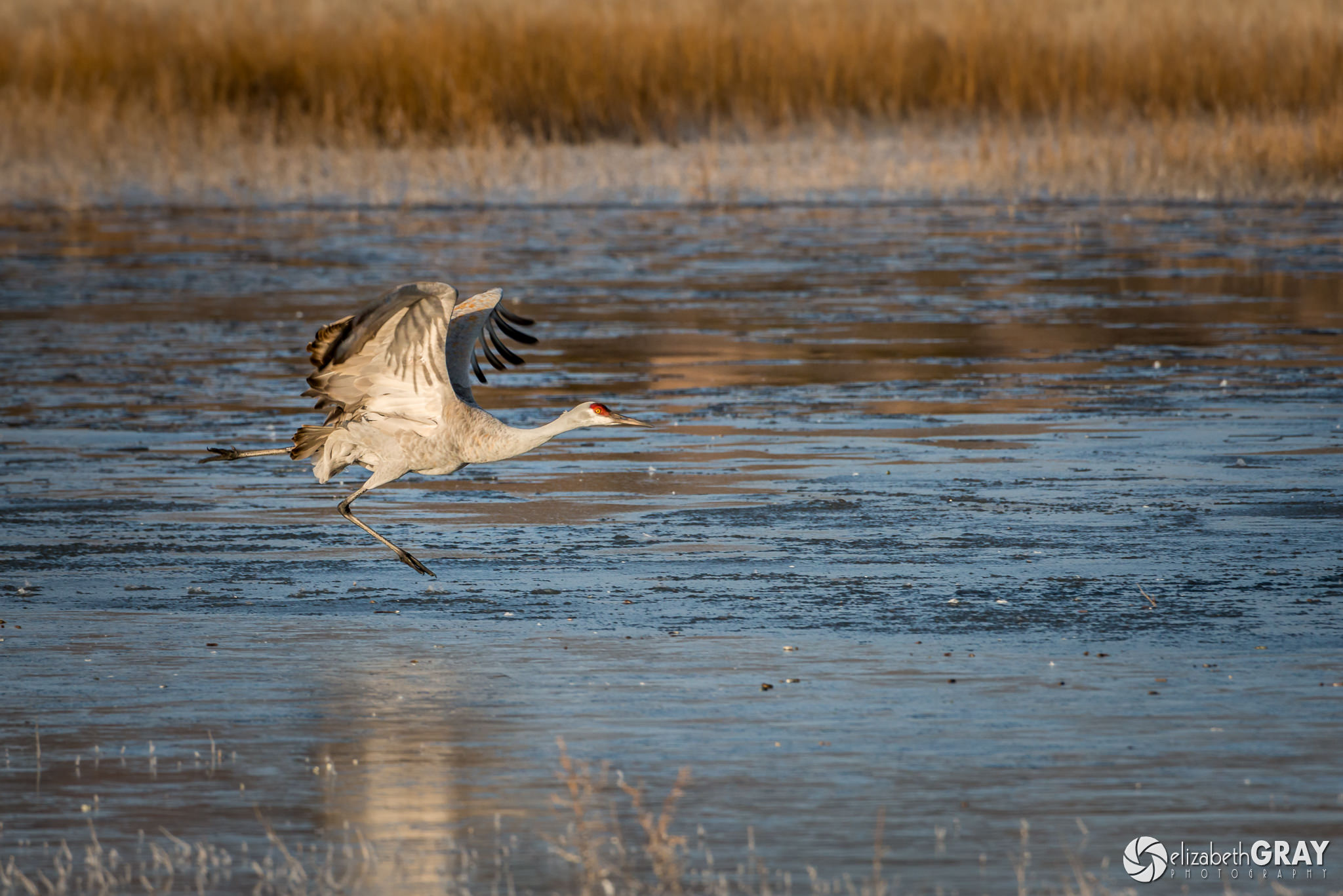
There are times when I find manual exposure mode works better than aperture priority. In a situation where the light is not changing on your subject, but the birds are flying against backgrounds of different brightnesses, you will want to set your exposure manually. Doing so will alleviate the need to change the exposure compensation. When I was shooting the sandhill cranes, I spot metered on one of the cranes on the water. I took a shot and reviewed it to make sure the bird was exposed correctly. Then I set my exposure manually based on the spot metering. When the birds took off, they passed through three different backgrounds, dark water, lighter grasses and finally the sky. But the light on the bird didn’t change. If I tried to rely on aperture priority and matrix metering, the camera would have been fooled by the changing backgrounds. The result would have been underexposed birds as they flew in front of the brighter backgrounds.
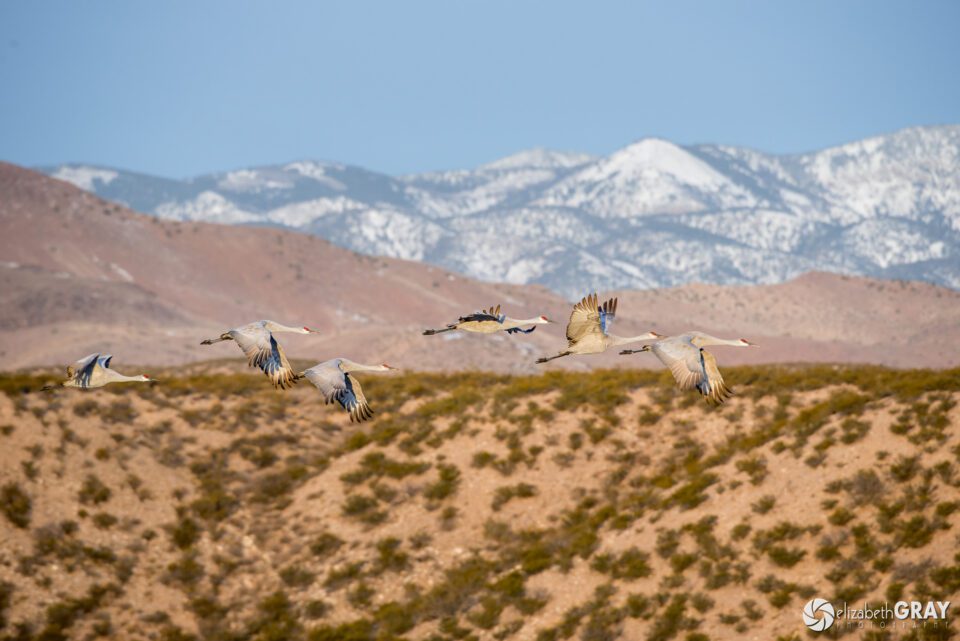
Over the Mountains

Sandhill Cranes
NIKON D800 + 200-400mm f/4 @ 400mm, ISO 800, 1/640, f/6.3

2.4) Understand How Auto Focus Works

Focusing on a small bird can be frustrating. Focusing on a flying bird can be even more challenging. From my experience, I have found that using a single autofocus point gives me the best chance for locking and maintaining focus. I use the center autofocus point and aim at the bird’s eye or head once it has landed on a perch.

If the bird is in flight, I will often use one of the dynamic focus modes. Dynamic focus activates several AF points around the one you select. If the bird moves away from your selected AF point, one of the nearby points will snap on and grab the focus, at least in theory! It works well if you have birds flying against a blue sky. However, the tracking often gets fooled by branches, shadows, and other birds. Make sure you read your manual! Most cameras allow you to set the sensitivity of the dynamic focus mode so your camera does not get fooled by the background as easily. For a detailed discussion on focus modes, see Nasim’s article “DSLR Autofocus Modes Explained.

One trick I use quite a bit, especially for birds in flight, is pre-focusing. Focus on a target that is approximately the same distance away as the bird you want to photograph. Now aim your camera at the bird. You should find it much easier to find the bird in the viewfinder now.

To up your chances of maintaining sharp focus, set your camera to continuous auto focus. This way your camera will continue to focus for as long as you are depressing the shutter button halfway.
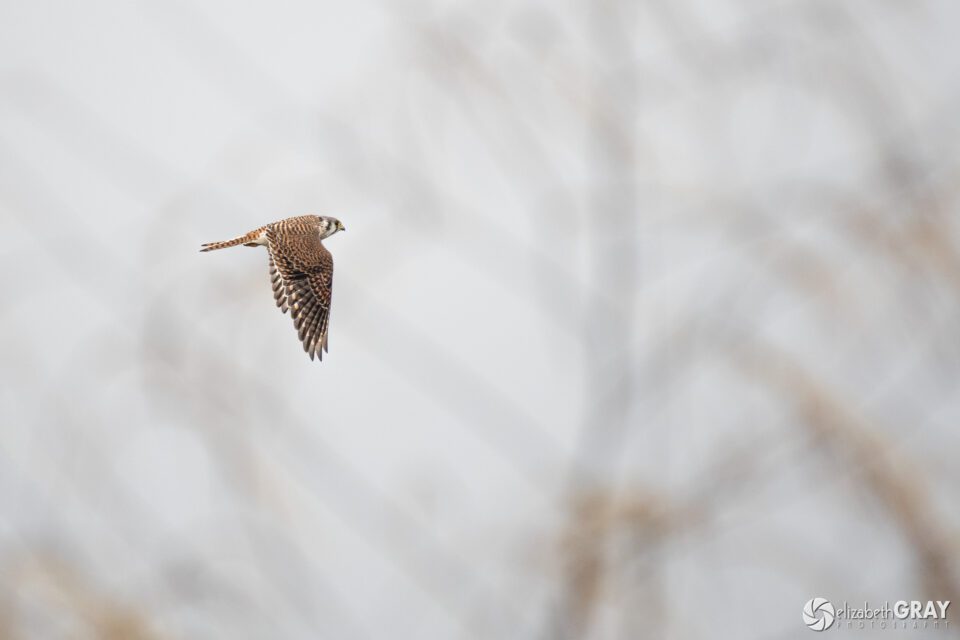
American Kestrel

American Kestrel
NIKON D500 + 200-500mm f/5.6 @ 500mm, ISO 800, 1/3200, f/5.6

3) Tips for Creating Wonderful Images of Birds

3.1) Approach Slowly and Take a “Safe Shot”

Birds are very skittish. They can sense when you are approaching from quite a ways off and will fly away if they feel threatened. To avoid frightening them, advance very slowly. Stop to let the bird know you are not a threat every few feet. I tell my students to take a “safe shot.” That is, even if you are not as close as you would like to be, take a shot. Wait a bit, then start walking slowly forward again. Pause, and take another image. Keep repeating the process of slowly walking closer by a few steps, pausing and taking a shot. This will ensure that you capture at least a record shot. Once you have reached a distance that is close enough for a good shot but a distance that does not threaten the bird, you can start to compose and create more thoughtful images.

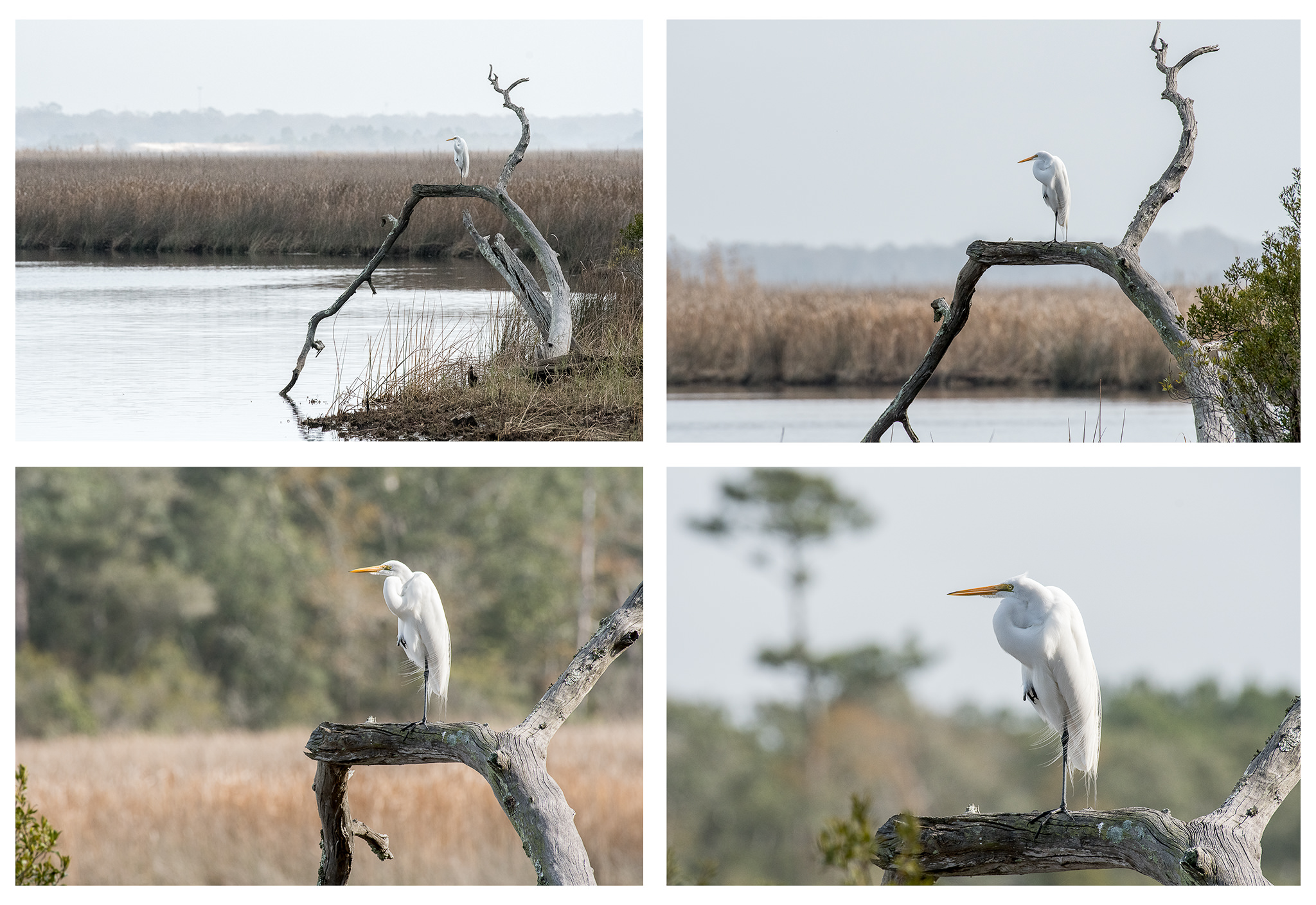
In this series of photos, I spotted a great egret over 100 yards away. I knew I had time at my current location to take an environmental portrait of the bird in his natural surroundings without frightening him away. After I had captured my first “safe shot” I continued to approach the bird, pausing every few feet to take another shot. This slow approach allowed the egret to adjust to my presence. I was able to get within approximately 25 feet of him. At this point, I was able to compose several different photographs of him. When I looked back at the exif data from the images, I found that the time between the first and last shot was almost 15 minutes.
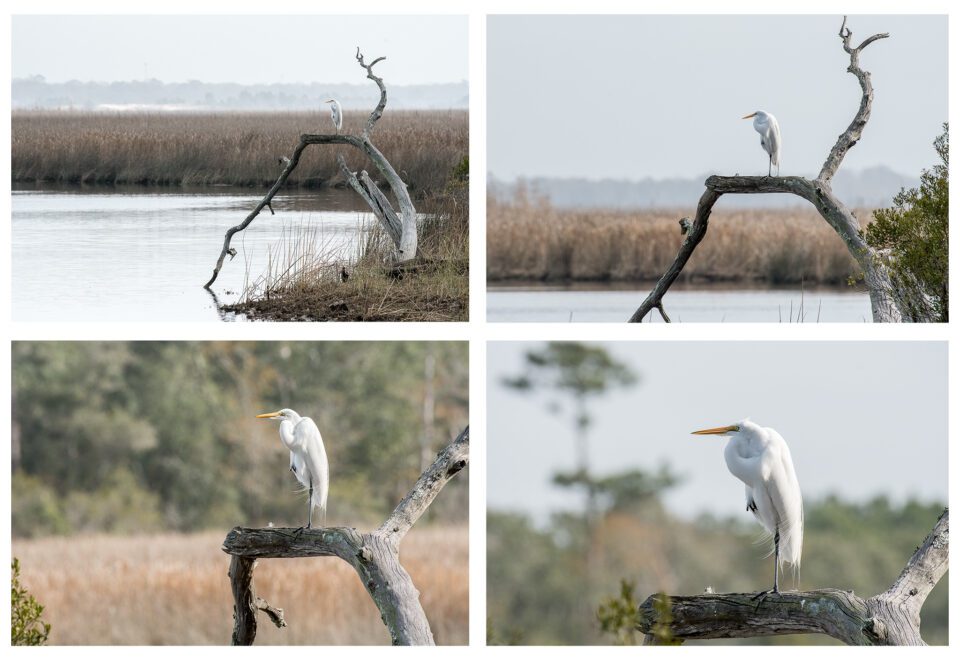
Great Egret Composite

Great Egret
NIKON D500 + 200-500mm f/5.6 @ 500mm, ISO 1000, 1/2500, f/8.0

3.2) Research You Subjects and Anticipate Behavior

Did you know that most raptors will poop just before they take off? Before you head off on your shoot, study the behaviors of the species of birds you will be photographing. Learn their nesting, feeding and mating habits. A little homework on your behalf will pay huge dividends once you are in the field.

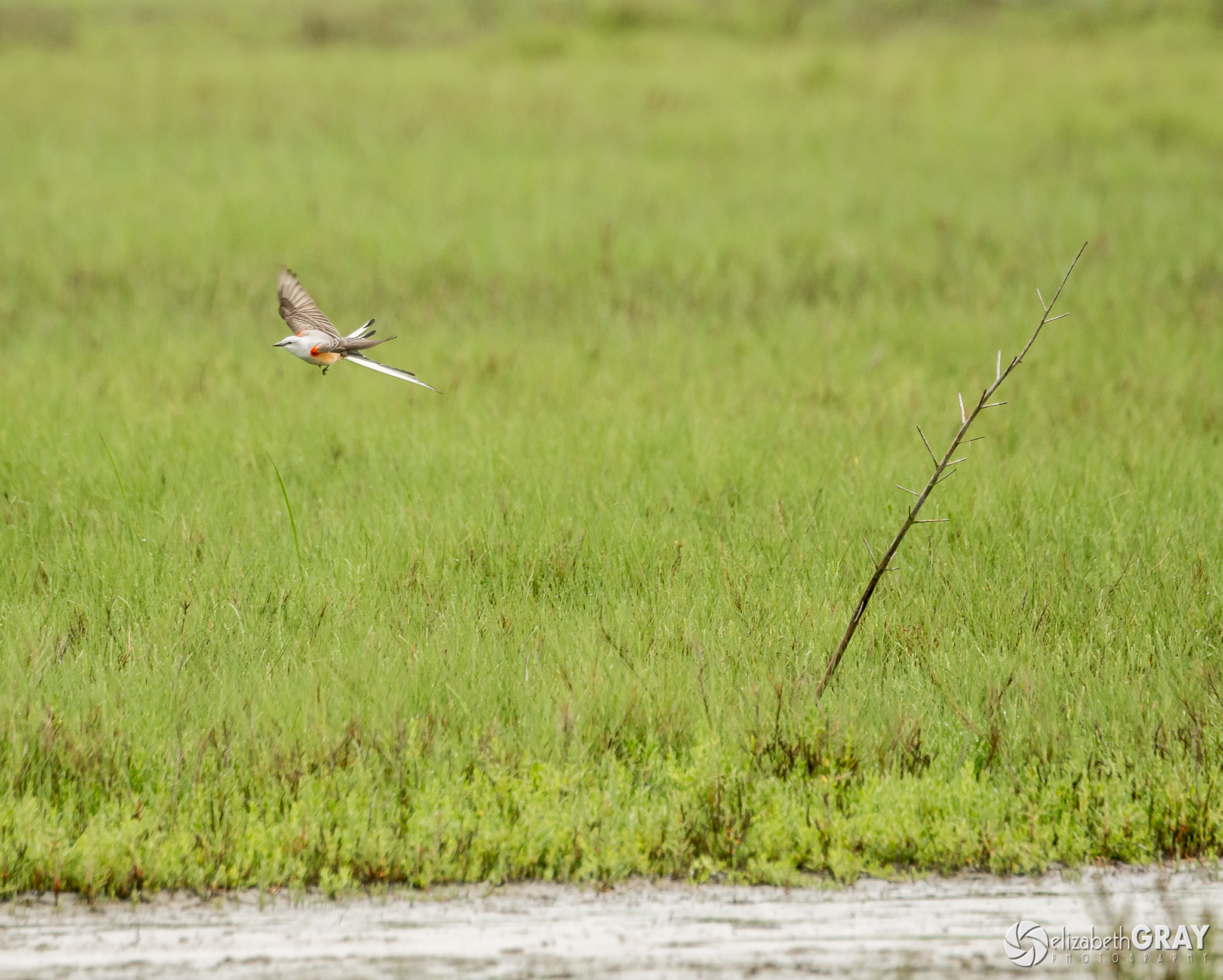
For example, flycatchers usually return to the same perch each time they dart off after a bug. Kingfishers will hover before they dive for a fish. Birds tend to take off and land into the wind. Knowing these things will help you prepare for the action in advance so that you won’t miss that captivating shot.
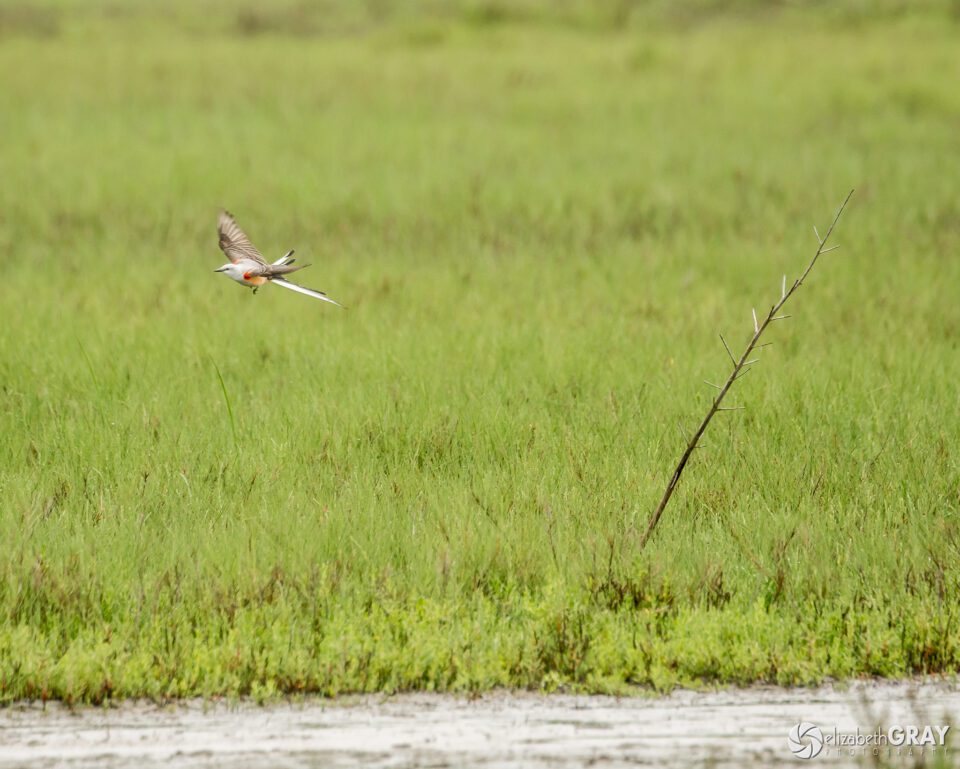
Scissor-Tailed Flycatcher

Scissor-tailed Flycatcher
NIKON D7100 + 80-400mm f/4.5-5.6 @ 400mm, ISO 400, 1/800, f/6.3

On a trip to Galveston, Texas several years back, I was hoping to photograph some white-tailed kites. There was a pair in the area that had started to build a nest. As a courtship ritual, the males will often catch a mouse and offer it to the female in flight. Kind of a “will you marry me?” gesture. When I saw the male with a catch, and then saw the female take off, I was prepared to capture their magnificent high flying exchange. It all happened very fast. Was I lucky? Absolutely! But had I not had an idea of what was about to happen, I probably would have missed the shot.
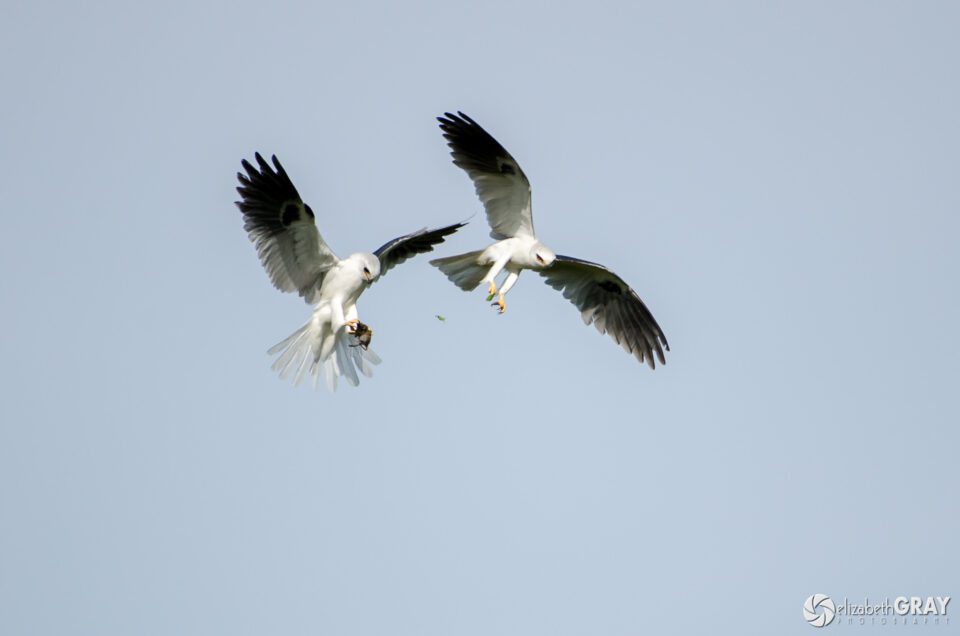
White-tailed Kites

White-tailed Kites
NIKON D7000 + 200-400mm f/4 @ 550mm, ISO 400, 1/3000, f/5.6

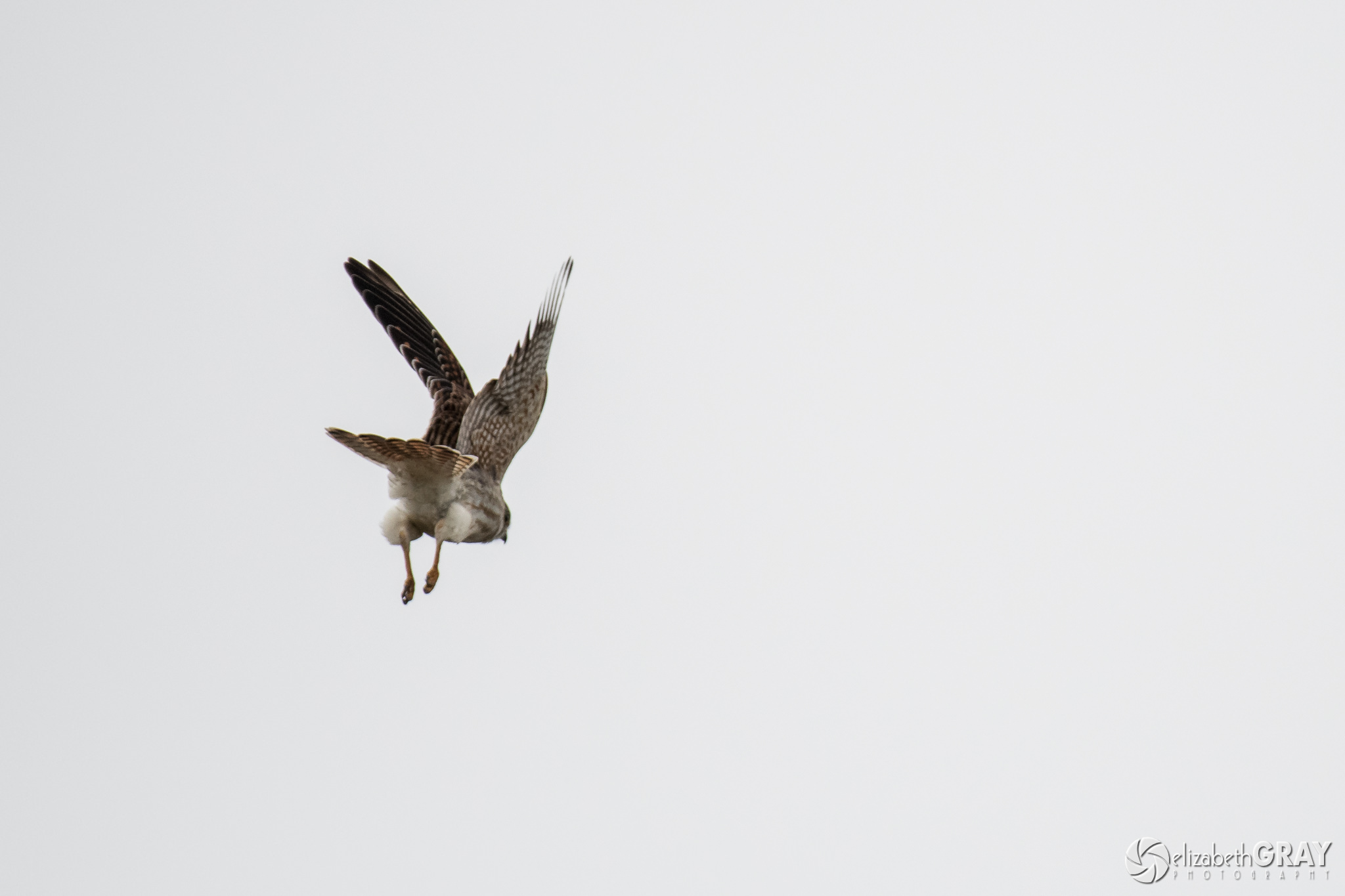
Just a quick aside here. For every sharp shot of a bird taking off towards me, I have hundreds of butt shots of them flying away! Don’t get discouraged. Eventually, luck will be on your side and the bird will cooperate! But by learning more about their behavior, your odds of being in the right position increase.
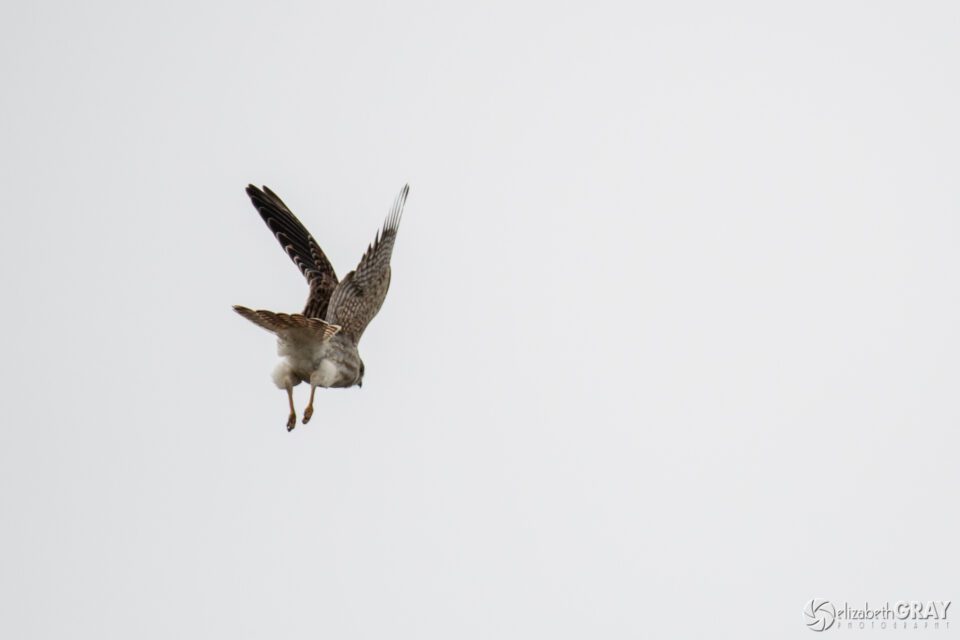
American Kestrel Back End

American Kestrel
NIKON D500 + 200-500mm f/5.6 @ 500mm, ISO 800, 1/4000, f/5.6

3.3) Isolate the Bird from the Background

It is not always easy to compose a shot with a wild bird. Birds do not respond well to requests to stand still or fly to a better branch! More often than not they are perching in thick branches or dense grasses. Songbirds are particularly hard to shoot, as they continually dart amongst the trees. Whenever possible, try to capture shots with clean backgrounds. A busy background will compete with your subject. By selecting a wide aperture, your depth of field will be shallow, and it will be easier to isolate the bird.

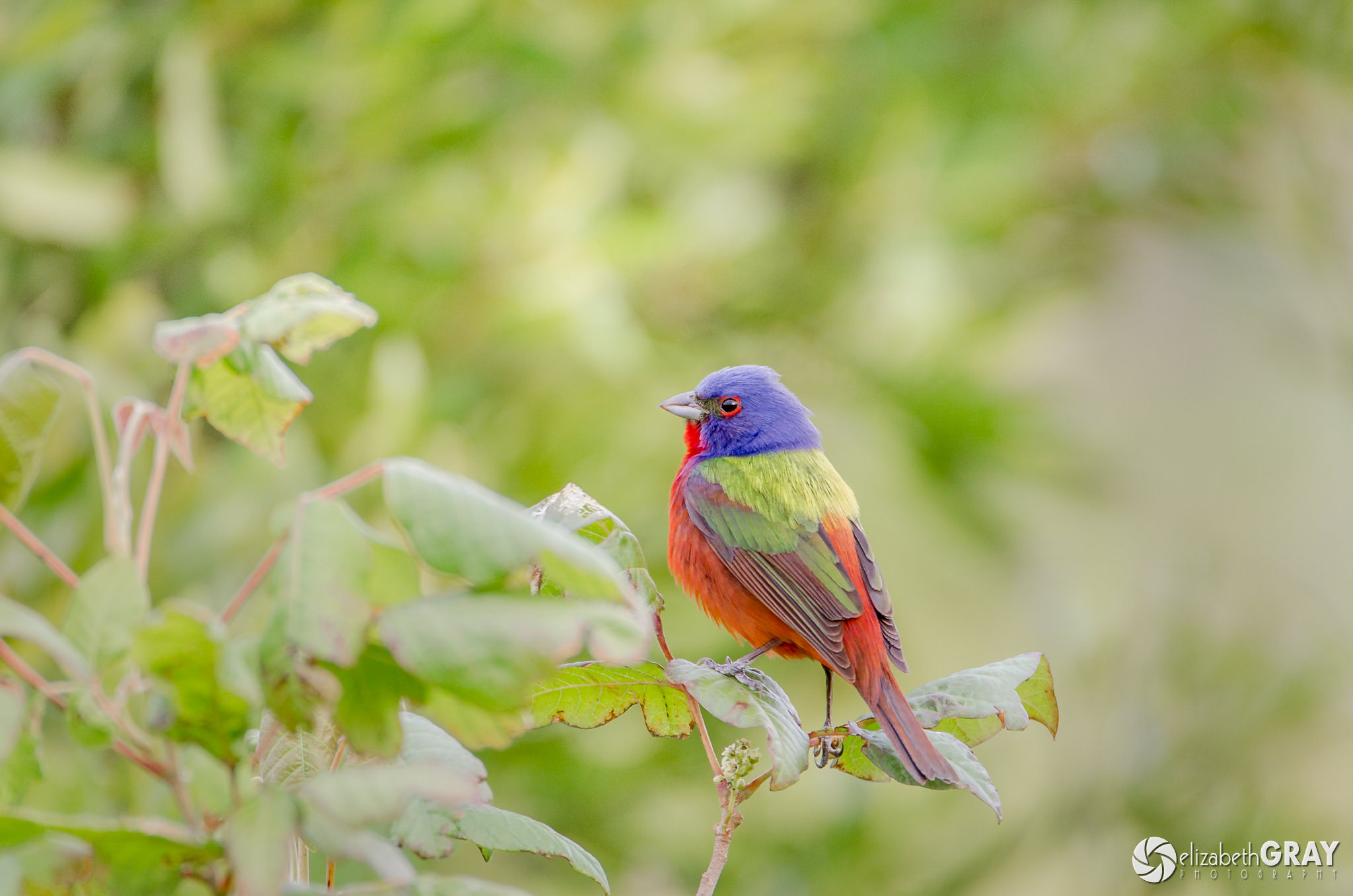
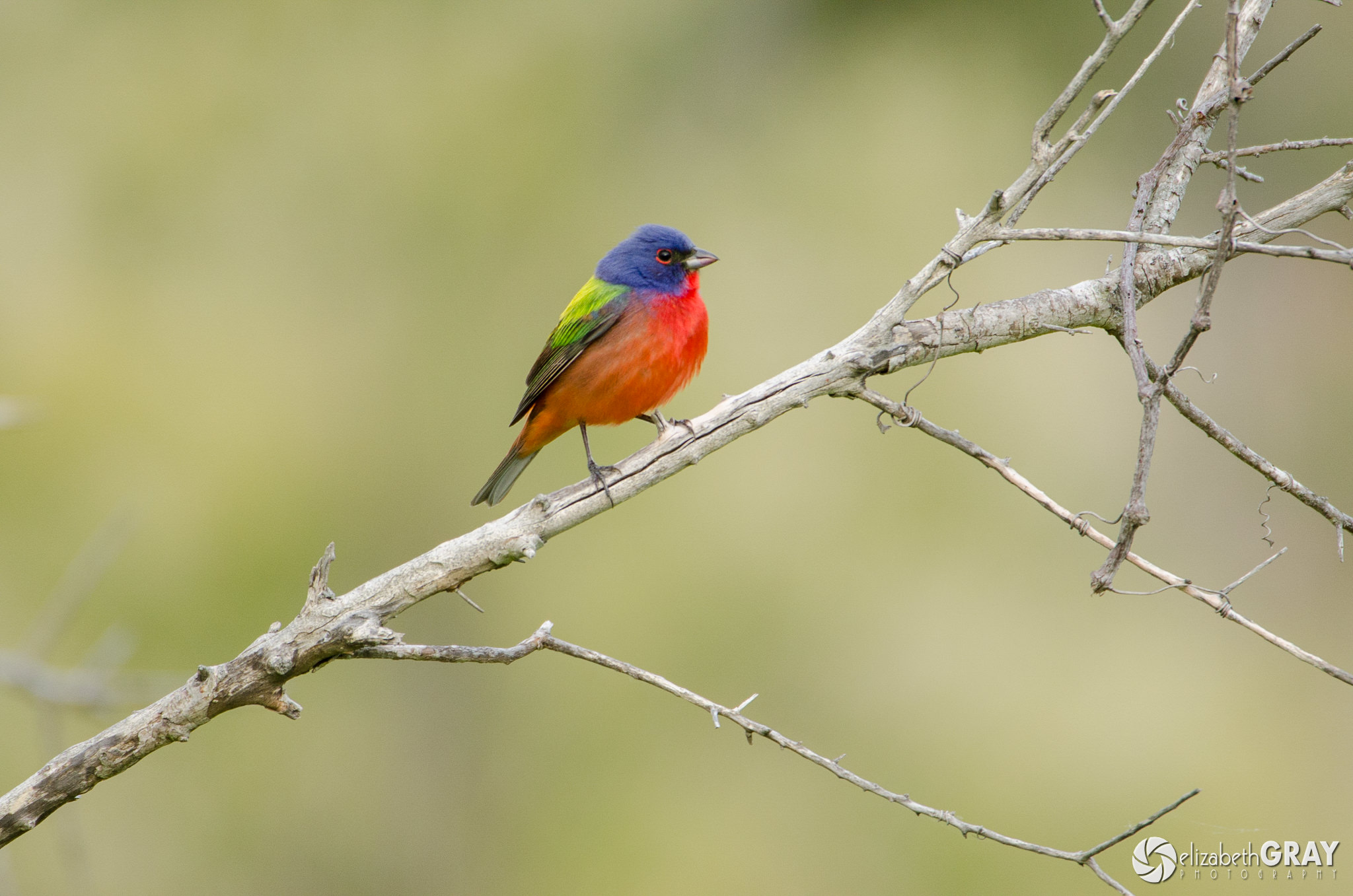
The following two images are of the same painted bunting. Notice how the background in the first shot is quite messy. Even though it is out of focus, it is competing with the bird. In the second shot, the background compliments the bird much better.
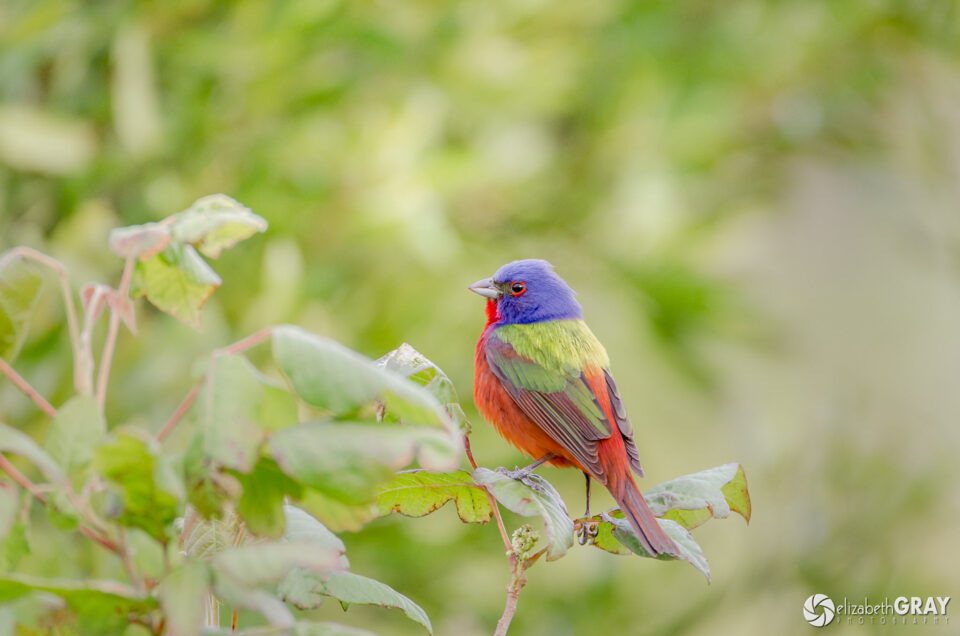
Painted Bunting 1

Painted Bunting
NIKON D7000 + 200-400mm f/4 @ 550mm, ISO 800, 1/45, f/5.6
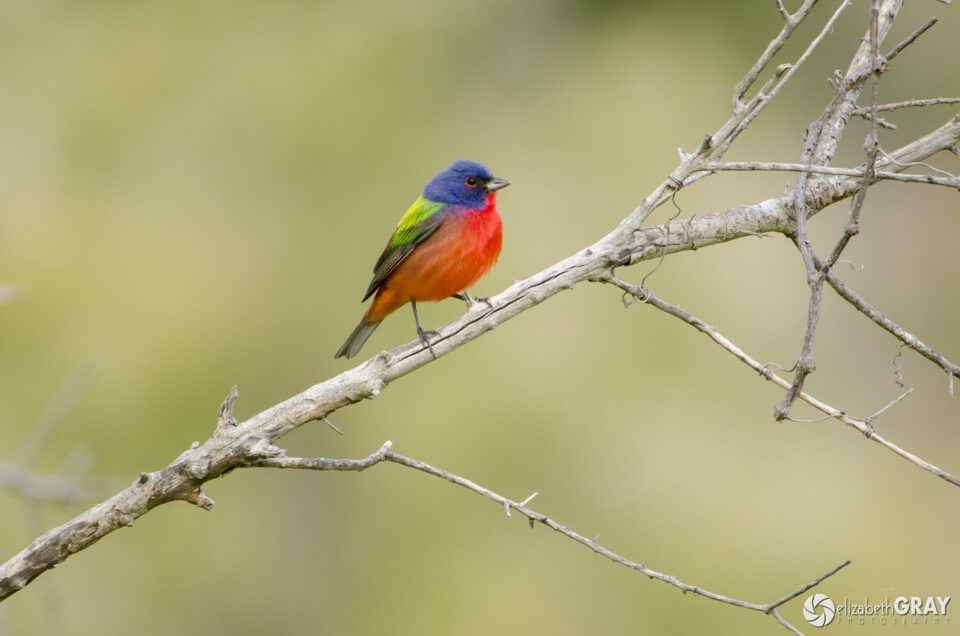
Painted Bunting 2

Painted Bunting
NIKON D7000 + 200-400mm f/4 @ 550mm, ISO 800, 1/90, f/5.6

If the bird is not perching in an ideal location, try to find an angle that isolates him. Shoot from lower down, so the sky becomes the background. Or move to one side so that the leaves from a bush further away become your background. The farther away the background is from your subject, the more out of focus it will appear, allowing the bird to be the star of the photo.

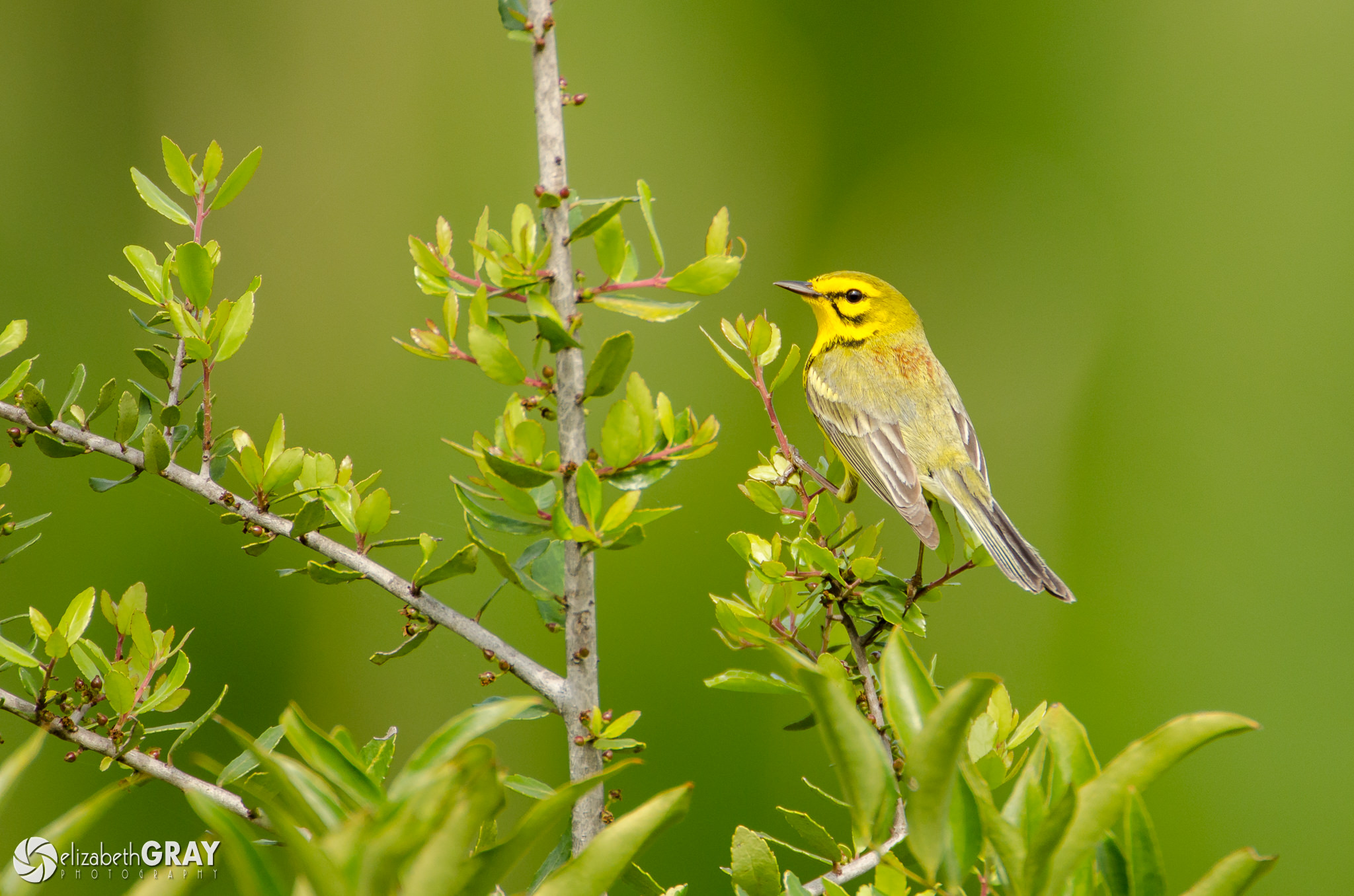
If you still can’t find an angle that works, then study the bird’s behavior. Does he flit between other branches? Maybe one of them would make a better composition. Move your camera and set up your shot. Now, wait for the bird to land there. This is where patience pays off!
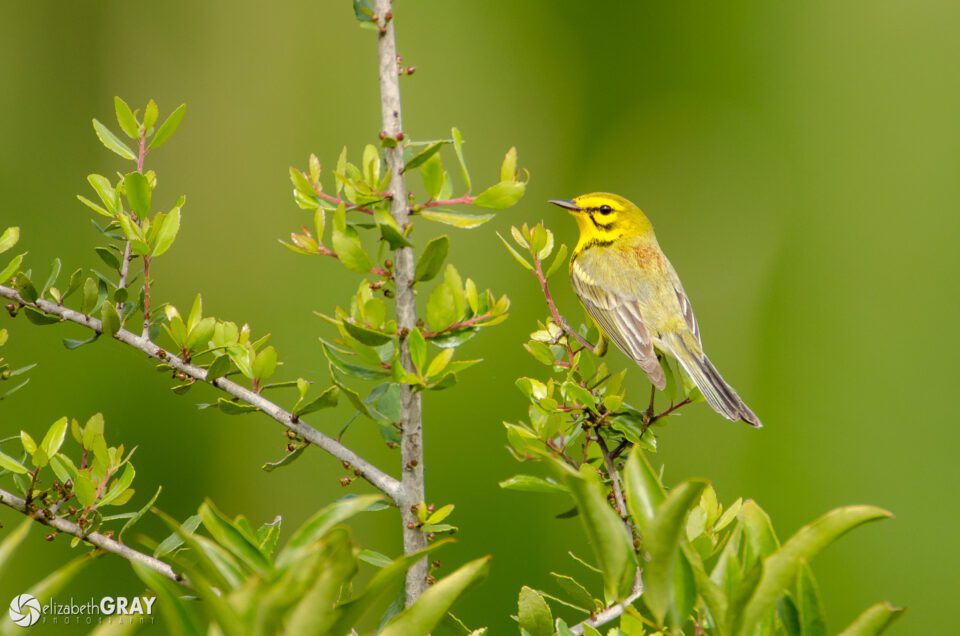
Prairie Warbler

Prairie Warbler
NIKON D7000 + 200-400mm f/4 @ 550mm, ISO 400, 1/750, f/5.6

3.4) Focus on the Bird’s Eye

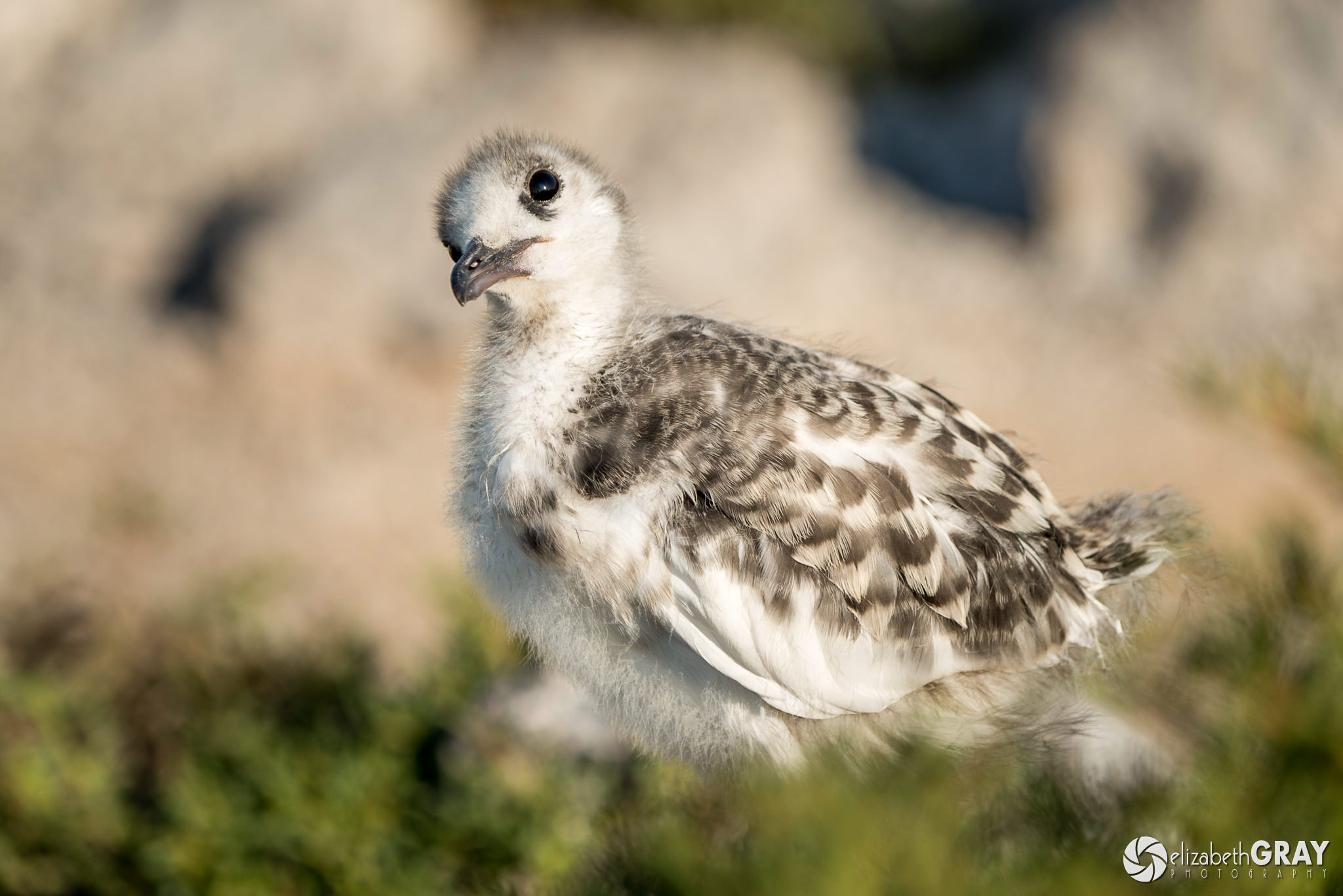
Just as with portrait photography, a sharply focused eye is key to creating stunning photographs of birds. A sharply focused eye creates a connection with the animal and helps to draw the viewer into the image. Although not always possible, try to position yourself with the sun behind you. Doing so will create lovely catch lights, or highlights, in the bird’s eyes.
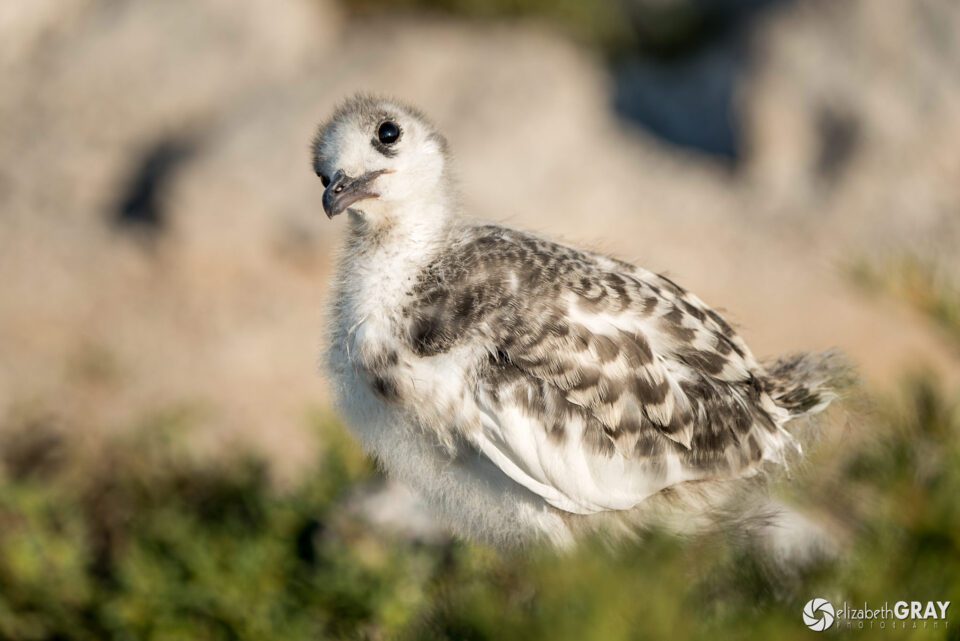
Baby Swallow-tailed Gull

Swallow-tailed Gull
NIKON D800 + 80-400mm f/4.5-5.6 @ 270mm, ISO 100, 1/500, f/5.6

3.5) Be Aware of What is Happening Around You

Looking through the lens is like wearing blinders, you become unaware of what is going on around you. You should always prepare yourself for the unexpected. Keep both eyes open when you are focusing, listen for noises that might indicate something exciting is about to happen, and look up from your camera every so often to see what is going on in other directions.

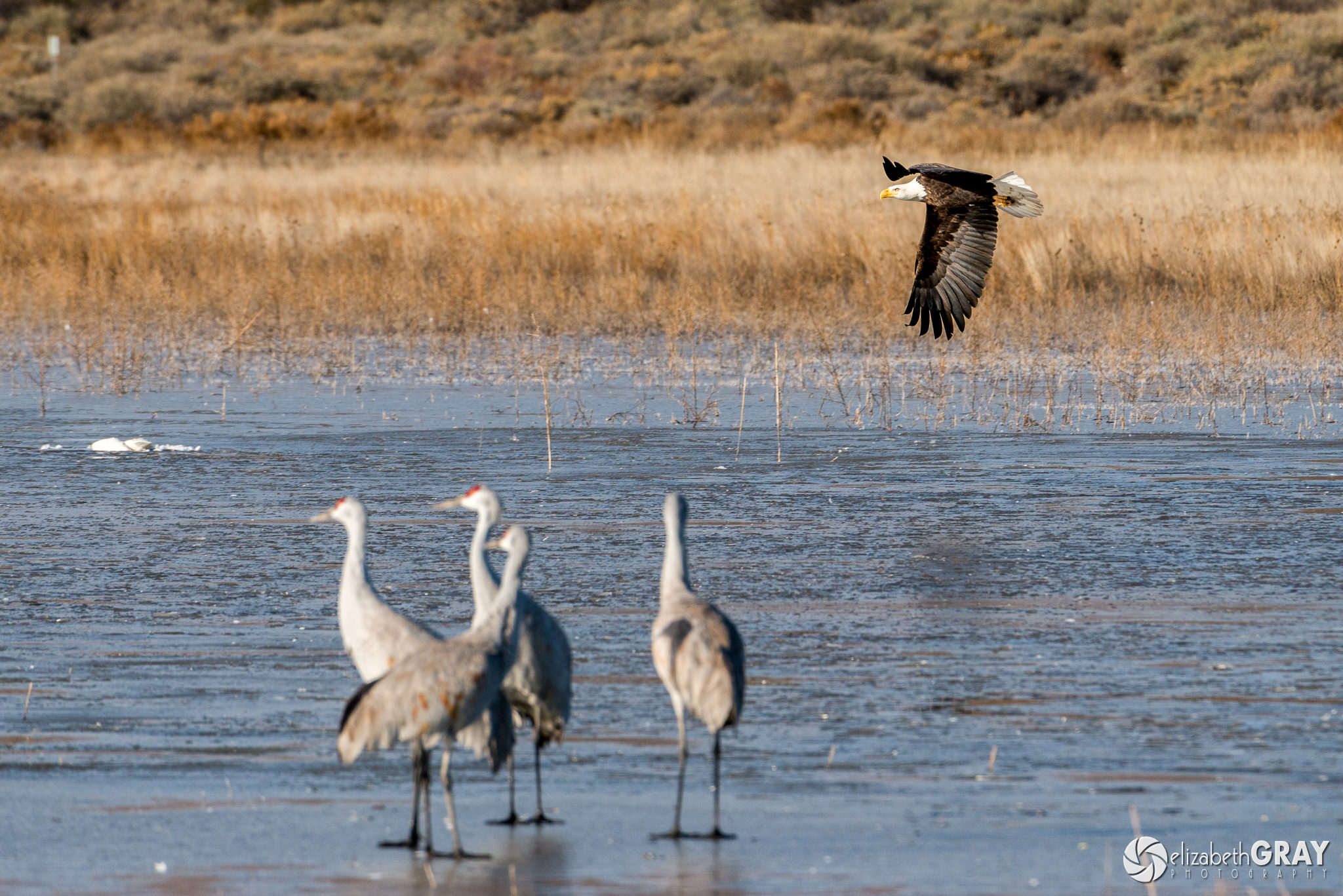
Last January I was in Bosque del Apache National Wildlife Refuge in New Mexico photographing the Sandhill Cranes. As I was focusing on a group of cranes preparing to take off, I noticed out of the corner of my eye a bald eagle. I was able to switch my focus quickly from the cranes to the eagle. Had I not been aware of my surroundings, I would have missed the shot.
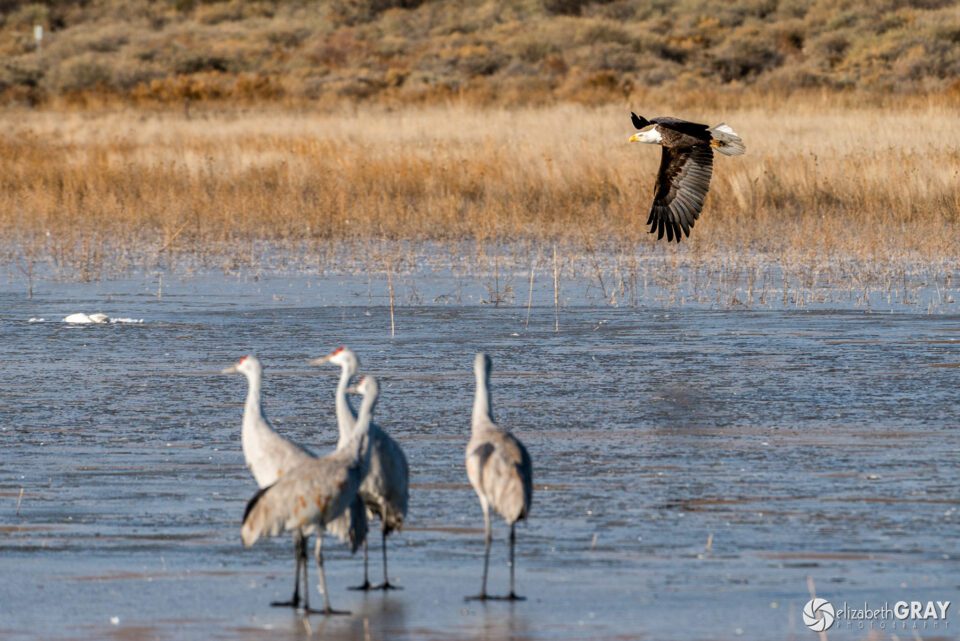
Bald Eagle Fly By

Bald Eagle with Sandhill Cranes in Foreground
NIKON D800 + 200-400mm f/4 @ 400mm, ISO 400, 1/1000, f/8.0

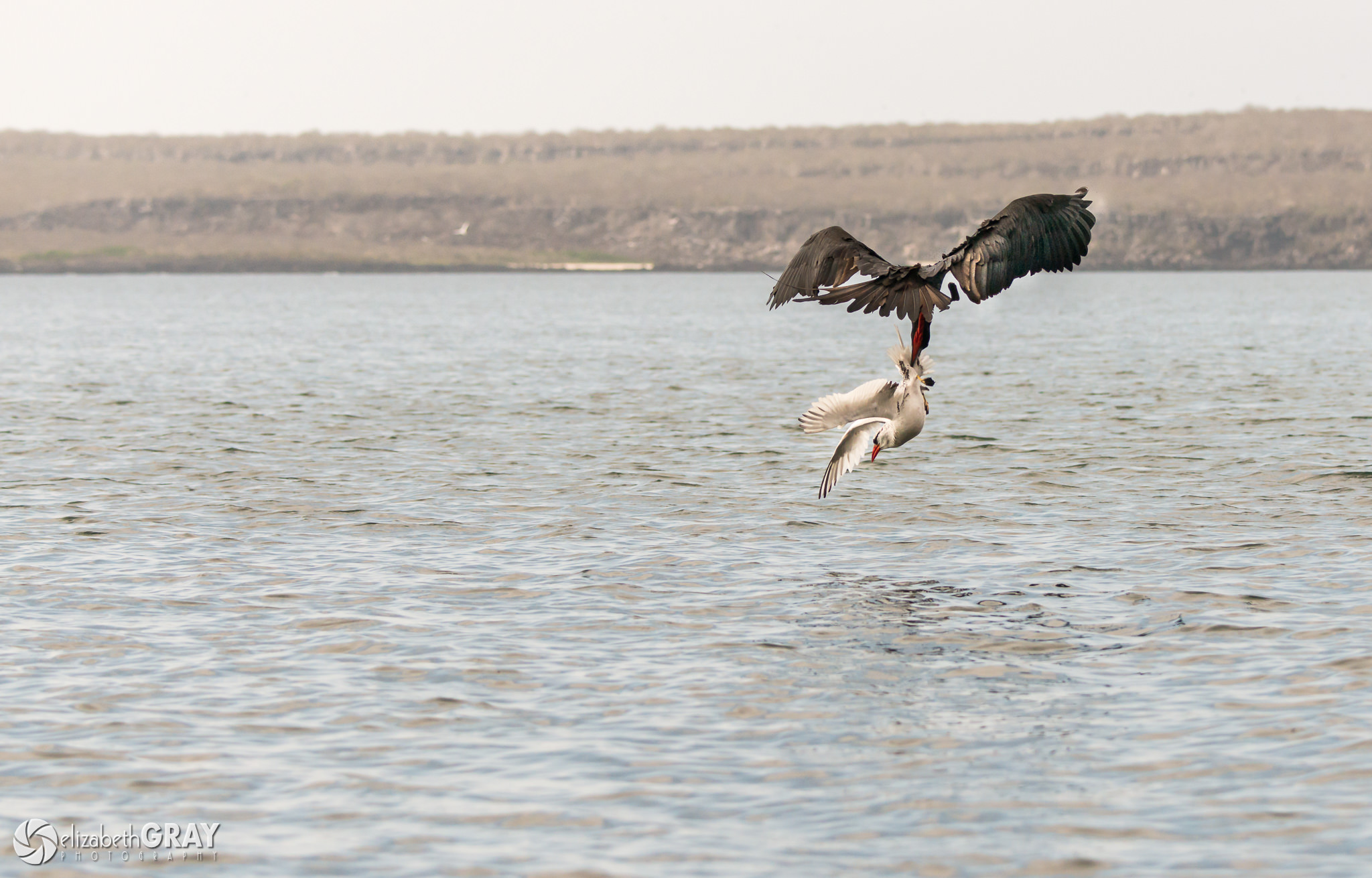
Here is another example. While photographing red-billed tropicbirds along the cliffs in the Galapagos, a frigate bird suddenly appeared. It attacked one of the tropicbirds that had just caught his breakfast. The frigate bird grabbed the tropicbird by the tail and carried it down to the water in an attempt to dislodge the tropicbird’s meal. Again, I had to adjust to this quickly unfolding scenario to get the shots.
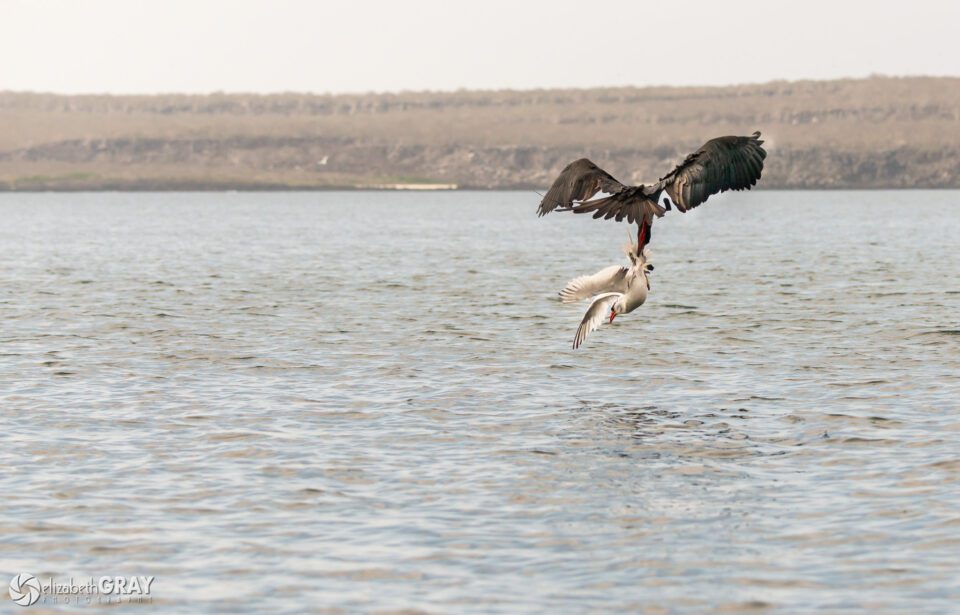
Frigate Bird Attack

Frigate Bird attacking a Red-billed Tropic Bird
NIKON D800 + 80-400mm f/4.5-5.6 @ 116mm, ISO 800, 1/5000, f/5.6

3.6) Create Interesting Compositions

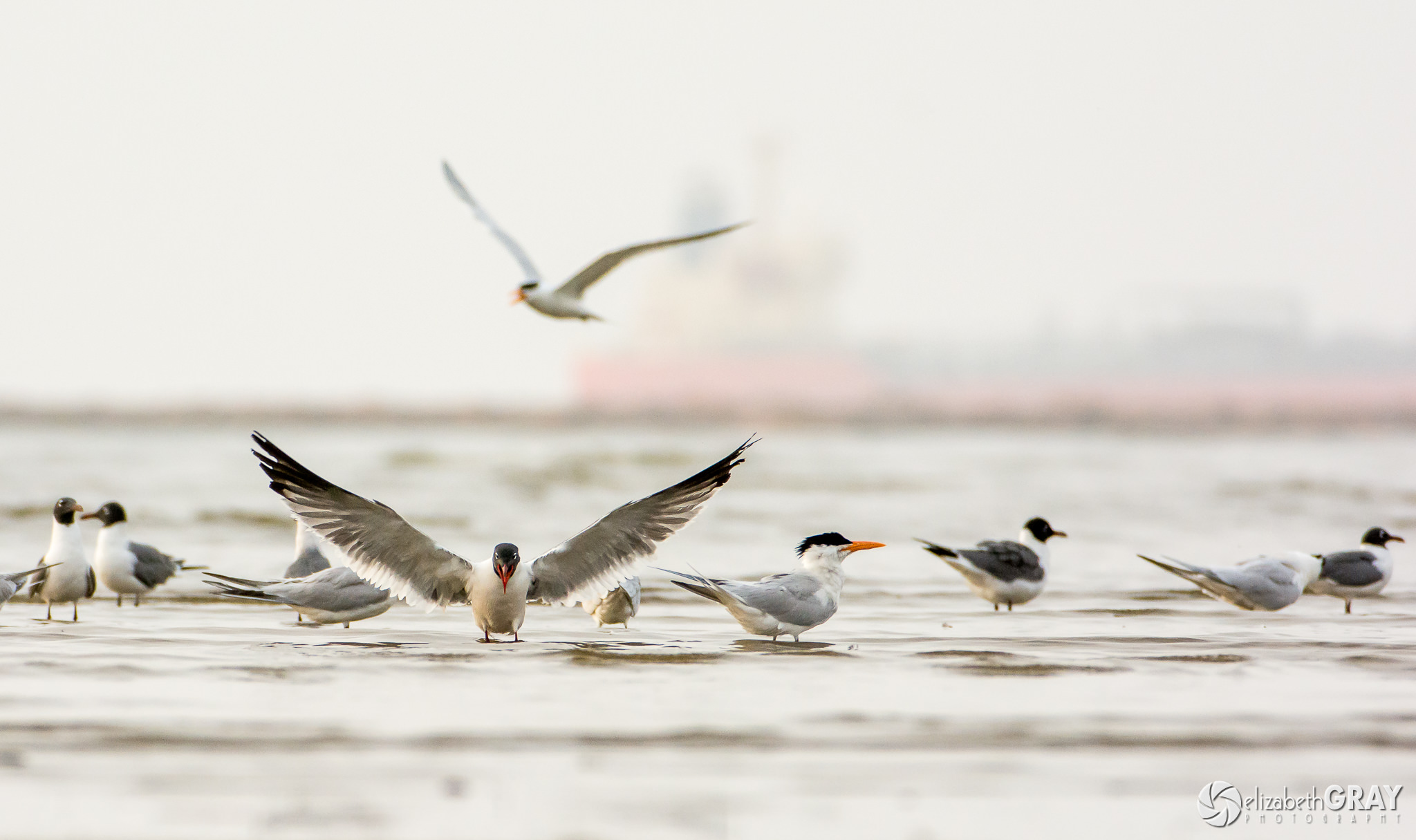
When you are creating bird photographs, try and take your shots from the bird’s perspective. Ideally, you would like your lens to be at the same level as the bird’s eyes. For shorebirds that means getting down low to the ground. I wear old clothes that I don’t mind getting wet and dirty. I lie on the sand with my camera as low as possible to the ground (use a ground pod or splay the legs of your tripod to get low enough). Shooting from this angle also blurs the foreground and background beautifully.
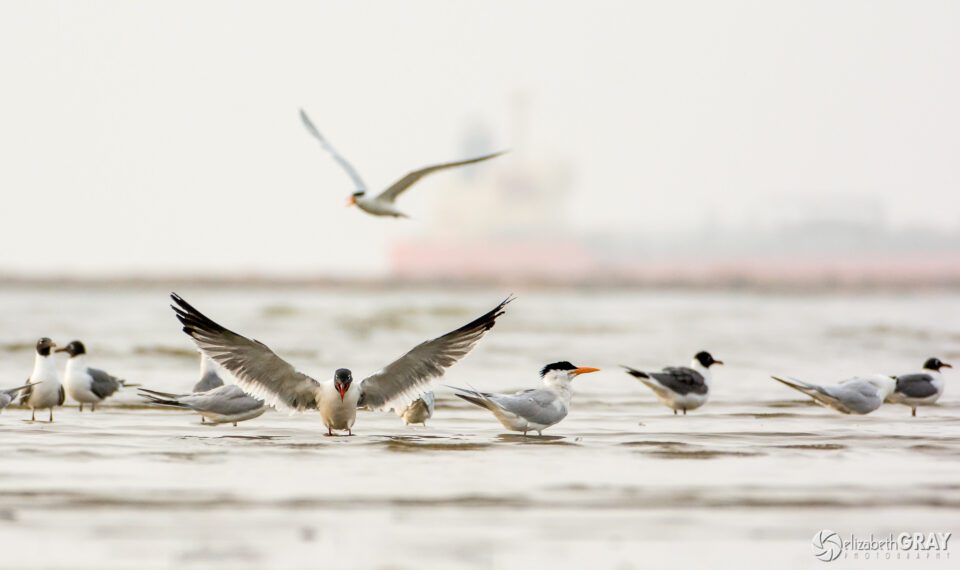
Laughing Gull

Laughing Gulls (wings spread) with Royal Terns (to right and landing)
NIKON D7100 + 200-400mm f/4 @ 380mm, ISO 800, 1/2000, f/5.6

When you are choosing where to put the bird in the frame, give it room to breathe. If the bird is looking to one direction, give it space in the direction of his stare. Or if the bird is in flight, leave more sky in the direction he is moving. You don’t want it to look like he is flying out of the picture!
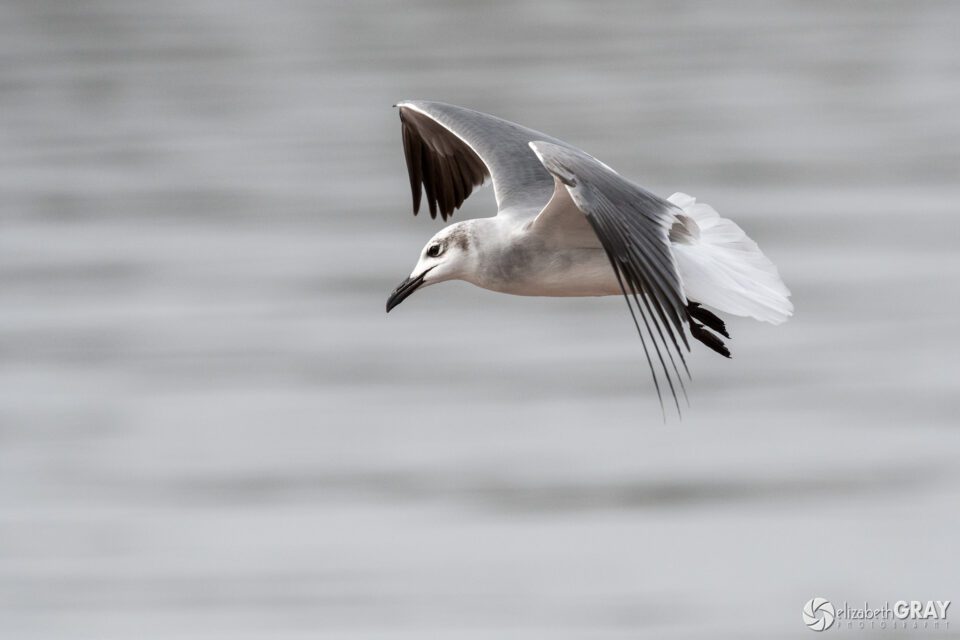
Laughing Gull in Flight

Juvenile Laughing Gull
NIKON D500 + 200-500mm f/5.6 @ 390mm, ISO 1000, 1/6400, f/6.3
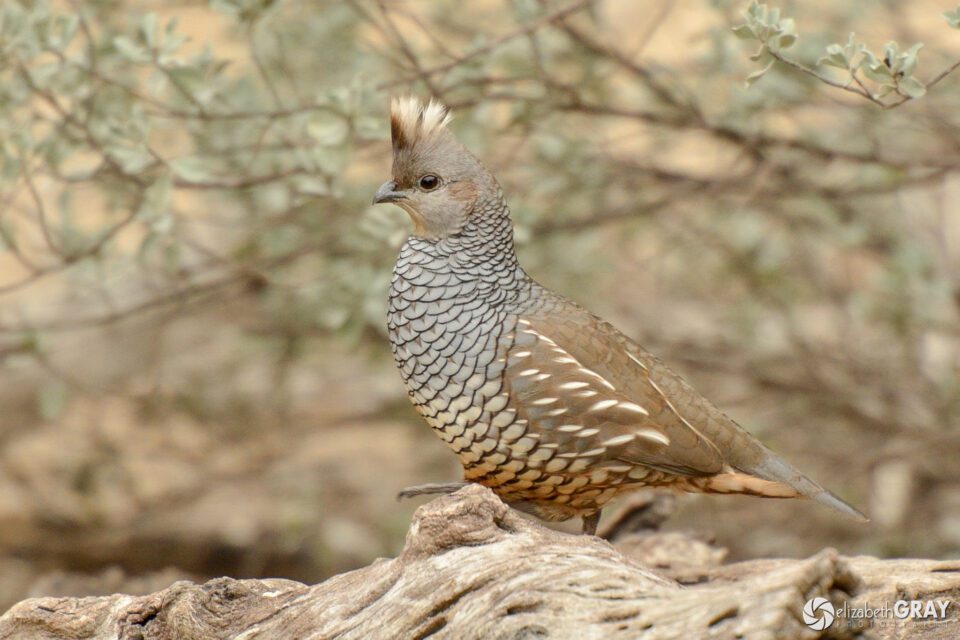
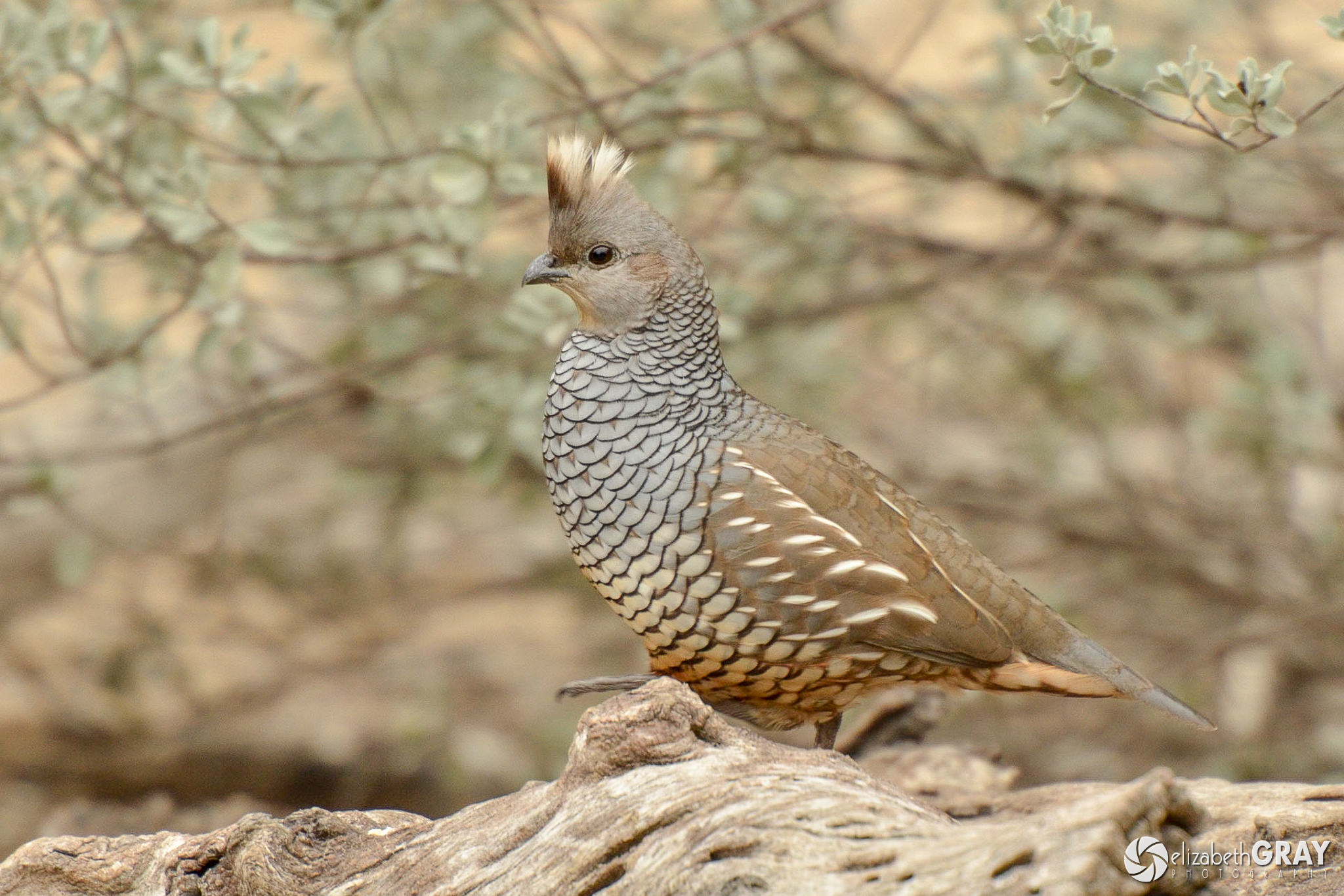
Scaled Quail

Scaled Quail
NIKON D7000 + 70-200mm f/2.8 @ 340mm, ISO 800, 1/350, f/4.8

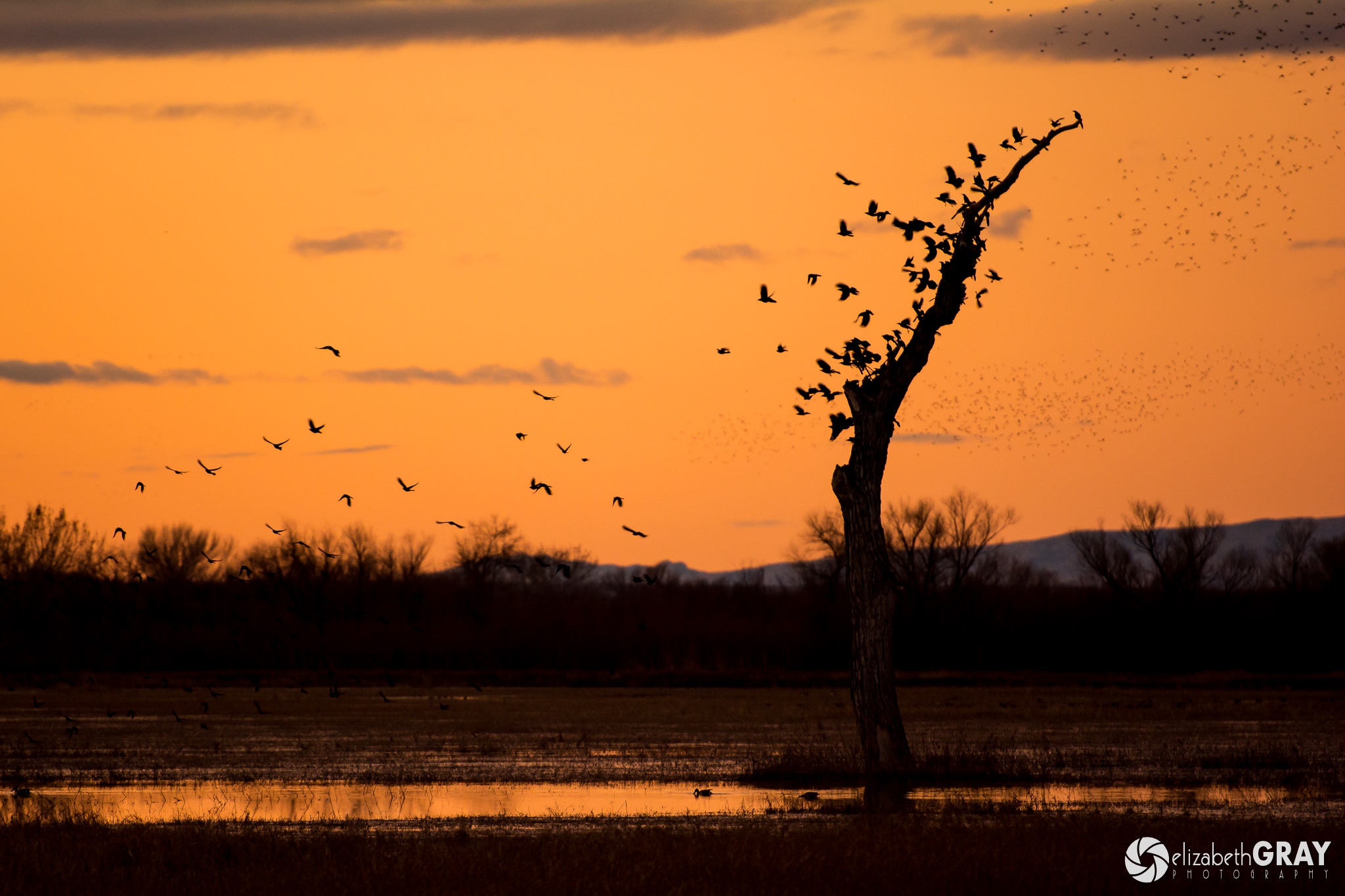
Not all your shots have to be tight portraits. Try to include habitat in some of your images to give a sense of the environment. For environmental shots, you can usually get away with a shorter focal length lens. Select an aperture that produces enough depth of field to tell your story.
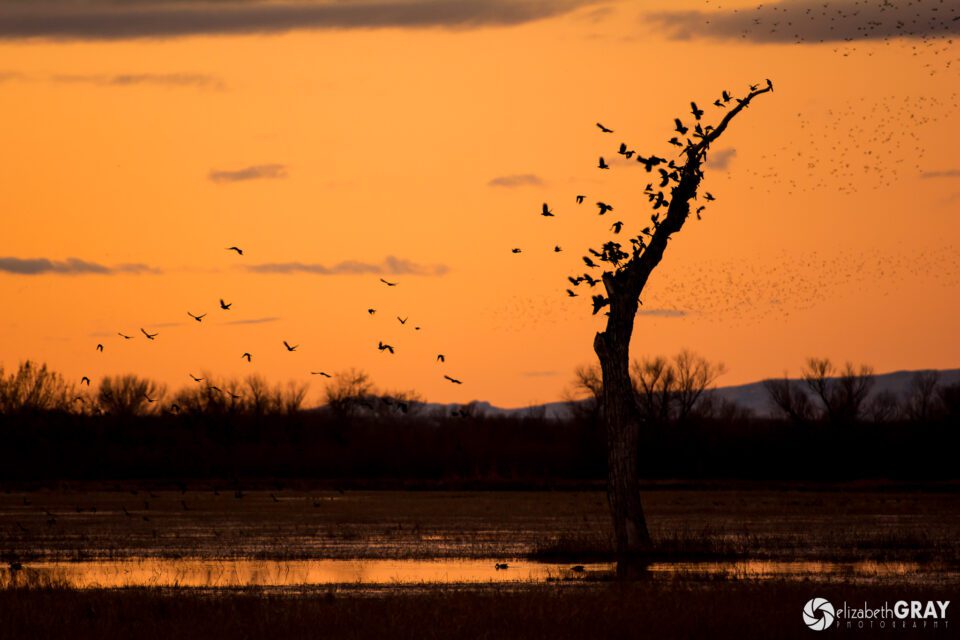
Night Roost

American Crows
NIKON D7100 + 70-200mm f/2.8 @ 200mm, ISO 800, 1/160, f/2.8
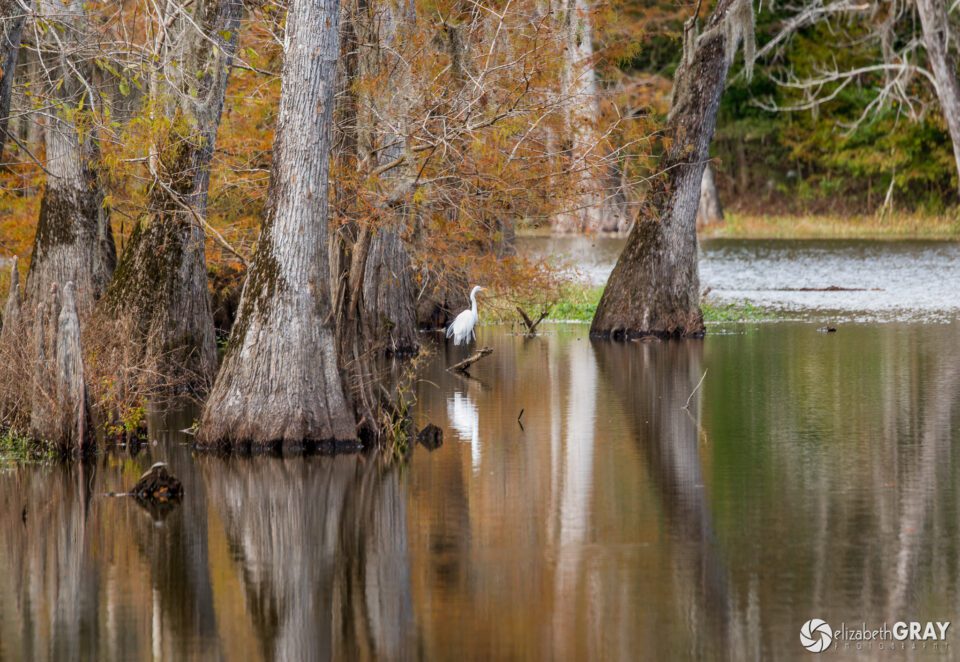
Great Egret in Swamp

Great Egret
NIKON D800 + 80-400mm f/4.5-5.6 @ 400mm, ISO 400, 1/160, f/6.3

3.7) Look for Great Light

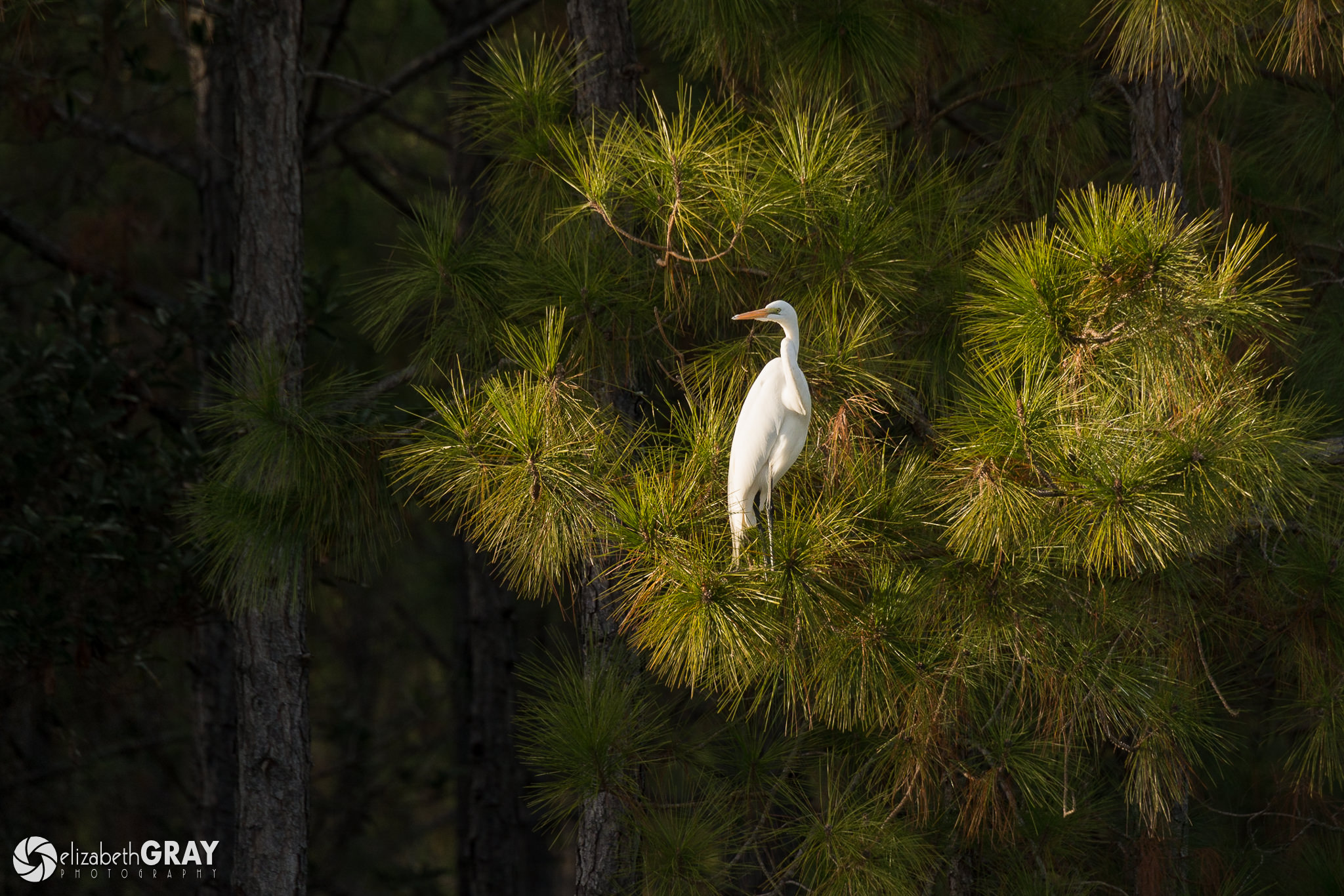
For the best light, get out first thing in the morning and later in the day. These times are also when birds are the most active. Although I am not a morning person, I know that getting up early almost always results in some great shots. The light changes quickly at sunrise and sunset, so make sure you are checking your exposure frequently. You will need to raise your ISO to maintain fast enough shutter speeds and open up your lens to its widest aperture as the sun goes down.
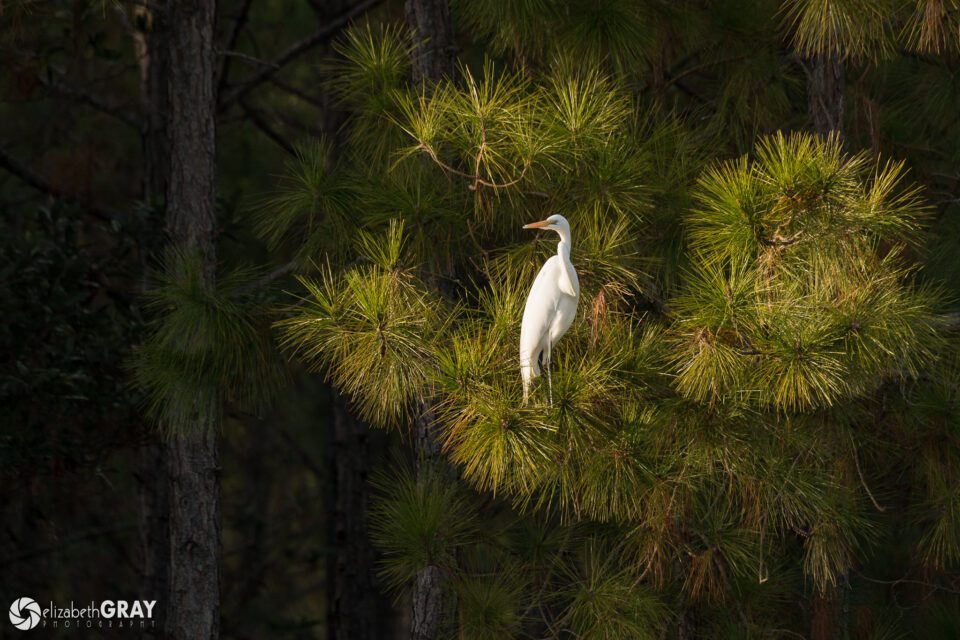
Great Egret in Pine

Great Egret
NIKON D7100 + 80-400mm f/4.5-5.6 @ 400mm, ISO 400, 1/640, f/6.3
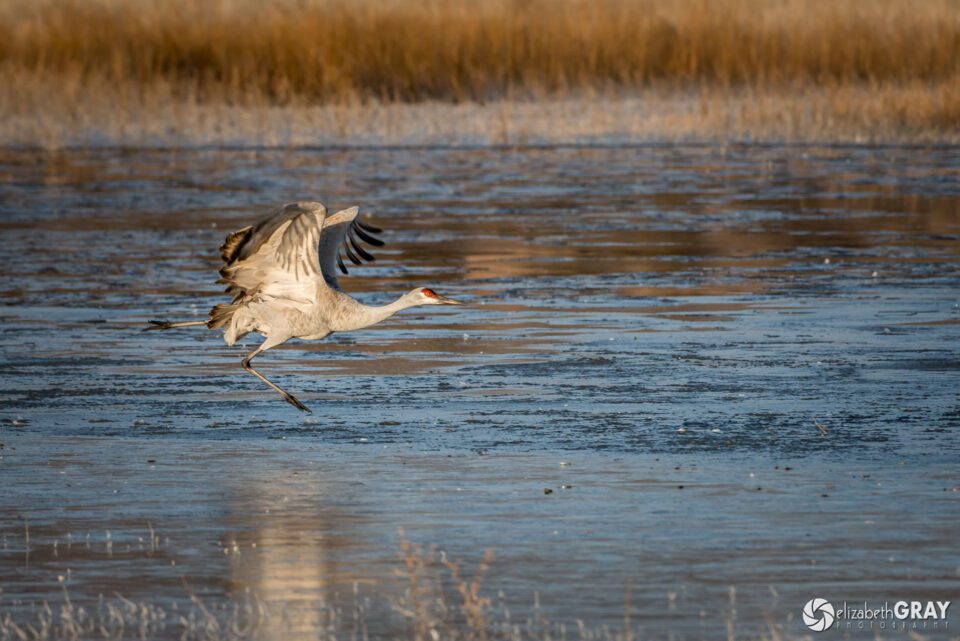
Takeoff

Sandhill Crane
NIKON D800 + 200-400mm f/4 @ 400mm, ISO 800, 1/1600, f/7.1

3.8 Visit a Location Frequently

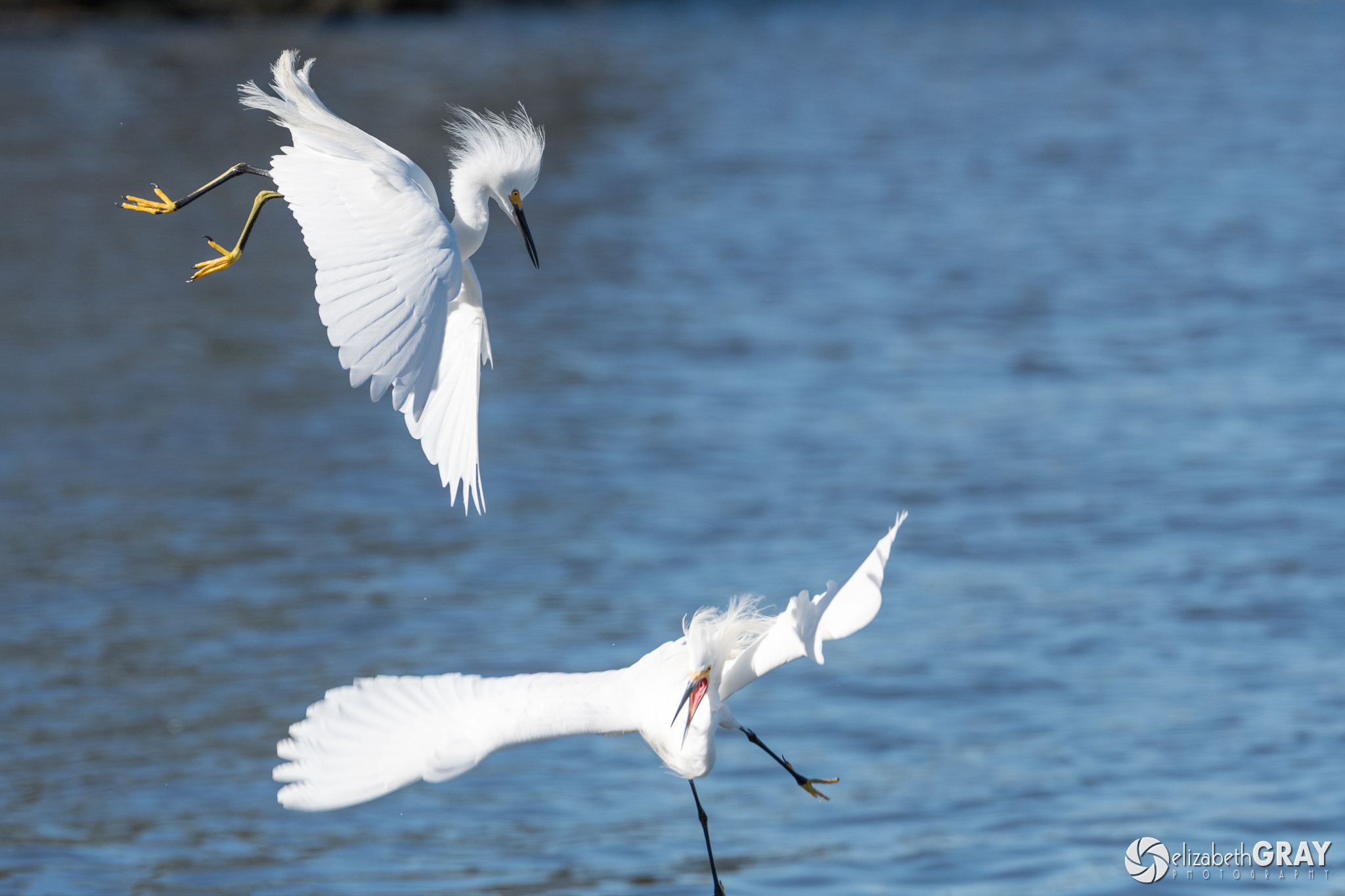
The best way to familiarize yourself with lighting conditions, bird habitats and good vantage points is to visit a site often. We have a couple of parks nearby that I visit once or twice a week. I know where the birds are going to be, and I know where I should set up to get the best shots at certain times of the day. These past few weeks I have noticed that the snowy egrets are starting to prepare for breeding season. They are becoming more territorial, and fights between the males are occurring more frequently. It took me five trips over two weeks to one of my favorite birding spots to capture this shot. I am happy with this shot. However, I would love to get one with both birds in focus. I will continue to go back in the hopes of creating a better one.
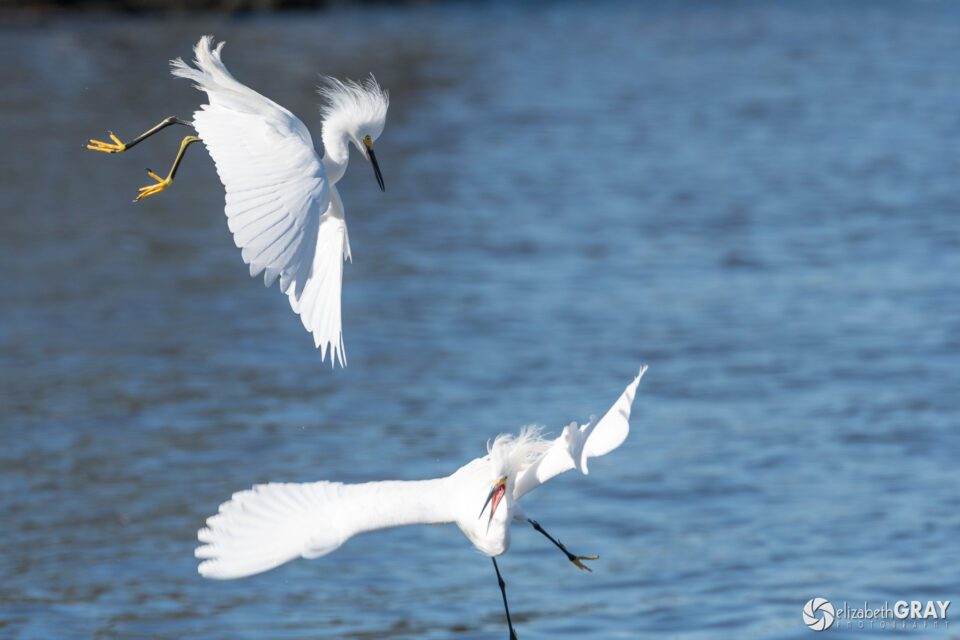
Snowy Egrets Fighting

Snowy Egrets
NIKON D500 + 200-400mm f/4 @ 360mm, ISO 400, 1/1250, f/7.1

3.9 Capture Behavior

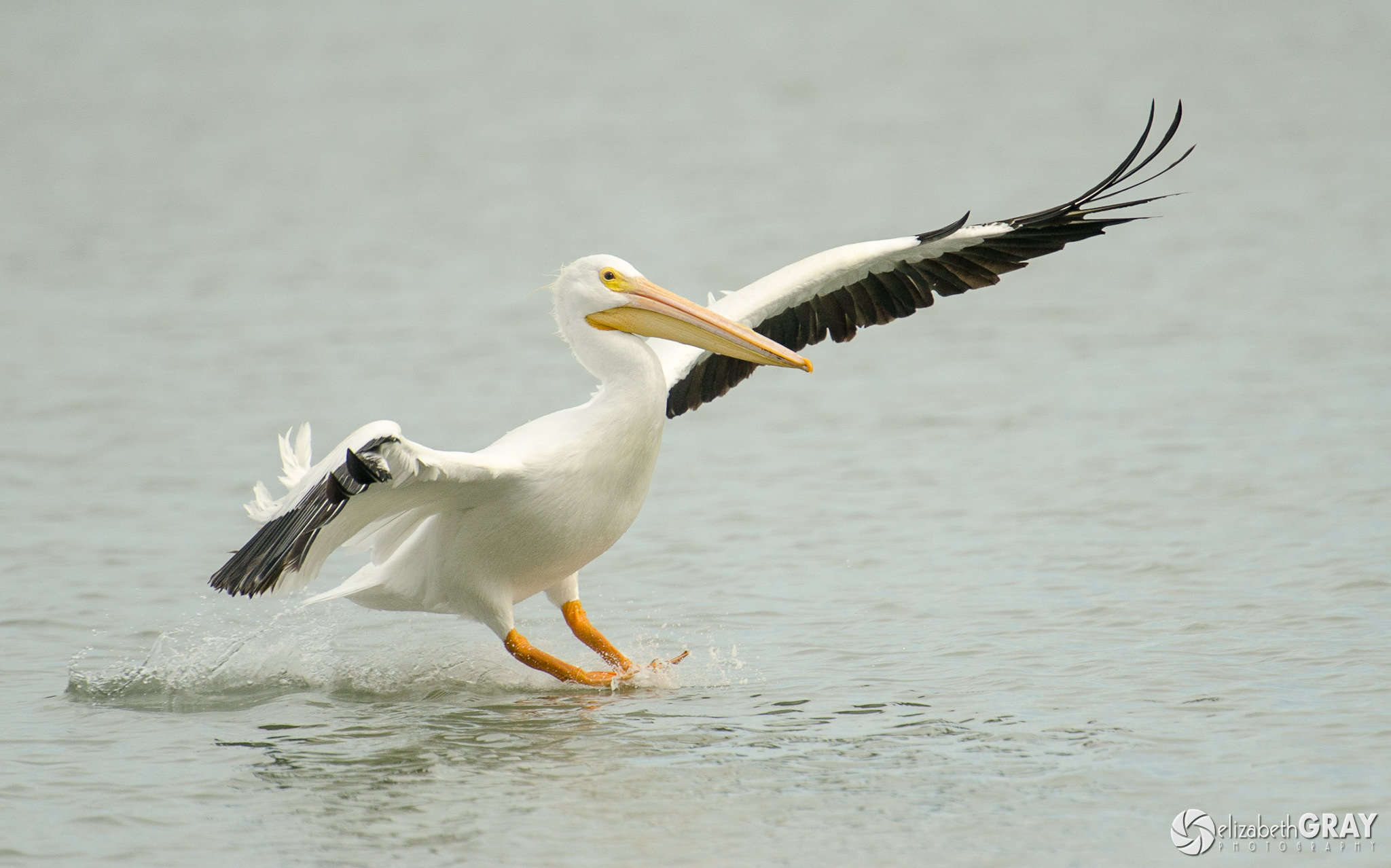
Although I love a good bird portrait, capturing bird behavior is the most rewarding for me. But, it is also the most difficult. A good place to start is to photograph birds landing and taking off. Stand with the wind at your back and take a burst of shots with a fast shutter speed to freeze the action.
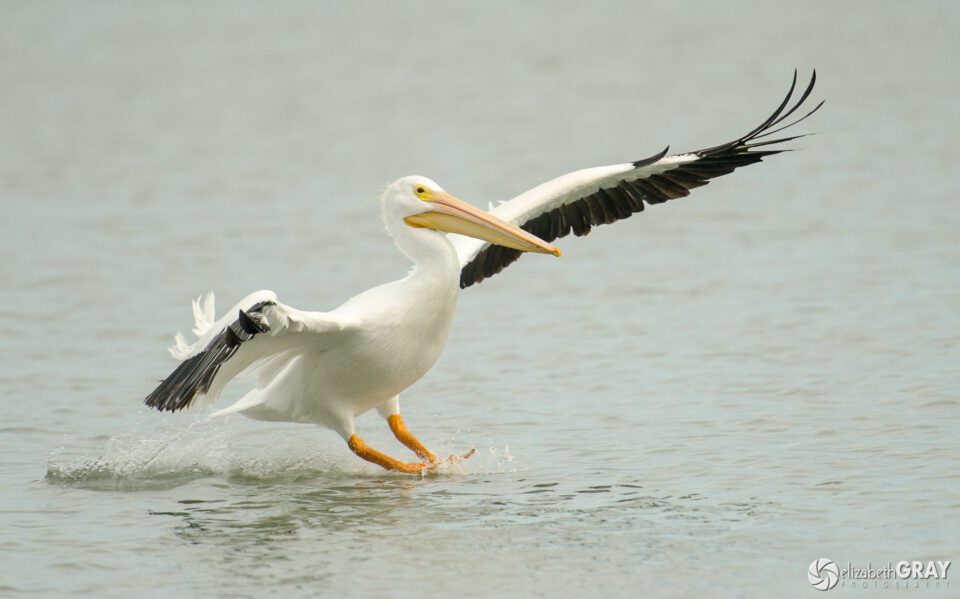
American White Pelican

American White Pelican
NIKON D7000 + 70-200mm f/2.8 @ 280mm, ISO 400, 1/6000, f/4.0

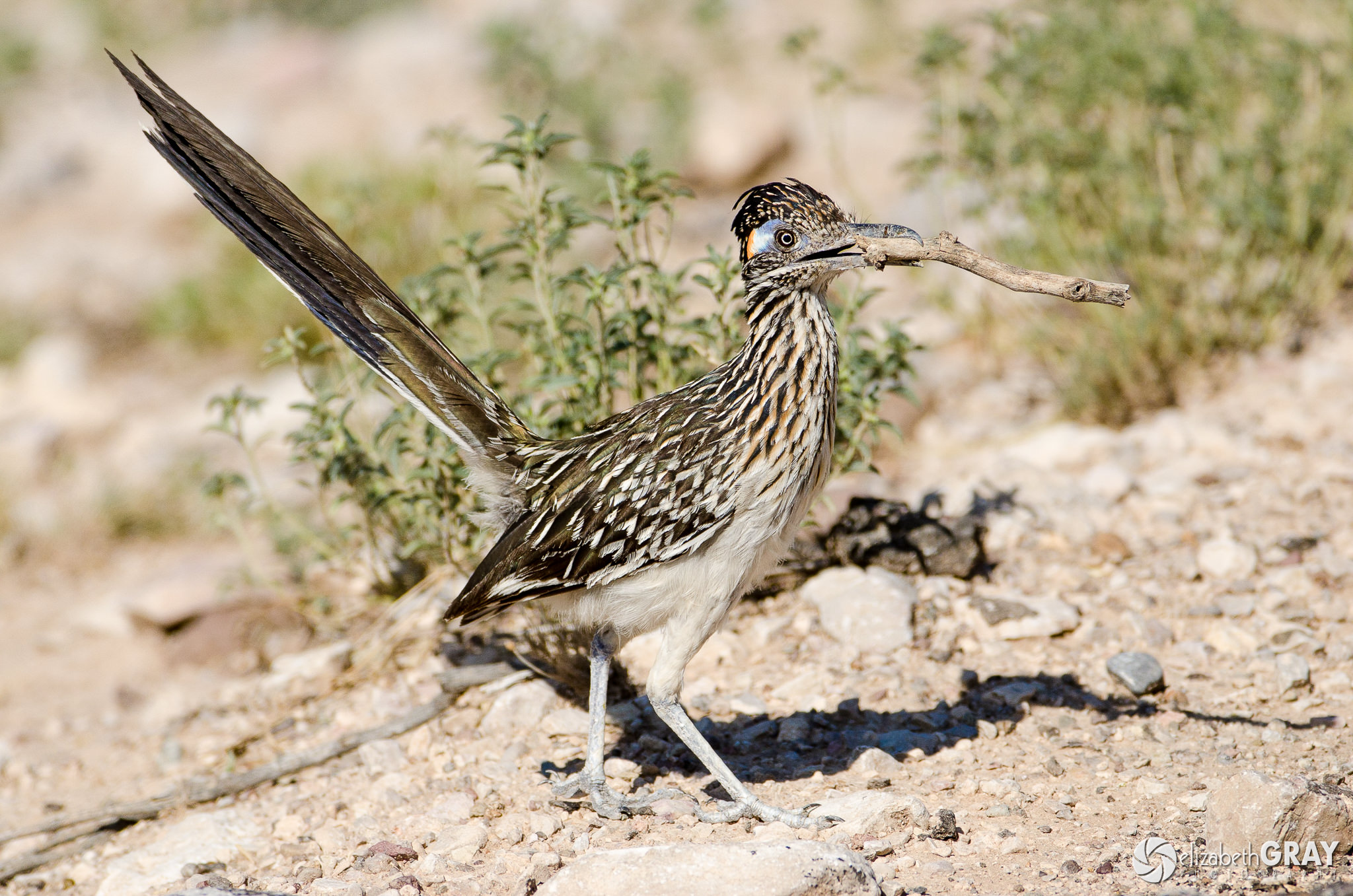
Try to capture activities such as nest building, eating, and courting.
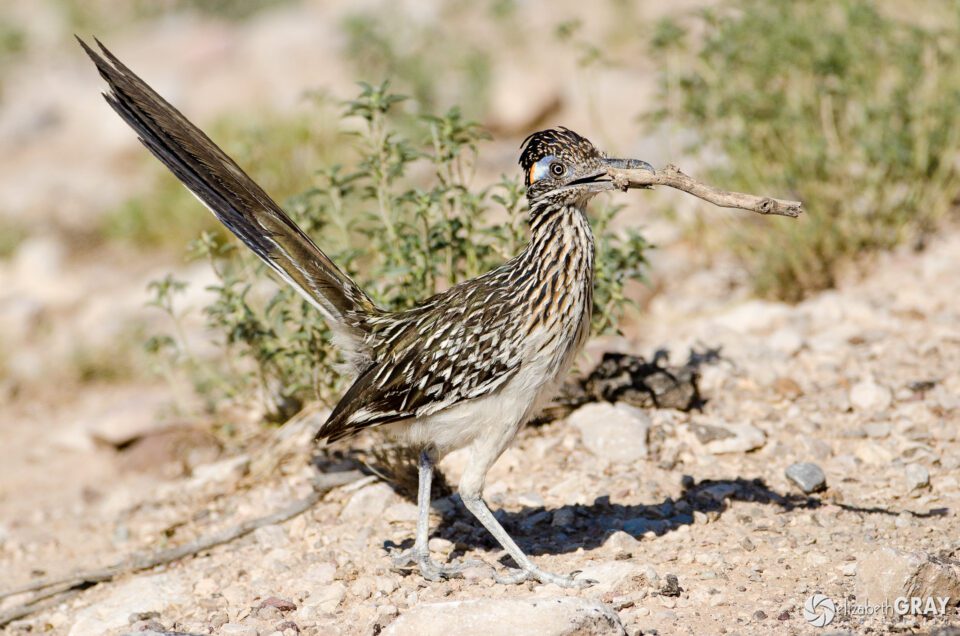
Road Runner

Greater Roadrunner
NIKON D7000 + 200-400mm f/4 @ 330mm, ISO 400, 1/2500, f/5.6
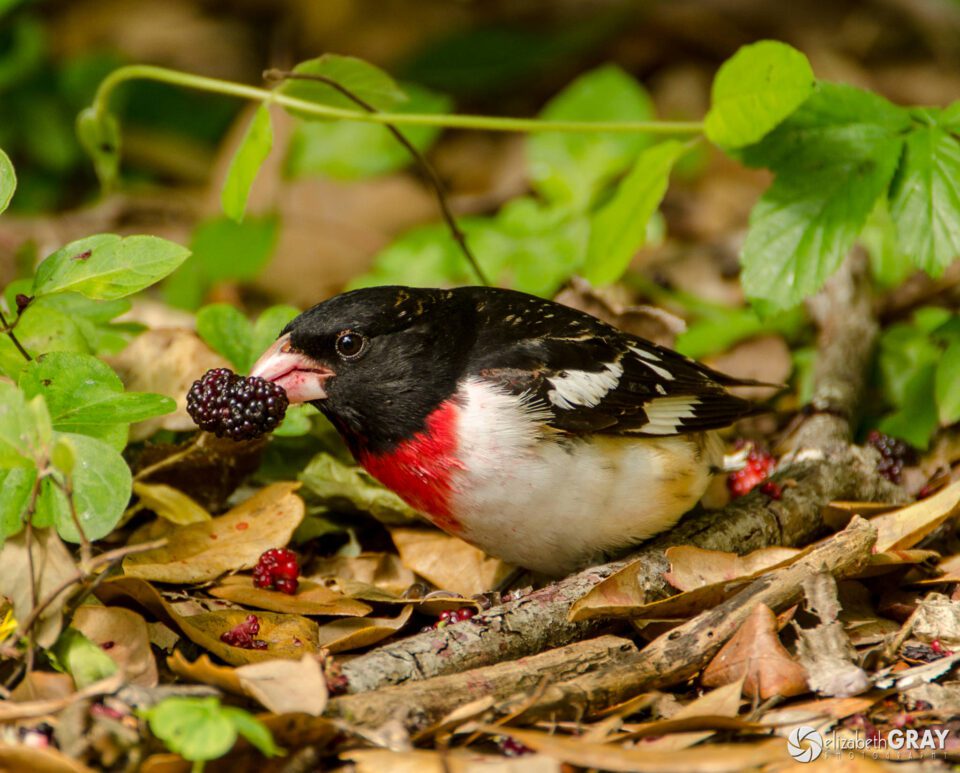
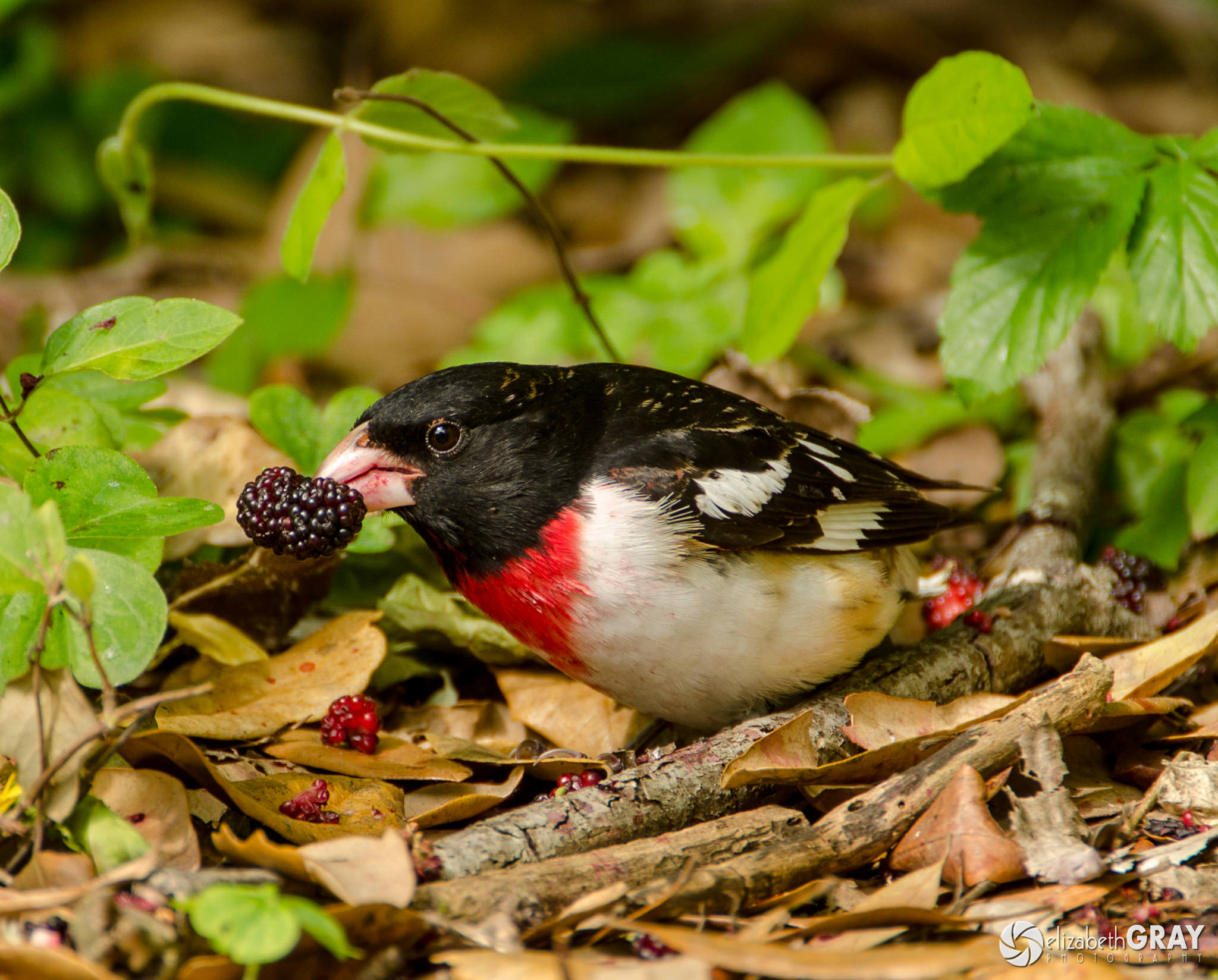
Rose-Breasted Grosbeak

Rose-breasted Grosbeak
NIKON D7000 + 200-400mm f/4 @ 550mm, ISO 200, 1/125, f/5.6

3.10) Get Creative

Not all your photographs of birds have to be lifelike. Experiment with different shutter speeds, unusual angles, silhouettes, and isolate parts of the bird.
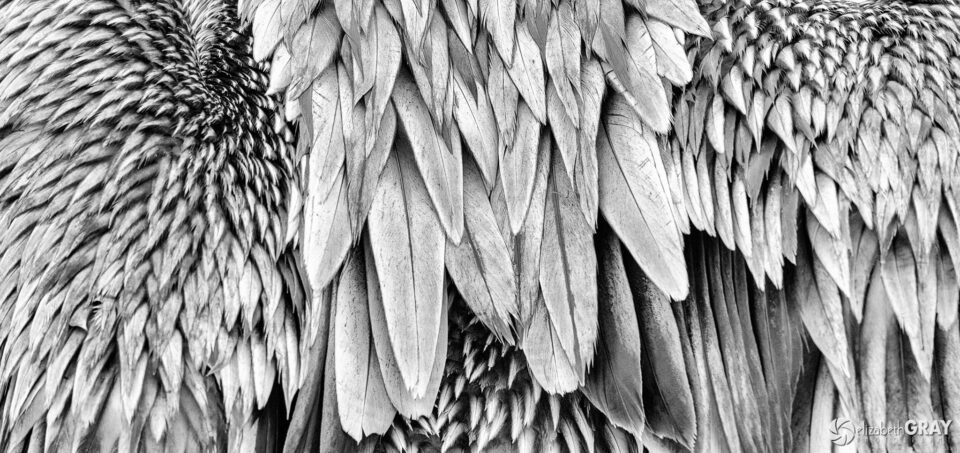
Pelican Back

Brown Pelican
NIKON D800 + 80-400mm f/4.5-5.6 @ 400mm, ISO 800, 1/160, f/10.0

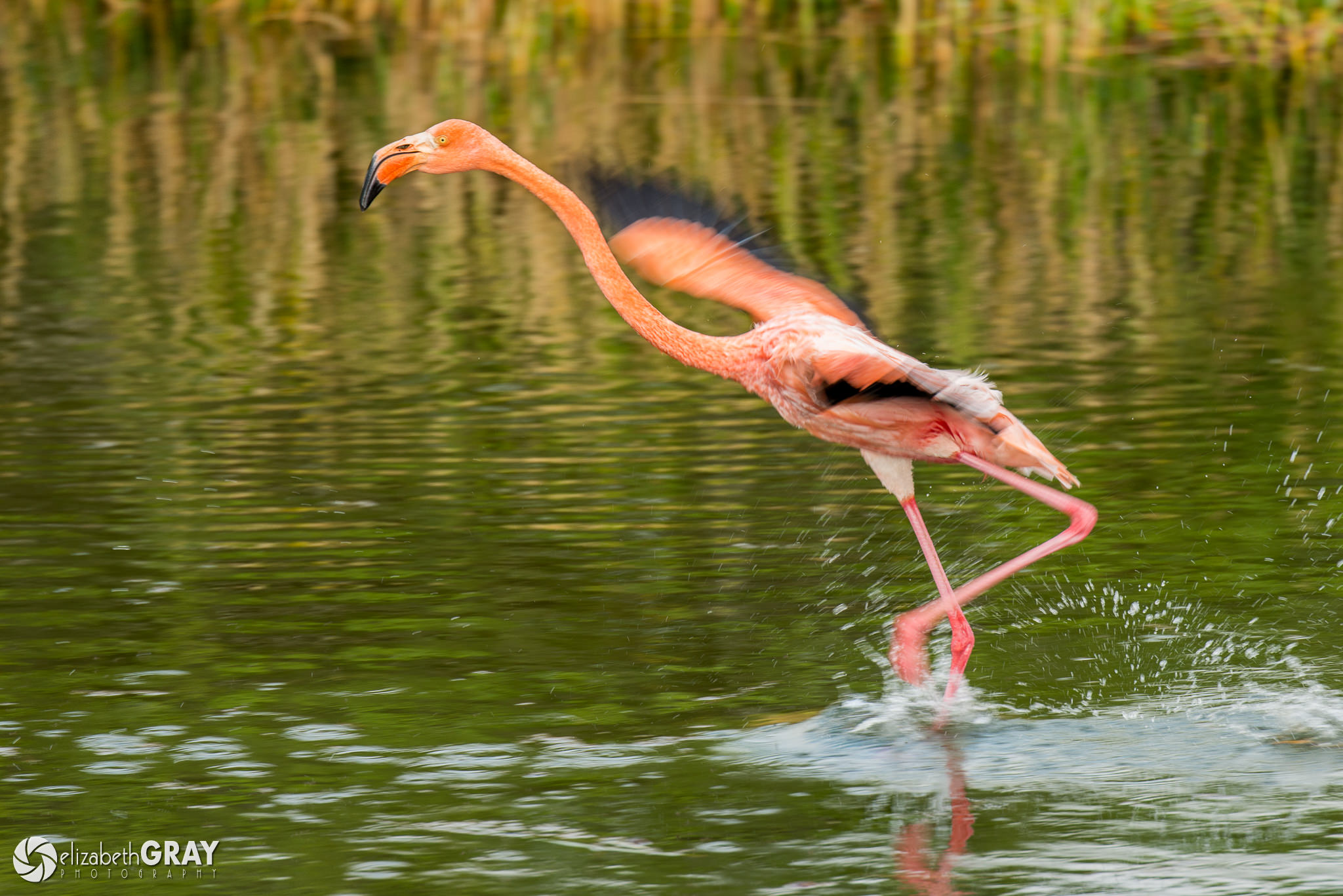
Panning is a technique that uses a slow shutter speed. You follow the motion of the bird while releasing the shutter. This technique creates a sense of movement by blurring the background while maintaining focus on the bird. Panning takes lots of practice. Do not get discouraged! A good place to start is at the beach using seagulls as your subject.
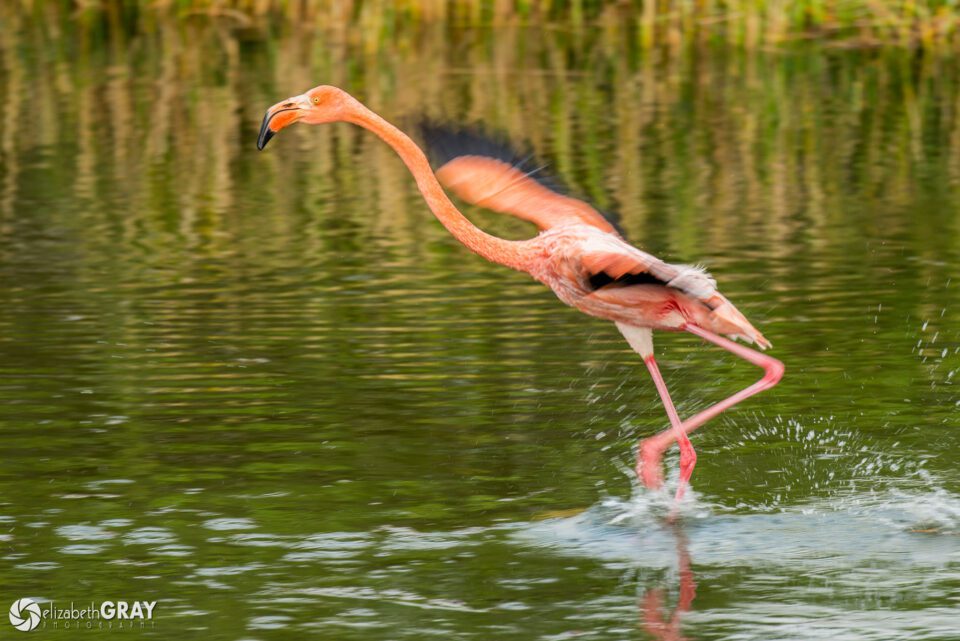
Galapagos Flamingo

Galapagos Flamingo
NIKON D800 + 80-400mm f/4.5-5.6 @ 400mm, ISO 200, 1/200, f/5.6

4) Have Fun!

Remember that it is not the gear that takes great shots. It is practice, planning and proper execution that brings home keepers. The more you practice, the better you will become at locking focus on the eye and capturing birds in flight. To hone your skills, practice on large birds. Go to parks where the birds allow you to get a little closer. Pelicans, ducks, and geese are all great species to learn on. To work on the smaller birds, set up a feeder and bird bath in your yard and let the birds come to you.

Bird photography is very rewarding, highly addictive and a lot of fun. Capturing a sharp shot of a bird in action will send an adrenalin rush through your body. I’m confident that if you give these tips a try you will not only create some great photographs, but you will gain a greater appreciation for what incredible creatures birds are.
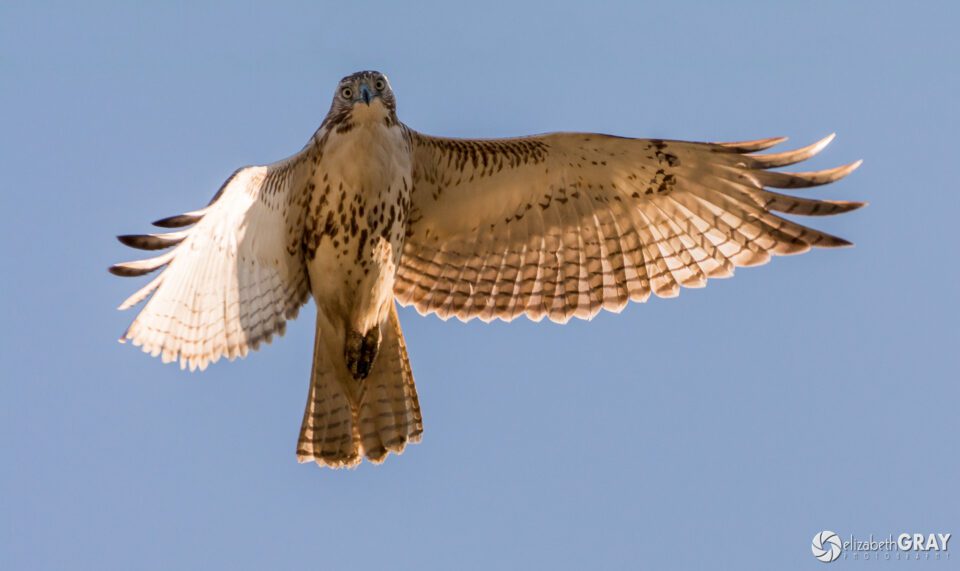
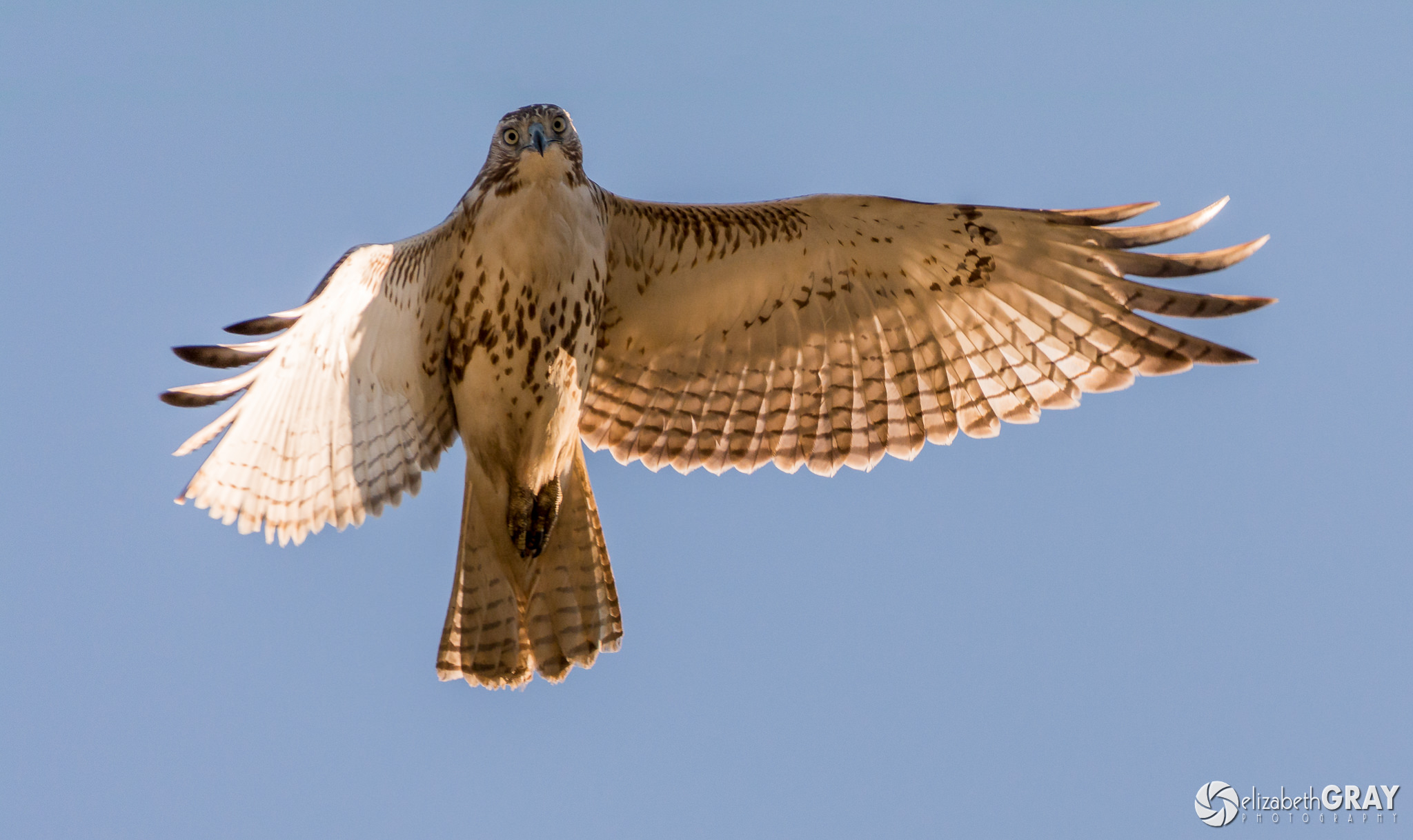
Red-Tailed Hawk

Red-tailed Hawk
NIKON D7100 + 200-500mm f/5.6 @ 500mm, ISO 400, 1/1600, f/6.3

The post Bird Photography Tips and Tricks appeared first on Photography Life.

Photography Life

Posted in Photograpy How To | Tagged , , , | Leave a comment

Inspired by an Illustration, Filmmaker Shares a Unique View of his Iceland Road Trip

There’s no shortage of photographers and filmmakers who want to capture the unique beauty of Iceland. (I’m even reminded of a recent credit card commercial.) The challenge is not finding what to capture so much as how to capture it. Is it possible to have a unique take on such a well-documented subject?

JP Lewis, filmmaker and traveler, found his own approach to capturing Iceland, while also raising some age-old questions about film versus still photography. He and his girlfriend spent six days touring the island with a cheap, blank picture frame.

Using this instrument alone, we slide seamlessly between shots that alternately moving into and out of the camera’s frame and the picture frame itself. Lewis plays here with the idea of boundary. When watching video, as opposed to a still photograph, a viewer sometimes gets the sense of moving through a limitless space. But juxtaposed with the stills in the picture frame itself, one is reminded that there are always boundaries, whether in time (stills) or in space (perspective), and that boundaries are necessary if one is to capture a subject at all.

It’s possible to watch the video and see Lewis’s idea as little more than a trick. And, of course, one might be forgiven this shallower interpretation because the beauty Lewis captures, coupled with some nice music for a couple minutes, makes for pleasant viewing experience that one can simply sit back and enjoy.

To see more from JP Lewis check him out on Vimeo or at his website.

Resource

Posted in Photograpy How To | Tagged , , , , , , , , | Leave a comment