Kodak Aerochrome Film Reborn? A Review of the 550nm Infrared Filter

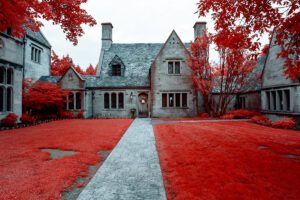
Hartwood Acres

When Ilija, owner of Kolari Vision, emailed me regarding his introduction of the 550nm infrared filter this past winter and shared some of the initial images taken with it, I was intrigued. I had used various models of Nikon DSLRs converted for infrared photography since 2007, relying primarily on the 720nm filter. Over the years, however, I slowly began to develop an appreciation for those filters affording more faux colors. In April, I took the leap and had Ilija convert my Nikon D750. What follows are my thoughts regarding the new 550nm filter, a description of post-processing techniques and settings, and examples of the results.

Photography Life

Posted in Photograpy How To | Tagged , , , , , , , | Leave a comment

Nikon Developing a 500mm f/5.6 with Phase Fresnel Element

Nikon 300mm f4 PF Edited

Nikon just announced that it is developing a 500mm f/5.6 lens with a Phase Fresnel element, which would make it only the second lens in Nikon’s lineup to have such a specialized component, the other being the 300mm f/4 PF. This indicates that Nikon is prioritizing low weight for the 500mm f/5.6, given that a PF element can replace multiple standard lens elements with one that is much smaller and thinner. No price, shipping date, or photos of the new lens have been released. The full name is the AF-S NIKKOR 500mm f/5.6E PF ED VR.

Photography Life

Posted in Photograpy How To | Tagged , , , , , , | Leave a comment

Lightroom’s HSL Panel: How to keep the grass green in your photos

Ahhhhhh… spring!

What a beautiful time of year.

The days are starting to get longer, the flowers are blooming and we are one step closer to summertime.

This sounds like the perfect setting to capture some beautiful spring images of the kiddos finally getting outside to play until it’s time to edit the dreaded neon colored green grass. The struggle is real!

Before I shoot anything, I do two things. I set white balance using Kelvin and then I adjust the tint towards magenta in camera as needed. I use a Nikon and it tends to give my images an overall green tint when my subjects are surrounded by bright greenery.

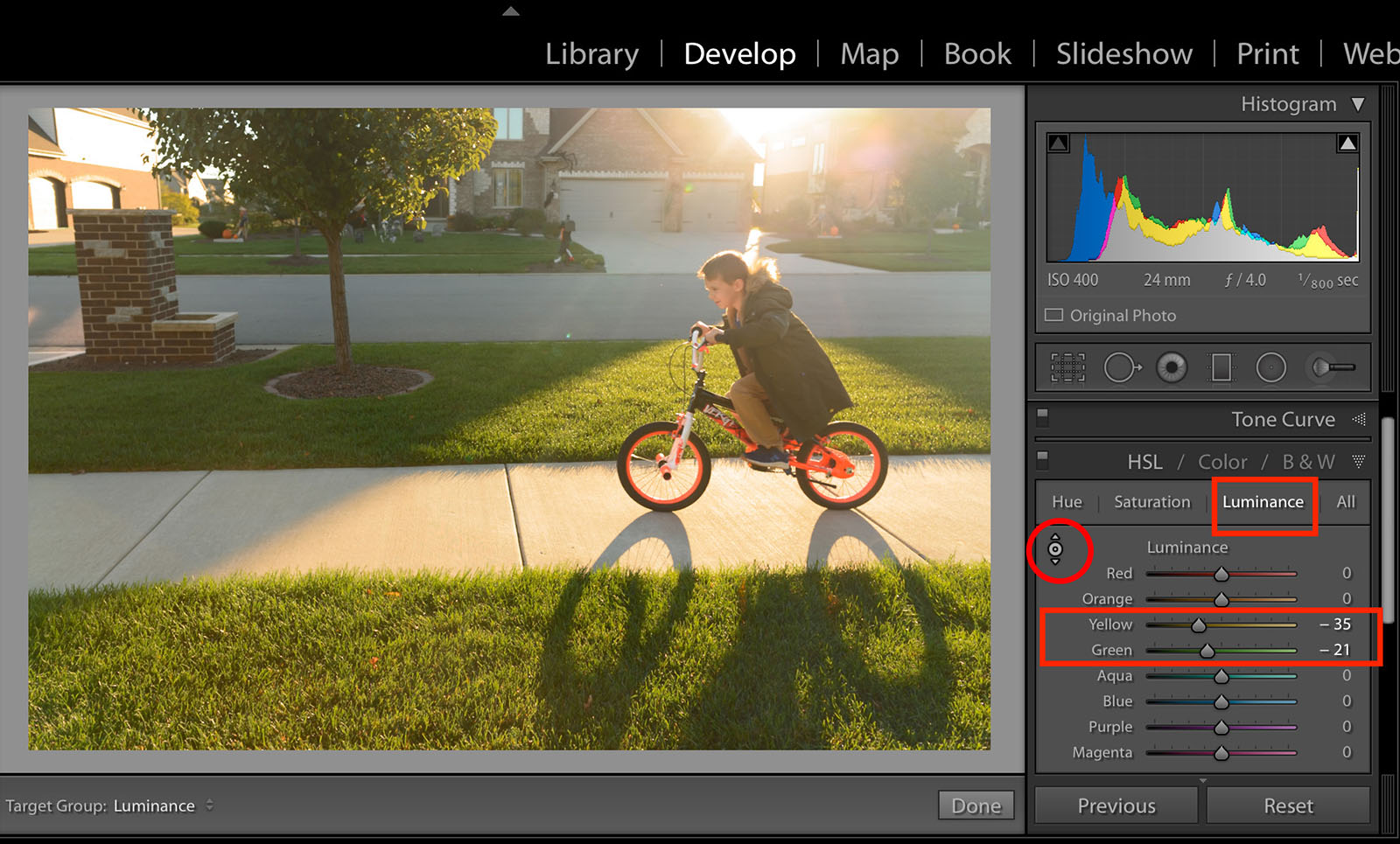
You might ask why I chose this particular image to demonstrate my steps. Can you can see how the uneven light affects the color of the grass differently? Grass located in direct sunlight will take on more of a bright neon tone.

In Lightroom’s develop module I use the Hue, Saturation and Luminance sliders to adjust these colors in the HSL Panel.

Grass is actually made up of green and yellow hues so I click on the sampler tool and then hover over different parts of the grass. When you do this you will see both the green and yellow sliders become highlighted as you move the sampler around over the grass.

This sounds like the perfect setting to capture some beautiful spring images of the kiddos finally getting outside to play until it’s time to edit the dreaded neon colored green grass. The struggle is real!

First, I decrease the Luminance in the grass by using the sampler tool. Click on the Luminance heading in the panel then click on the sampler tool. This will transform your mouse into the tool. Click on any part of the grass and drag your mouse down.

Using the sampler tool will adjust all the hues automatically that make up a specific color in your image. The grass will become a deeper shade of green.

This sounds like the perfect setting to capture some beautiful spring images of the kiddos finally getting outside to play until it’s time to edit the dreaded neon colored green grass. The struggle is real!

Then click on the Saturation heading in that same panel. I decrease the saturation in the grass by using the sampler tool, clicking on the grass and dragging the tool down the same way as I deceased the Luminance.

This sounds like the perfect setting to capture some beautiful spring images of the kiddos finally getting outside to play until it’s time to edit the dreaded neon colored green grass. The struggle is real!

I prefer my edits to have slightly cooler greens. To do this, I click on the Hue heading. I use the sampler tool and drag the tool up to increase the hue of the grass. This will add a cooler hue to the greens and yellows.

This sounds like the perfect setting to capture some beautiful spring images of the kiddos finally getting outside to play until it’s time to edit the dreaded neon colored green grass. The struggle is real!

All these adjustments depend on your taste and editing style.

You can also experiment by adjusting the green or the yellow sliders independently after using the sampler tool. Have fun trying different looks and try different hues to see what you prefer!

Try repeating these steps to the blues by adjusting the Luminance, Hue and Saturation of your sky!

This sounds like the perfect setting to capture some beautiful spring images of the kiddos finally getting outside to play until it’s time to edit the dreaded neon colored green grass. The struggle is real!

This sounds like the perfect setting to capture some beautiful spring images of the kiddos finally getting outside to play until it’s time to edit the dreaded neon colored green grass. The struggle is real!

Clickin Moms online photography forum

The post Lightroom’s HSL Panel: How to keep the grass green in your photos appeared first on Clickin Moms blog: Helping you take better pictures one day at a time.


Clickin Moms blog: Helping you take better pictures one day at a time

Posted in Photograpy How To | Tagged , , , , , | Leave a comment

BenQ SW320 Monitor Review

BenQ SW320

As photographers, we spend quite a bit of time post-processing images. During this process, making sure that we are looking at calibrated displays is extremely important, because it allows us to ensure that the images are edited properly and consistently. Unfortunately, high-quality displays are not cheap, and anything on the lower-end is often too big of a gamble, so finding the right monitor that has a good balance of price and performance is a challenge in itself. Thankfully, some companies have come forward with solutions that address this gap and one of them is BenQ. Unlike NEC and Eizo that mostly focus on high-end professional-grade monitors, BenQ aims at more consumer and enthusiast-level market, featuring products that deliver excellent value at very affordable price points. Within the past few years, the company launched higher-end displays that are capable of hardware LUT calibration and one such product is the BenQ SW320, a large 32″ 4K monitor with an excellent set of features and a comparably low price point of $ 1,499. I recently had a chance to test this monitor and I wanted to share my thoughts in this review with our readers.

Photography Life

Posted in Photograpy How To | Tagged , , , | Leave a comment

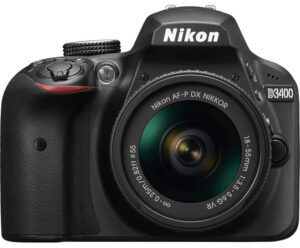
Recommended Nikon D3400 Settings

Nikon-D3400

The Nikon D3400’s menu is not as detailed as the ones on other Nikon cameras, but it still can be overwhelming to set properly. In this article, I will cover all the most important camera settings on the D3400, including my personal recommendations for every important menu option on the camera. Don’t take any of these suggestions as the only camera settings that will work for the D3400, but instead as simply a good place to start.

Photography Life

Posted in Photograpy How To | Tagged , , , | Leave a comment