10 Things the beginner drone photographer must know

Ever want to see what an image could look like from up above? Then aerial photography using a drone is for you! As an enthusiastic aerial photographer, I know these pointers will help those of you who are just beginning drone photography adventures.

Review your local and state laws

I want you to get photographs you love, but not at the expense of breaking the law! Be sure to research the laws and regulations in your location before setting-out with your drone.

Did you know that unmanned aircrafts are not permitted in any National Park in the United States? Each state has its own set of laws regarding the use of a drone (an unmanned aircraft) and they can vary widely by location. It is extremely important to review these laws and abide by them to avoid hefty fines.

Some states require you apply for a permit before flying your drone in a park while others are much more lax. If there is a shot you must have within a state park, requesting a permit from your state’s park office may be an option. Call your state’s park office or check online to inquire about the laws in your location.

Decide which drone is best for you and your needs

There are many drones out there with widely varying price points and technical capabilities. What do you want your drone to do for you?

Will you be hiking with your drone? Consider how the weight and size will affect you as you pack it in your bag and carry it along trails. Will it be used primarily for weddings and other once-in-lifetime occasions? Invest in the best camera you can afford when shopping for your drone to ensure you get the quality high-definition images you need to capture these moments. If you purchase a drone that can shoot in both RAW and JPEG, use the RAW setting as this will allow you to really get the most out of your image in post processing.

Buy extra batteries

Due to the short flight times of drones (approximately 28 mins is the longest flight time of all drones using the DJI Phantom 4 Pro), be sure to purchase at least one extra battery. This will allow you to keep flying and photographing continuously, ensuring you get the shot you are after.

Register your drone with the FAA and Remote Pilot License

Even if you plan on just using your drone for recreational use, you must register your drone with FAA. The Federal Aviation Administration also lists many safety tips and regulations that are helpful to newer drone users.

Read their website thoroughly prior to purchasing your drone. Depending on which category you fall under (there are two listed on the FAA website), you may need to obtain a remote pilot’s license. If you plan on using the drone for commercial endeavors, then you will have to obtain a remote pilot’s license.

Know the maximum distances you can go with your drone and other regulations

You cannot fly your drone higher than 400ft and within 5 miles of an airport. Events are sometimes restricted as well (such as air balloon festivals, outdoor concerts, or sporting events).

Always be sure to check into what is prohibited at events and locations at which you may want to use your drone. These can be amazing photographic opportunities but you want to be sure respect the rules and regulations of any given event.

Practice using your drone

Practice makes perfect! Depending on which model you choose for your drone, you may have obstacle maneuvering that keeps the drone from running into obstructions (don’t hit that tree!). However, it’s very important to know how to fly your drone and bring it back to you. Technical assistance isn’t always as reliable as we would like it to be!

Fly your drone at a safe visible distance from you in your backyard or at a park with wide open spaces. Practice taking off, landing, and basic maneuvers. Just like anything else, the more you practice using your drone, the more comfortable and confident you will be.

Choose the right location

Location, location, location! Not only should you be sure to fly your drone only in those places where it is legal, but also be sure to fly it in places where it can fly safely. Stay away from trees, power lines, tall buildings, and birds as there is a good chance you will have a collision. Do not fly your drone for long distances over a body of water. If the drone starts to run low on battery, it may not be able to make it back to shore in time.

It is very important to know the weather conditions. Avoid flying your drone when high winds, lightning, rain, snow, or hail is in the forecast. Choosing an unsafe location could end in a lost or damaged drone and no shot is worth that risk!

Respect privacy and other people

This may seem like common sense, but you don’t want to make anyone feel uncomfortable by photographing them with your drone. Not only is photographing people without their consent unkind, but it is prohibited in some locations!

A drone is an amazing tool, but it is also newer technology and can be startling if it flies over unexpectedly. Never fly your drone over groups of people you do not know or who are not anticipating your drone.

Go manual mode

I always suggest shooting in manual mode on the drone if it has the option. This will allow you to set your shutter speed, ISO, and white balance just as you would on your DSLR.

Be mindful of increasing your ISO too much, especially during twilight hours as this can deteriorate the image quality when you are working with a smaller camera sensor. Take the time to learn what the camera on your drone is capable of before dialing-in your settings. This will give you a drastically better outcome in your images.

Related: 5 Reasons to get off auto and put your camera in manual

before

after

Take the time to edit

I use a DJI Mavic Air for my aerial photography, so take note that these editing tips are based off of the images I have taken using my drone.

I use both Lightroom and Photoshop for post processing of my drone images. Lightroom takes care of my initial global adjustments. Photoshop helps me to remove any distracting elements in the frame.

My RAW drone images always need a boost in contrast and I like to add some sharpness to my subject. You may need to add noise reduction depending on the light you had available. Drone images typically will have more noise than a DSRL image.

From there, I make adjustments much like I would with DSLR images. I adjust the white balance, and ensure my shadows and highlights look good. I add any creative edits that I think help the image and then I save and marvel at this fresh perspective!

Aerial photography is a challenge but the results are always such a treat! Use these tips to get started and I know you will create amazing things.

Do you love this article and want more?!

With thousands of tutorials and experienced photographers ready to answer all of your questions, the Clickin Moms forum is the best place for you to learn and grow in your photography!

The post 10 Things the beginner drone photographer must know appeared first on Clickin Moms blog: Helping you take better pictures one day at a time.


Clickin Moms blog: Helping you take better pictures one day at a time

Posted in Photograpy How To | Tagged , , , , , | Leave a comment

What Is an IPS Monitor? A Beginner’s Guide

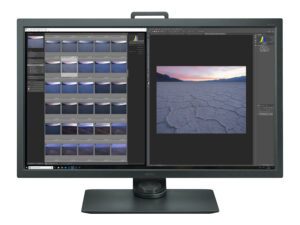
BenQ SW320

Everyone who buys a new computer monitor needs to decide on the best display technology for their uses. This doesn’t just mean the size or resolution of the screen – you also need to decide on the panel type you want to get. That’s especially true for photographers, graphic designers, and anyone who works with color; the wrong decision could mess up the colors you see. This article explains IPS monitors and why you might need one for your work.

Photography Life

Posted in Photograpy How To | Tagged , , | Leave a comment

Recommended Sony A9 Settings

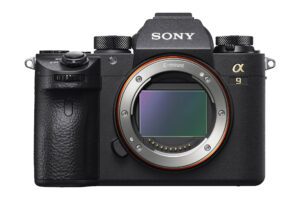
Sony A9

Sony’s first professional-grade sports-oriented camera, the A9, has created quite a stir ever since its introduction last year. It’s a 24MP, full-frame mirrorless camera that takes up to 20 frames per second with no viewfinder blackout, native 4K video recording, silent operation, and a price that massively undercuts the competition. The result is a camera that is designed to compete with the best of Canon and Nikon’s offerings. In this article, I will provide information on how to best set up the A9 for photography, especially action, and explain each of the important settings.

Photography Life

Posted in Photograpy How To | Tagged , , | Leave a comment

How to create negative space (even in a messy home)

When I first started on my photography journey I learned the importance of composition in a photograph. It didn’t take long for me to become obsessed with learning compositional techniques when I saw the impact they could have on my images. As I worked to define my style, I found that utilizing negative space was one of my favorite compositional tools.

Negative space, simply put, is an area of “empty” space around your main subject (or the positive space, if you will). It keeps a photograph simple and uncluttered while also having the potential to add drama and intensity. It is no wonder I fell in love with this technique.

As a stay at home mom of nine homeschooled children, keeping things uncluttered and spaces empty is nearly an impossible task. Though we are involved in various outside activities, the majority of the time we are at home and together. Like most families, our real life rarely lends itself to negative space.

As an artist, this quickly became a source of discouragement. I craved the simple and uncluttered look of negative space and yet my home was anything but uncluttered! Who can feel me here?! I am happy to tell you that you do not need to give up on negative space.

One of the joys of photography is that we can scenes with our cameras that show only what we want to see. Even in the most cluttered of spaces, you can create negative space. As with most things, practice makes perfect. So be sure to pick up your camera every day if to perfect this craft!

If I can create negative space in my home, ANYONE can! Let me be a source of encouragement as you set out to use this compositional technique. Honestly, there isn’t anything spectacular about what I am about to say, it’s actually pretty simple! However, it is sometimes the simple things that are the biggest game changers.

Ignore the mess

If I could only give you one bit of advice, this would be it. Basically it boils down to this: if you are passionate about photography, make up your mind that you will not let anything stop you from this art.

Blocks on the floor? Dust bunnies lurking under the sofa? Laundry piled on the bed? None of that should matter when you are creating behind the camera! A messy house should never keep you from picking-up your camera.

Related: Why your messy garage is a great location for photos

Remove the clutter

Do I sound like I just forgot everything I told you about ignoring the mess?! It might seem silly and contradictory to tell you to clean things up after I just told you to put those very messes in the back of your mind. However, tidying things up a bit can really make finding negative space so much easier.

You should never be discouraged if there is a mess or two that is unavoidable. I will always favor taking a picture with a visible mess over not taking a picture at all. That said, picking-up a few toys or dirty socks and tossing them out of the way is all you need sometimes a clean frame!

Find and compose

Even the most cluttered room has negative space; you just have to find it! Choose a room with beautiful light and then look all around. Chances are, there is a wall, floor, or ceiling that is free from distractions. Shoot in a way where THAT is your backdrop and you have negative space!

There are times where my kids are doing an activity in an area of a room that is cluttered and visually unpleasant. If I like the activity and not the setting, I will simply move them to an area where I know negative space exists and allow them to continue their activity there. They don’t seem to mind and my photos are much more in line with my personal style as a result.

Change perspective

Move up, down, or sideways. Go to wherever you need to go to block-out that unwanted clutter. You can often find photographers squatting, laying on the ground, climbing on furniture or doing any number of acrobatic poses to get the shot.

This isn’t because we are trying to multitask and get our workout in while taking pictures! Rather, moving around even just a little bit can make a BIG difference in your composition. Next time you find yourself frustrated with the setting in which you are shooting, try changing where you are in relation to your subject. You might find that you are pleasantly surprised by the results!

Utilize creative exposure

Creative exposure is a miracle worker in messy homes. When your subject is placed in a pocket of light that is drastically different than the light in the rest of the room, your camera’s settings will need to be adjusted in order not to blow out the highlights in the image. You will need a lower ISO, a fast shutter speed, and a smaller aperture than you would if you were exposing for the shadows.

When you do this, the resulting images will have everything in the pocket of light properly exposed while everything in the shadows will be quite underexposed. This is known as inverse square law. If a mess exists in those shadows? It instantly disappears!

Finish with processing magic

If all else fails or just to add the finishing touch, darken those shadows and blacks in the basic panel in LR and possibly even in the tone curve. You may also need to use the brush tool to burn or use the spot removal tool to get rid of unwanted clutter in an image.

For those of you who use Photoshop, the clone stamp tool can be a lifesaver when little bits of clutter are distractions in the frame. When you find yourself wishing there was just a little more space on the edges of the frame, you can use the content aware scale tool to make the room just a little larger and create the composition you desire.

Related: How to use the clone tool in Lightroom and Photoshop

More than anything, use your camera often and put in the work to be able to capture the kinds of photos and compositions you love. Rather than fight the mess, embrace your home! It is where life happens and it deserves to be captured. As you become a more confident photographer, you will be able to find and create negative space by utilizing different perspectives, kicking junk out of the way, exploring creative exposure, and finishing with some post processing magic. You will be amazed at the images you can create!

Clickin Moms online photography forum

The post How to create negative space (even in a messy home) appeared first on Clickin Moms blog: Helping you take better pictures one day at a time.


Clickin Moms blog: Helping you take better pictures one day at a time

Posted in Photograpy How To | Tagged , , , , , | Leave a comment

Nikon Z 24-70mm f/4, 35mm f/1.8 and 50mm f/1.8 Announcements

24-70mm f4 Product Image

Along with announcing the Nikon Z6 and Z7 mirrorless cameras, Nikon just released three mirrorless lenses as well! The Nikon 35mm f/1.8, 50mm f/1.8, and 24-70mm f/4 are branded as “Nikkor S” lenses, which signals them as Nikon’s high-end mirrorless offerings. These are the most fundamental of lenses for a new system – two lightweight primes and a constant aperture zoom – but don’t let their ordinary focal lengths fool you. All three look very interesting indeed.

Photography Life

Posted in Photograpy How To | Tagged , , , , , | Leave a comment