Why YOU should start a 365 photography project this year

In the world of photography projects, it’s the big one: The 365 Project. It means that you commit to shooting, editing, and sharing at least one photograph every day for an entire year.

Does that sound like a lot? It is! But there are good reasons that photographers keep going back to this project over and over (and it isn’t because we like to torture ourselves!).

The 365 Project may be difficult, but the payoff is always big. These are some of our favorite reasons for committing to taking a picture every day this year.

Clickin Moms mentor Mickie Devries

You will see BIG growth in your photographic skills

You know the phrase, “Practice makes perfect?” It’s true in most endeavors and it is definitely true in photography. And the more you practice, the closer you will get to your “perfect.”

Having a project like the 365 ensures that you are practicing every single day. This means that every day you are giving yourself an opportunity to learn! You will become more familiar with controlling the settings on your camera. You will be more confident finding good light and navigating your editing software. And you will be more comfortable knowing exactly what you need to do to get the photographs you want.

Join Clickin Moms today

Ask any photographer who takes on this project if she feels like she improved over the year and I promise she will give you an enthusiastic, “YES!” Comparing the photo from January 1 to the photo from December 31 makes the work of picking-up the camera daily more than worth it.

Clickin Moms mentor Jyotsna Bhamidipati

You won’t miss any of the “little things” in your daily life

It is natural to pull out our cameras for big events and special occasions. However, sometimes it’s the little things that matter most when we look back.

Committing to the 365 Project means that you will pick-up your camera on the special days and the more mundane days. And this is a good thing!

Documenting breakfast or lazy days in pajamas or the bedtime routine is just as important as photographing birthdays. Because you know what? Someday those daily routines are going to look different and you are going to wish you could go back.

The 365 Project won’t let you turn back time. But it will let you keep the memories close by while also documenting the changes as they happen.

Clickin Moms Blog editor Kellie Bieser

You will see BIG changes in your kids

There was one year that my teenage son grew 6 shoe sizes and 5 inches! And while he didn’t seem to change on a day-to-day basis, it is clear that he was changing quickly when I look back at the pictures of him throughout that year.

Any mother will tell you that kids grow way too fast. Taking a photo every day allows you to see those changes as they happen.

We love the idea of taking a photo of kids in the same place on a regular basis. This allows you to see how they change in relation to an unchanging location. It can be something as simple as sitting on the front steps or standing in a doorway.

The idea is to take the photo so that you can look back and see how they have grown and changed. The 365 Project lets you do this and more!

Clickin Moms mentor Jessica Nelson

You will learn how to work through creative ruts

Every photographer finds herself in one from time to time: the dreaded creative rut.

We think that one of the differences between good photographers and great photographers is that the good ones photograph when they are inspired and the great ones photograph when they are not.

The 365 Project forces you to act like a great photographer.

Chances are, you are not going to feel terribly inspired every day for an entire year. In fact, it is likely that there are going to be days that you dread picking-up the camera! However, by committing to take a photo anyway, you are strengthening your skills as an artist and ensuring that when creative ruts find you, they won’t throw you off course.

Clickin Moms mentor Kristin Dokoza

You will learn how to photograph new things

If you photograph the same thing every day, you are probably going to get bored. This means that you are going to look for new things to photograph. And that’s a good thing!

We love the idea of specializing in a genre, but we also think it’s great to try something new from time to time. If you take pictures of kids every day, you can try your hand at photographing food or wildlife or macro or maybe even architecture. Who knows? You might just find a new subject that you love!

Regardless if you find a new photography passion, photographing something different is always beneficial. It will inspire you to see your usual subjects in new ways and will allow you to stretch your creativity as you try to figure out how to make something new look good.

Clickin Moms mentor Sue Bahen

It can help you find a photography community

Photography can be a kind of lonely pursuit. You are alone behind the camera as you shoot and alone behind the computer as you edit and that can feel somewhat isolating.

When you participate in a 365 Project, it is a great opportunity to connect with and support other photographers who are doing the same project alongside you.

As you shoot, you can share with your project group for feedback and support. We know of countless photographers who have made lifelong friendships through 365 Project groups. We love to hear all the stories about how shooting everyday together created bonds across state lines and oceans.

Don’t know where to find a 365 Project group? Start on the Clickin Moms forum! There you can find or post a thread letting others know that you want to work on this together and there are thousands of photographers there who are likely wanting to grow alongside you.

Clickin Moms mentor Chanel French

The finished body of work will be priceless

There are many studies on how journaling is such a good practice. The 365 Project is like a visual journal. Just like a written journal, you will feel all the warm fuzzies when you look back on your project.

We love the idea of putting all of the photos from a 365 into a book. This way you can flip through them at the end and really appreciate all you have done. And in the years to come, that book will be a priceless treasure for you and those you love.

As we start a new year with all kinds of dreams for the future and resolutions for our own improvement, let’s add growing in our photography together. The 365 Project is the perfect way to do that we can’t wait to start with you!

Get Started Today with Clickin Moms

The post Why YOU should start a 365 photography project this year appeared first on Clickin Moms blog: Helping you take better pictures one day at a time.


Clickin Moms blog: Helping you take better pictures one day at a time

Posted in Photograpy How To | Tagged , , , , , | Leave a comment

20 Photography Tips for Beginners

Backlit damselfly

Whenever I think of a useful photography tip, I always write it down for later. Most of them are forgettable, but a few are so important that I try to tell them to as many photographers as possible. This article contains 20 of the best. These bite-sized photography tips are easy to understand, covering everything from beginner camera technique to creativity and composition. If you’re learning photography, this list offers some wisdom you may find helpful along the way.

Photography Life

Posted in Photograpy How To | Tagged , , | Leave a comment

How to Use Lines (Leading and Otherwise) in Photography

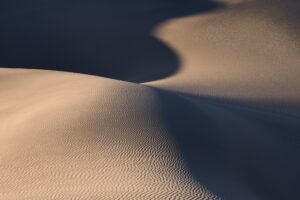
Light and dark

Lines are some of the most fundamental elements of photography, and some of the simplest, too. But don’t let that fool you. Lines come in many varieties – sometimes leading lines that guide the composition, other times barriers segmenting a photo. They also impact an image’s sense of emotion and structure. In this article, I will cover the best ways to use leading lines and other lines in photography, including how to put them into practice in your own compositions.

Photography Life

Posted in Photograpy How To | Tagged , , , | Leave a comment

How to photograph the unique beauty of winter light

Short days and colder temperatures are here to announce winter’s arrival. As I’m writing these words our first snow storm is howling outside my windows. It’s the kind of weather that me want to cozy up on a sofa and sleep through the next three months.

But that would mean I was missing the unique photo opportunities that winter offers! These colder months can provide the perfect conditions for dreamy images. The key is to know how, when, and where to look for them.

So instead of simply shivering in the cold and wanting to hibernate, let’s take our cameras out and make some winter photo magic.

What makes winter sun different?

The path of the sun across the sky differs from season to season. Summer days are longer, with the sun traveling higher across the sky. By contrast, winter days are much shorter with sun travelling much lower across the sky. In the northern hemisphere, this means that the sun shines directly into south-facing windows. The sunrises and sunsets will linger longer in southeast and southwest windows respectively.

Join Clickin Moms today

Take time to identify these windows in your home. Observe how light enters each room. In my home, I know I’ll find the first rays of the morning sun entering our dining area. Within couple of hours, the sun shifts farther south, providing constant direct light into the living room windows. Finally, at the end of the day I can count on that golden sunset light entering my girls’ bedroom.

When you’ve identified where the sun hits at specific hours, you are better equipped to know where your photo opportunities will be found. Then you can get creative with different techniques. The following are some of my favorites.

Create striking sun flare

There’s something magical about the shapes and colors sun flares add to a photo. While some consider them technical flaws, they are becoming more widely accepted as beautiful when used with intention.

To capture a sun flare, the sun must be directly in front of your lens or only partially obscured by an object. With winter sun low in the sky during most of the day, there are  many opportunities to experiment with the sun shining into your lens.

*Note: never look directly into the sun, especially through a lens. This can cause permanent damage to your eyes.

Your aperture will control the intensity and definition of your sun flare, so play with different f-stops and see what effects you like best. I’ve found that f5.6 is a good starting point for the look I like. However, I’ve been able to achieve unique flares at all apertures.

Keep in mind also that different lenses create different types of flares. My 24mm is well-suited for interesting flares but I have had interesting results will many different focal lengths.

Related: What’s your favorite lens to get flare? 21 Pros weigh in

Capture large starbursts

Sun starbursts are so much fun! And, it’s possible to capture them using both natural and artificial light sources.

The key is to shoot directly at the light with narrow aperture. Personally, I love to incorporate starbursts indoors with the sun shining through windows. I place my subject close to the window and position myself on the other side of the room, as low as possible. Then, I hide part of the sun with the window frame, while still letting some of the rays enter the lens.

While most landscape photographers use their highest apertures (f/11-f/16) to get well-defined starbursts, I prefer an aperture somewhere in the middle (f5.6-f11) to create larger, more spread out starbursts. Try out a few different f-stops to see what look you like best!

Get beautiful haze

When backlighting your subject and using a wide aperture, the lens floods with light and creates a haze in the images. I love using this technique to add a dreamy-quality to my photos.

Too much haze? You can control this effect by blocking some of the light with your lens hood. By contrast, you can enhance and intensify haze by adding atmospheric elements such as smoke, fog, or dust.

For the creamiest haze, a wide aperture (f1.4-f2.8) is key.

Seek out long winter shadows

Shadows add depth, provide visual interest, and create compositional elements in a photograph. The low position of the sun in winter helps cast interesting shadows in a room.

Take a day to observe the shapes your windows create throughout the day. Dramatic lines will appear in different areas of the room and you may find yourself inspired!

In our living space, one window casts shadows across the west wall in the morning. Then it moves straight across the floor creating a square shape. Gradually it turns into a diamond on the floor as it moves with the sun.

Keep an eye out for those shapes and how you can use them. They can act as leading lines. You can put your subject near the shadow shapes to see how the light and shadows play off of it. The shadows and shapes can even BE the subject! The idea is to play, practice, and find out what works for you.

Identify spot lights

Where there’s shadow, there’s light! When you are working to find and use shadows in your images, you can also switch gears and think about how to use the light. Move the focus to where it’s the brightest for a totally different look…even while working with the same subjects and objects.

While working with a spot light, expose for the brightest area to avoid blowing out details in your highlights. Everything else in shadow will simply fall away.

One of my favorite things about bright light is how well it reflects off flat surfaces. Even though my daughter’s face is away from the main light source, it’s still highlighted by the reflected light from the floor.

Play with your exposure

How you choose to expose your image can make all the difference in the final product. These two images were taken in the same spot, mere minutes apart. In the first, I positioned myself so that I could see the right side of my daughter’s face, which was in the shadows. I exposed for those shadows and blew out the highlights. Because of this, we see details in her face and expression.

In the second image, I took a step back and waited for her to walk into the sunlit area. I set my exposure for the highlights. As a result, the trees outside the windows are visible, while we can only see her silhouette.

Both exposures are technically correct even thought they are wildly different. It’s a creative decision which way to shoot.

Take advantage of the early sunset

Yes, the sun sets early in the winter. Here in New York, it can set as early as 4:00 pm. While that can seem limiting, I actually like that my kids are still up and eager to go for a walk with me at this time!

Any time I see beautiful clouds rolling in, I’ll take them out to an open field or beach and try to capture their silhouette against the winter setting sun.

There are some great free apps that track golden hour and sunsets for you. Use these to help you plan and adjust as the sun’s patterns change through the seasons.

It may take a bit of a shift in your schedule, but it can be a good thing that you get take photos during golden hour, get home for dinner, and still get everyone tucked-in at a normal bedtime.

Keep shooting after sunset

Winter is a great time to take night photos. My family is still active after sunset in the winter. Even if it’s completely dark outside, there are virtually unlimited opportunities for utilizing artificial light for capturing beautiful, creative photographs.

You don’t need a bunch of lighting equipment to utilize artificial light. I use the lights in our household appliances (the refrigerator, microwave, oven, and the dryer), gadget screens (phones, tablets, laptops), and flash lights.

In the photo above we were coming back from errands when it started to snow. I seized the opportunity and captured my girls and the falling snowflakes highlighted by the car lights.

And here I took a self-portrait with my littlest, just as she was falling asleep in my arms.

Winter may be cold and gray but it doesn’t have to throw you into a creative rut. Let’s look at the glass as half full this winter and take advantage of all that winter has to offer. I can’t wait to see what you create!

Get Started Today with Clickin Moms

The post How to photograph the unique beauty of winter light appeared first on Clickin Moms blog: Helping you take better pictures one day at a time.


Clickin Moms blog: Helping you take better pictures one day at a time

Posted in Photograpy How To | Tagged , , , , | Leave a comment

Using Lightroom Profiles to find your editing style

Have you ever found yourself wanting to try new editing techniques? But then you open your editing software and realize you have no idea where to start?

I have good news! You don’t have to spend a ton of extra money on presets and actions. In 2018, Adobe made some major changes to their Camera Profiles (now simply called Profiles). This handy little feature is all you need to start experimenting with your editing.

If you have never heard of or used Profiles, you are not alone. It used to be buried in a hard-to-find menu where no one would ever find it! However, now this feature is right at the top in the Basic panel so that it’s easy to find and access.

Simply go to the “Profiles” menus at the top of the Basic panel. Then click on the “Browse” option. Here is where you will find a treasure trove of premade styles that you can easily apply to your images.

In this quick video I will walk you through accessing the Profiles menu:

Basic Profiles

There are Profiles made specifically for editing RAW files. These Profiles give you a good, neutral starting place to begin your edit.

For example, the Monochrome Profile is what Adobe feels is the best starting place for a black and white edit. It not only removes the color but aims to give you contrast with a nice range of tones from black to white.

Join Clickin Moms today

Adobe Portrait focuses on rendering really nice skin tones. The default here feels just a touch to warm to me, so I simply cool it down in my editing workflow. However, I know plenty of photographers who prefer a warmer edit like this one. It’s all about personal style!

Adobe Vivid saturates the images without over-saturating the skin tones. This one is nice for landscapes that have people in them. It allows you to get beautiful color in the sky and in plant life without making the people in the frame look too neon and alien.

It is important to clarify that these aren’t mean to be your final edits. Rather, they are a good starting point to which you can add your own extra adjustments.

Before

After

Creative Profiles

Creative Profiles are designed to give you a more…you guessed it…creative look and feel in your images. These can be used on RAW, JPEG, or TIF files.

As they are meant to be more stylistic in nature, these are not meant to be neutral starting points. Rather, they are intended to be a “look” that you apply on top of your more basic adjustments.

My advice is to fix white balance, exposure, and anything else that you may see that needs tweaking first. Then play with the Creative Profiles to see if there is anything that you like.

My favorite feature here is the “Amount” slider. You can pull the slide up and down to add as much of or as little of the creative effect as you want! You are in total control.

Artistic

The Artistic Effect is edgier than your basic clean edit. It has stronger color shifts. But again, with the Amount slider, you can modify the intensity to your liking. Here I have illustrated the 10 available Artistic effects.

Black and White

The Black and White creative profiles will be more dramatic than the monochrome profile in the Basic panel. These will vary in contrast and dynamic range. Some will have a matte effect in the shadows while others will deepen the blacks. Some profiles will have bright highlights while others will have muted highlights.

The key when using these is to choose the one that works best with the individual image and with your personal style. Experiment with them all to find those that you like the most.

Modern

The Modern creative profiles are meant to mimic popular trends in editing styles. Whether it be a matte effect, desaturated color, or an extra pop in contrast, the modern effects are fun to play with!

I do caution, however, that trends are just that: trends. And as trends come and go, you don’t want to go too wild with these as they can leave your photos looking dated in the long run. So while I encourage you to have fun playing, be sure to use these with intention.

Vintage

The Vintage creative profiles replicate the look of film. While it doesn’t specify a specific film stock, it does give you different toning that makes certain films so desirable.

I love how these profiles add a throwback look to my photographs. I like to start with one of the vintage profiles and then layer on grain to enhance that retro feel.

What I love about Creative Profiles is that they are independent of any of the other sliders in the develop module. This allows you to choose a profile and then you are still able to apply a favorite preset on top of that.

In addition, you can modify any of the other panels and sliders in Lightroom on top of the profiles to get the look want. Once you find the style that works for you, you can then save the profile as part of a preset.

Step-by-step editing with Lightroom Profiles

This is a photo of my cat (who doesn’t love a cute cat picture?!). Here you can see the RAW, unedited file.

I am not loving the fluorescent green here. It distracts from that adorable kitty face! Thankfully, we can use the creative profiles to correct the color and give the overall photo more style and polish.

In the Basic Panel, open the menu next to Profile. Here you can browse the various profiles. Try as many as you like! When you hover over a profile, it will preview in the main window. It won’t change to that profile until you click it. You can quickly go through and see what profiles look good with your picture.

In this case, I am looking for something to desaturate the green. I also want to add more style to the photo by choosing a matte effect.

With these goals in mind, I decided to go with Modern 09. I like how it mutes the greens and dulls the blacks a bit. I played with the amount slider to help control just how much the profile affects the final image. I also added some grain to the edit to give it a little bit more of a film look. Finally I cropped it and brightened it up just a little bit using the tone curve.

Profiles give me the flexibility to streamline and customize my editing process.

Before and After

The difference in my final product is subtle but definitely more polished. The greens are less neon, the blacks have a beautiful matte effect, and by pulling up the shadows on kitty’s face I have ensured he is the focus point. The little bit of added grain gives the final edit that unique film look that I love so much.

Before

After

Try Profiles yourself!

If you are like me and don’t want to spend endless hours editing, Lightroom Profiles are a great way to get a polished image with style. With 80 new Creative Profiles in Lightroom, there is no shortage of fun to be had.

Even better, I have found this to be a huge time and money saver!

Explore the Profiles and find what like best. Editing is just another way we can add our unique stamp to our photography and this tool is a great way to find out what works for your style.

Get Started Today with Clickin Moms

The post Using Lightroom Profiles to find your editing style appeared first on Clickin Moms blog: Helping you take better pictures one day at a time.


Clickin Moms blog: Helping you take better pictures one day at a time

Posted in Photograpy How To | Tagged , , , , , | Leave a comment